
Home / Blog / API Client
API ClientHow to Set Up API Key Authentication
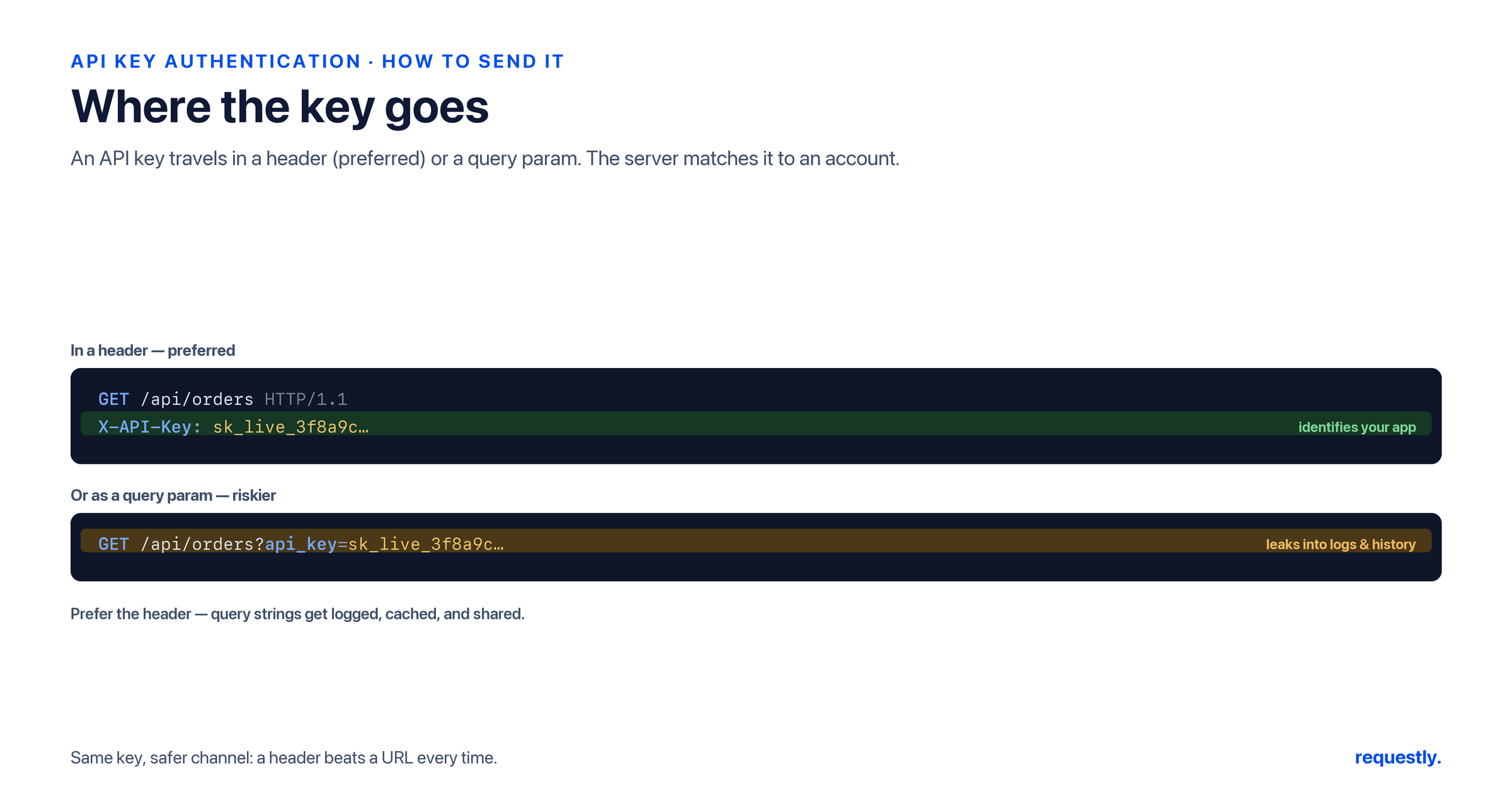
API key authentication is the simplest way to control access to an API: the provider issues you a secret string, and you attach it to every request. That simplicity is exactly why it is everywhere — and why it goes wrong so often. The key ends up in a URL, gets committed to a public repo, or never rotates after an employee leaves. The mechanism is easy; using it safely takes a little discipline.
This is a practical, step-by-step guide. It covers what an API key is, where to put it (header versus query parameter), how to generate and rotate one responsibly, and then walks through configuring API Key authentication in the Requestly API client — including storing the key in an environment variable or the Vault so it never lands in a saved request. It is part of our wider guide to API authentication methods.
What an API key is (and is not)
An API key is a long, random string that identifies the application or project making a request. The server stores a copy, and when your key arrives it looks it up to decide who you are and what you are allowed to do. There is no exchange and, by default, no expiry — the key itself is the credential.
It is worth being clear about what a key does not do. It identifies an application, not an end user, and it offers little per-request scoping — it generally grants whatever it was provisioned for. If you need a user to authorize a third party, or you need short-lived, scoped, revocable access, that is a job for OAuth, and the decision between the two is laid out in API Key vs OAuth.
Step 1: Get a key from the provider
Keys are issued from the provider’s dashboard — usually under a “Developers,” “API,” or “Credentials” section. Two habits matter from the start:
- Scope the key if you can. Many providers let you restrict a key to specific endpoints, IP ranges, or read-only access. Grant the least it needs.
- Separate keys per environment. Use distinct keys for development, staging, and production so you can revoke one without breaking the others, and so a leaked dev key never touches live data.
Copy the key once and store it somewhere safe immediately — most dashboards show the full value only at creation time.
Step 2: Decide where the key goes — header vs query parameter
This is the decision that most affects security, and the answer is almost always “header.”
Header (recommended). The key travels in a request header — a custom one like x-api-key, or the standard Authorization header. Headers are not logged by default the way URLs are, and they do not leak through browser history or referrer headers.
# Custom header
GET /v1/orders HTTP/1.1
Host: api.example.com
x-api-key: sk_live_8f3a2b9c1d4e5f6a7b8c9d0e

# Or via the Authorization header
GET /v1/orders HTTP/1.1
Host: api.example.com
Authorization: ApiKey sk_live_8f3a2b9c1d4e5f6a7b8c9d0e
Query parameter (avoid when possible). Some APIs accept the key in the URL: ?api_key=sk_live_.... It works, but the full URL — key included — ends up in server access logs, proxy logs, browser history, and the Referer header sent to third parties. If a provider only supports query-string keys, treat that key as more exposed and rotate it more aggressively.
# Works, but leaks into logs and history
GET /v1/orders?api_key=sk_live_8f3a2b9c1d4e5f6a7b8c9d0e HTTP/1.1
Host: api.example.com
Whichever placement you use, the key must travel over HTTPS. Over plain HTTP, anyone on the path can read it.
Step 3: Configure API Key auth in Requestly
Before you embed the key in application code, confirm it actually works against the endpoint. In Requestly:
- Open or create a request and select the Authorization tab.
- Choose API Key as the auth type.
- Enter the key name (for example
x-api-key) and the value. - Choose whether it is added to the header or the query parameters.
- Send the request and confirm you get a
200rather than a401or403.
Requestly builds the correct header or query parameter for you, so there is no hand-encoding. If the call fails, the response makes the cause obvious: a 401 usually means the key is missing or malformed, a 403 usually means the key is valid but lacks permission for that resource.
Step 4: Store the key in an environment variable, not the request
Typing the raw key into the Authorization tab works, but it bakes the secret into the saved request — which is the same anti-pattern as hardcoding it in source. Instead, store it as a variable and reference it.
Create an environment variable — say apiKey — and set the Authorization value to {{apiKey}}:
x-api-key: {{apiKey}}Requestly variables come in several scopes — environment, collection, global, and runtime — so you can keep a separate apiKey per environment and switch between dev, staging, and production by changing the active environment instead of editing requests. To swap environments programmatically inside a script, the variable API is straightforward:
// Read or update a stored key from a script
const key = rq.environment.get("apiKey");

rq.test("Key is present", function () {
  rq.expect(key).to.be.a("string");
  rq.expect(rq.response.code).to.not.equal(401);
});
Keys never touch the cloud: Requestly is local-first, so your API keys live in environment variables on your machine, not on a vendor server. Explore the API client →
Step 5: Put production secrets in the Vault
For live keys, even an environment variable can be more exposed than you want — variable values may be visible to anyone you share a workspace with. Requestly’s built-in Vault is designed for the truly sensitive ones: it stores secrets securely and integrates with AWS Secrets Manager, so a production key can be pulled from your existing secret store rather than copied around. Reference a Vault secret the same way you would a variable, and the raw value never appears in the request definition.
The rule of thumb: development keys in environment variables, production keys in the Vault.
Step 6: Rotate keys on a schedule
Because API keys do not expire on their own, rotation is your responsibility. A workable routine:
- Rotate periodically — on a fixed cadence and whenever someone with access leaves.
- Rotate immediately if a key ever appears in a commit, a log, a screenshot, or a support ticket. Assume an exposed key is compromised.
- Overlap during rotation. Generate the new key, deploy it, confirm traffic has moved over, then revoke the old one — so there is no downtime.
If a key leaks into a public repository, rotate first and scrub history second; the rotation is what actually stops the bleeding. To pre-empt accidental commits, keep keys in environment variables and secret stores rather than in code — exactly the setup above.
Troubleshooting a rejected key
When a request comes back unauthorized, work through the obvious causes in order: is the key in the placement the API expects (header vs query)? Is the header name spelled exactly as documented? Is there a stray space or a truncated value? Is the key for the right environment? Reproducing the call in Requestly isolates the problem — if it succeeds there with the same key, the bug is in your application code, not the credential. For a deeper look at status codes, our breakdown of 4xx client errors distinguishes a missing credential from an insufficient one.
API keys are one method among several. If your API instead hands you a token after login, see How to Use Bearer Tokens for API Authentication; if you are weighing a key against full delegation, API Key vs OAuth covers the trade-offs.
Set it up once, test it instantly: Configure API Key auth, store the key in the Vault, and confirm the endpoint accepts it — all before you write a line of integration code. Explore the API client →
Frequently asked questions
What is API key authentication?
API key authentication is a method where the provider issues a long, static string that you attach to each request to identify your application. The server looks up the key to decide who is calling and what they may access. It is simple to use but identifies an application rather than an end user and usually does not expire on its own.
Should an API key go in the header or the query string?
Prefer a header, such as x-api-key or the Authorization header. Query-string keys end up in server logs, proxy logs, browser history, and referrer headers, which is a common leak path. If a provider only supports query-string keys, treat that key as more exposed and rotate it more often. Always send keys over HTTPS.
How do I set up API key authentication in Requestly?
Open a request, go to the Authorization tab, and choose API Key. Enter the key name, such as x-api-key, and the value, then select whether it is added to the header or the query parameters. Send the request and confirm a 200 response. Store the value in an environment variable or the Vault rather than typing it inline.
How do I keep an API key out of my saved requests?
Store the key in an environment variable and reference it as a placeholder like the apiKey variable instead of pasting the raw value into the request. For production secrets, use Requestly’s Vault, which stores them securely and integrates with AWS Secrets Manager, so the raw value never appears in the request definition.
How often should I rotate API keys?
Rotate keys on a fixed schedule and whenever someone with access leaves. Rotate immediately if a key appears in a commit, log, or screenshot, since you should assume an exposed key is compromised. During rotation, deploy the new key and confirm traffic has moved before revoking the old one to avoid downtime.
Why is my API key returning a 401 or 403?
A 401 usually means the key is missing or malformed, while a 403 means the key is valid but lacks permission for that resource. Check the placement, the exact header name, stray spaces, and whether the key matches the environment. Reproducing the call in Requestly isolates whether the problem is the credential or your application code.
Test any API request visually: import a cURL command or build from scratch in Requestly, the API client for developers.
Download →