





Get Requestly
Digital accessibility ensures websites and apps are usable by everyone, including individuals with disabilities.
As the demand for inclusive digital experiences grows, testing tools have become essential for identifying and fixing barriers for users with visual, auditory, cognitive, or motor impairments.
This article explores the role of accessibility testing tools and highlights 18 top options for 2025.
What are Accessibility Testing Tools?
Accessibility testing tools are software or browser extensions that evaluate digital content against accessibility standards like WCAG, Section 508, and ADA.
They help identify common issues such as missing alt text, poor color contrast, and navigation problems.
While automated tools catch many issues, manual testing is often needed to address more complex barriers.
Importance of Accessibility Testing Tools
The use of accessibility testing tools offers numerous benefits:
- Ensuring Inclusivity: The primary goal is to make digital products accessible to the widest possible audience, fostering an inclusive environment for all users.
- Legal Compliance: Many countries and regions have legal requirements for digital accessibility. These tools help organizations adhere to regulations like WCAG, ADA, and Section 508, mitigating legal risks.
- Enhanced User Experience: Accessible websites and applications are often more usable for everyone, leading to improved navigation, clearer content, and a better overall user experience.
- Improved SEO: Many accessibility best practices, such as proper heading usage and clear content structure, also contribute positively to search engine optimization.
- Reputation and Brand Image: Demonstrating a commitment to accessibility enhances a company’s reputation and builds trust with its user base.
- Cost-Effectiveness: Identifying and fixing accessibility issues early in the development cycle is significantly less expensive than addressing them after launch.
Top 18 Accessibility Testing Tools
Accessibility Testing Tools help ensure compliance with accessibility standards and improve the usability of websites and applications for a diverse audience.
The following list features 18 of the most effective accessibility testing tools available in 2025, offering various solutions to suit different testing needs and environments.
Top 18 Accessibility Testing Tools
- BrowserStack Accessibility Testing
- WAVE (Web Accessibility Evaluation Tool)
- Tenon – Level Access
- Accessibility Insights
- IBM Equal Access Accessibility Checker
- Google Accessibility Developer Tools
- Pa11y
- Firefox Accessibility Inspector
- axe Monitor by Applause
- Siteimprove Accessibility Checker
- Microsoft Accessibility Insights for Web
- Tota11y
- ARC Toolkit by TPGi
- AChecker (Accessibility Checker)
- MAUVE++
- Dynomapper Accessibility Tool
- Funkify – Disability Simulator
- Accessibility Evaluation Assistant (AEA)
Here is a description of each of these tools to help you make an informed decision.
1. BrowserStack Accessibility Testing
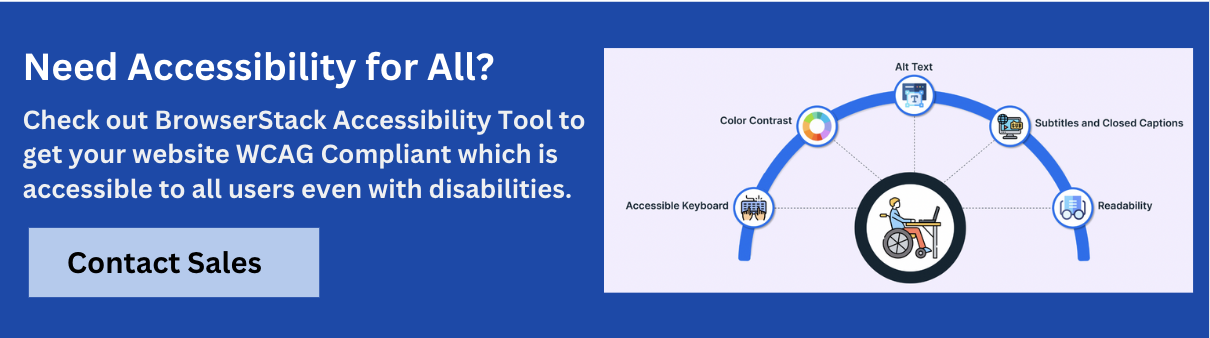
BrowserStack is a robust platform for accessibility testing across real devices and browsers. Key features include:
- WCAG Compliance: Supports WCAG 2.0, 2.1, ADA, Section 508, and AODA standards.
- Automated Issue Detection: Identifies missing alt text, low contrast, heading errors, and ARIA violations.
- Screen Reader Testing: Tests with VoiceOver (Mac), NVDA (Windows), and TalkBack (Android).
- Dynamic & Responsive Testing: Handles SPAs, dynamic content, and multi-device responsiveness.
- Reporting & Monitoring: Unlimited scans, scheduled monitoring, and shareable reports.
Free Accessibility Testing: Run unlimited website scans with automated WCAG compliance checks, test up to 5 pages per scan, and gain insights on accessibility issues.
2. WAVE (Web Accessibility Evaluation Tool)
WAVE is a widely used, free suite of evaluation tools that delivers visual feedback on web content accessibility. It analyzes pages for WCAG conformance, highlighting potential issues, errors, and alerts.
This user-friendly tool is effective for identifying common problems and also offers an API for automated checks within CI/CD pipelines.
3. Tenon – Level Access
Tenon, now part of Level Access, is a comprehensive accessibility platform providing automated and manual testing capabilities.
It assists organizations in ensuring digital compliance across web, mobile, and software applications.
Key features include accessibility profiles, maintenance rescans, and compliance audits with certification.
4. Accessibility Insights
Developed by Microsoft, Accessibility Insights is an open-source tool that is available as a browser extension for Chrome and Edge and a standalone application for Windows.
It provides “FastPass” for quick automated testing and a comprehensive manual assessment guide, with integration options for GitHub and Azure Boards.
5. IBM Equal Access Accessibility Checker
The IBM Equal Access Accessibility Checker is an automated tool designed to help developers identify and resolve accessibility issues against WCAG 2.1 Level A, AA, and WAI-ARIA 1.2 standards.
It integrates into development workflows and delivers detailed results with rule IDs and reason codes for efficient remediation.
6. Google Accessibility Developer Tools
This tool is a library of accessibility-related testing and utility code, primarily featuring an accessibility audit integrated into Chrome DevTools.
It provides real-time analysis, offering scores, suggestions, and visual breakdowns for common accessibility problems directly within the browser.
7. Pa11y
Pa11y is an open-source suite of tools designed for automated accessibility testing.
It is highly configurable and can be seamlessly integrated into CI/CD pipelines, making it an ideal choice for developers aiming to automate accessibility checks within their continuous integration workflows.
8. Firefox Accessibility Inspector
Integrated within Firefox Developer Tools, the Accessibility Inspector allows developers to examine a web page’s accessibility tree.
It offers functionalities to check color contrast, simulate various visual impairments, and analyze keyboard navigation, providing comprehensive insights into accessibility.
9. axe Monitor by Applause
Leveraging the powerful axe core engine, axe Monitor by Applause focuses on enterprise-level accessibility monitoring.
It integrates smoothly into development processes, including CI/CD pipelines, offering scalable testing, comprehensive reports, and compliance checks against WCAG 2.1, Section 508, and ADA.
10. Siteimprove Accessibility Checker
Siteimprove offers an enterprise-grade tool that enhances website performance, SEO, and accessibility.
Its robust accessibility checker detects and rectifies issues based on WCAG guidelines, providing actionable insights for remediation and continuous monitoring capabilities for ongoing compliance.
11. Microsoft Accessibility Insights for Web
This powerful browser extension, available for Chrome and Microsoft Edge, facilitates both quick and deep analysis of web accessibility.
It includes “FastPass” for rapidly detecting high-impact issues and a comprehensive “Assessment” for thorough WCAG 2.1 Level AA compliance checks.
12. Tota11y
Tota11y is a lightweight, free accessibility visualization toolkit implemented as a single JavaScript file.
It inserts a small button on the page, offering various plugins that annotate elements to highlight potential accessibility issues and demonstrate how a site performs with assistive technologies.
13. ARC Toolkit by TPGi
The ARC Toolkit is a free browser plug-in that enables automated accessibility testing on individual URLs.
It categorizes issues by topic and WCAG errors, alerts, and best practices and can visually highlight a page’s tab order for keyboard navigation analysis.
14. AChecker (Accessibility Checker)
AChecker is a free online accessibility checker that allows users to analyze web pages for WCAG 2.0 AA compliance.
It generates a detailed report of potential issues and provides clear guidance on fixing them, making it a valuable resource for developers and content creators.
15. MAUVE++
MAUVE++ (as part of Purple’s platform updates) includes features that significantly enhance user experience, such as improved search functionalities like fuzzy search, voice search, and highlighted keywords.
While not exclusively an accessibility tool, these features indirectly contribute to better accessibility by making content easier to find and interact with.
16. Dynomapper Accessibility Tool
Integrated within the Dynomapper visual sitemap generator, the Dynomapper Accessibility Tool scans web pages to ensure they meet WCAG/ADA compliance.
This integration allows users to identify accessibility issues proactively, before they can impact users or compromise compliance.
17. Funkify – Disability Simulator
Funkify is a browser extension that enables users to experience the web from the perspective of individuals with various disabilities.
It simulates conditions like dyslexia, color blindness, tunnel vision, and more, offering valuable insights into the challenges faced by different user groups.
18. Accessibility Evaluation Assistant (AEA)
AEA, more of a framework or approach, emphasizes collaborative, rigorous, ethical, and impactful evaluation in accessibility.
It promotes high-quality evaluations and systematic approaches to understanding and improving digital accessibility.
How to Choose the Best Accessibility Testing Tool?
Selecting the appropriate accessibility testing tool depends on several factors:
- Project Scope: Free browser extensions might suffice for small projects or quick checks. Larger, complex projects or enterprise-level needs may require comprehensive platforms with automated scanning, reporting, and integration capabilities.
- Integration with Development Workflow: Tools that seamlessly integrate into existing CI/CD pipelines, development environments, or bug-tracking systems can streamline the accessibility testing process.
- Type of Testing: Consider whether the focus is on automated checks for common issues, guided manual testing for complex interactions, or a combination of both.
- Compliance Standards: Ensure the tool supports the specific accessibility standards (WCAG versions, Section 508, ADA) relevant to the project.
- Reporting and Analytics: Look for tools that provide clear, actionable reports with detailed explanations of issues and suggestions for remediation.
- Team Expertise: The tool’s complexity should match the technical expertise of the team members who will use it.
- Cost: While many free tools are available, paid solutions offer more advanced features, support, and scalability.
Best Practices of using Accessibility Testing Tools
To maximize the effectiveness of accessibility testing tools, consider these best practices:
- Combine Automated and Manual Testing: Automated tools are excellent for catching a high volume of common issues, but manual testing with assistive technologies (like screen readers) and diverse users is crucial for identifying usability barriers and complex interactions.
- Test Early and Often: Integrate accessibility testing into every stage of the development lifecycle, from design and development to QA and deployment. This “shift-left” approach helps catch issues early when they are less costly to fix.
- Prioritize Issues: Focus on addressing critical accessibility violations first, especially those that severely hinder user access or pose legal risks.
- Understand the Guidelines: Tools provide flags, but a thorough understanding of WCAG and other relevant standards is essential for interpreting results and implementing correct solutions.
- Train Your Team: Ensure designers, developers, and QA engineers know accessibility principles and how to use the chosen tools effectively.
- Document and Track Issues: Use a consistent system to log, track, and manage accessibility defects, ensuring they are addressed and retested.
- Involve Users with Disabilities: Conduct usability testing with individuals with disabilities to gain invaluable real-world insights into the accessibility of digital products.
- Stay Updated: Accessibility guidelines and tools are continually evolving. Update tools regularly and stay informed about the latest standards and best practices.
Conclusion
Accessibility testing tools are indispensable for creating inclusive digital experiences.
By leveraging these tools and combining them with manual testing, organizations can ensure their digital products are accessible, legally compliant, and contribute to a more equitable digital world.




Get Started for Free