
Home / Blog / API Client
API ClientHow to convert OpenAPI spec to an API collection
 Kanishk Rawat·Feb 11, 2026·4 min read
If you already have an OpenAPI Specification (Swagger) for your API, you don’t need to recreate everything manually. With Requestly’s OpenAPI Importer, you can instantly convert your .yaml or .json spec file into a fully organized API collection, ready to explore, test, and document your APIs.
What Is an OpenAPI Specification?
The OpenAPI Specification (OAS) defines a standard, language-agnostic format for describing RESTful APIs. It describes endpoints, request methods, parameters, responses, authentication, and more — typically written in YAML or JSON.
OpenAPI specs are commonly used with tools like Swagger, Postman, and backend frameworks such as FastAPI, NestJS, or Spring Boot.
Requestly now makes it easy to bring these specs directly into your workspace — no extra conversions needed.
Why Import an OpenAPI Spec into Requestly?
Importing your OpenAPI spec into Requestly saves time and ensures consistency between your API documentation and test collections.
Here are the main benefits:
- Instant API Setup — Automatically creates collections and requests for all your endpoints.
- Structured Organization — Groups endpoints under tags and paths for easy navigation.
- Accurate Data — Automatically includes request methods, headers, and body schemas from the spec.
- Ready for Testing — Test endpoints right away with variables, environments, and scripts.
- Seamless Migration — Bring your existing Swagger or Postman definitions into Requestly in seconds.
Supported Formats
The OpenAPI importer supports both:
.json— JSON format specs (commonly exported from Swagger or code generators)..yaml/.yml— YAML format specs (commonly used in backend frameworks).
How to Import an OpenAPI Spec in Requestly
Follow these simple steps:
- Open the API Client
Go to your API Client workspace in Requestly. Make sure you’re in the workspace where you want to import your API collection.
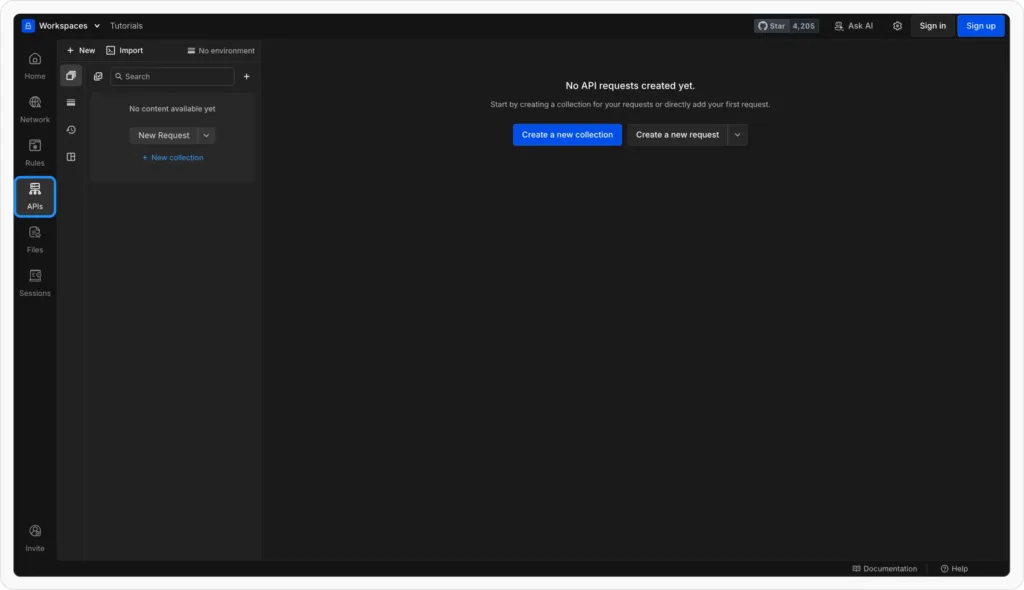
Open API client
- Import Your OpenAPI File
Click Import → OpenAPI and select your.yamlor.jsonfile.
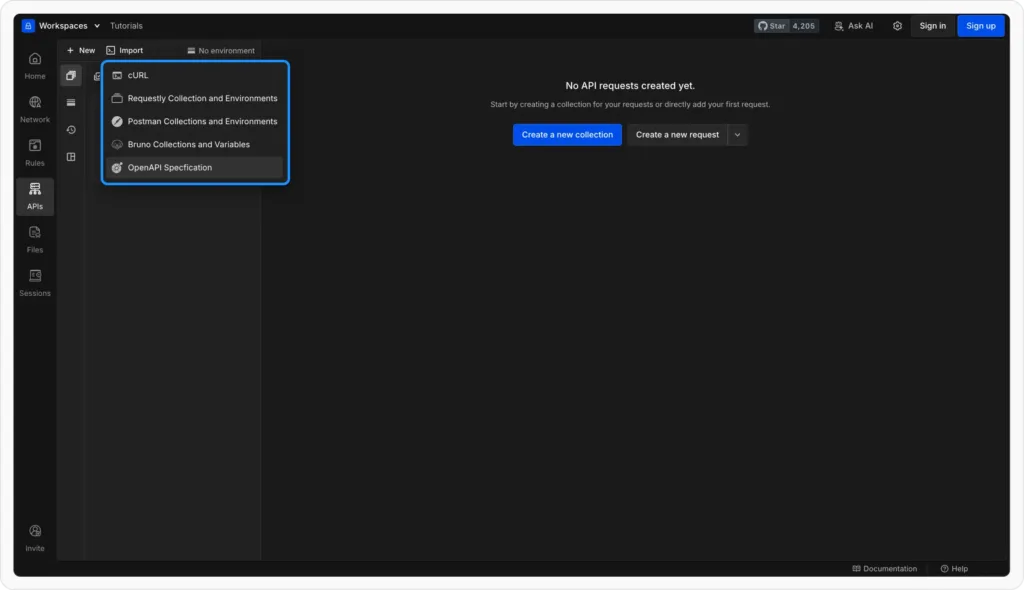
Import Popup
- Preview Before ImportRequestly will show a preview of what will be imported — including:
- The collections that will be created
- The environments and variables that will be set up
Review the preview and confirm to complete the import.
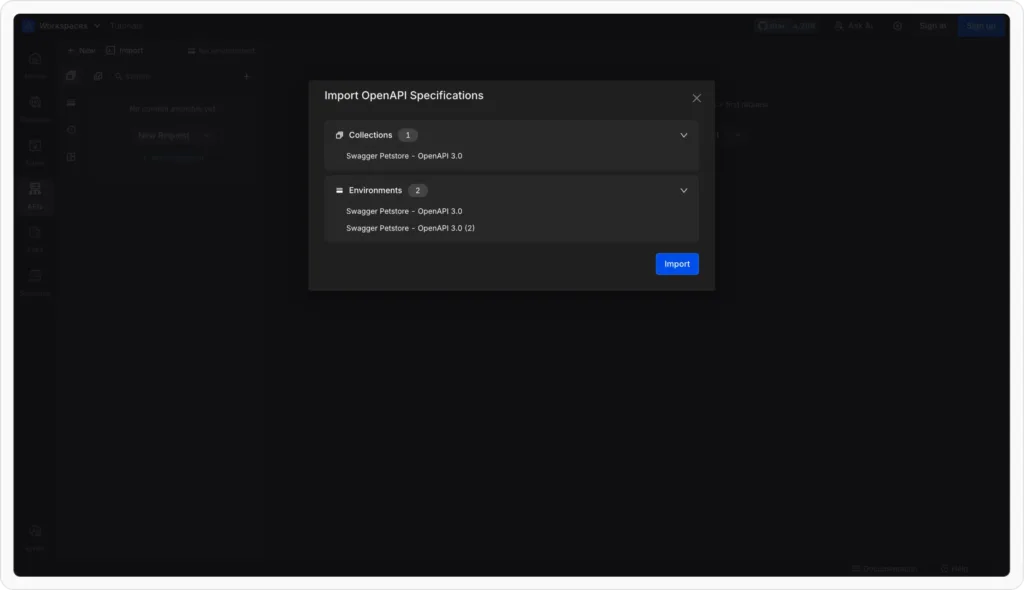
Preview Import
- Requestly builds your collection
- Each path in your OpenAPI file becomes an individual request.
- Requests are grouped under collections named after your API or service.
- Requestly automatically fills in the method, URL, headers, and body (if defined in the spec).
Wrapping Up
Importing your OpenAPI spec into Requestly is the fastest way to set up your API collection — no manual work, no missed endpoints, and no inconsistencies.
Whether you’re migrating from Swagger, Postman, or a backend framework, Requestly helps you centralize your API development, testing, and collaboration in one place.
👉 Try it now: Import your OpenAPI file in Requestly
Related guides
- How to Test an API: A Step-by-Step Guide
- Import Postman Collections into Requestly: Migration Guide
- How to Share API Collections With Your Team
Import your spec in seconds: Requestly turns an OpenAPI spec into a ready-to-run collection so you are not building requests by hand. Try Requestly API Client →
Frequently Asked Questions
What is an OpenAPI specification?
OpenAPI is a standard, language-agnostic way to describe a REST API, including its endpoints, parameters, request and response schemas, and auth. It was previously known as Swagger.
What formats does OpenAPI use?
OpenAPI documents are written in JSON or YAML. You will see OpenAPI 2.0 (Swagger) and the newer OpenAPI 3.x versions.
How do I import an OpenAPI spec into Requestly?
Use Import, then point Requestly at the spec file or URL. It generates a collection of requests from the paths defined in the spec.
Why convert an OpenAPI spec into a collection?
You instantly get ready-to-send requests for every endpoint, with paths, methods, and parameters filled in, instead of recreating them manually.
Does importing keep my spec in sync?
Import creates requests from the spec as it is at that moment. Re-import when the spec changes to pick up new or updated endpoints.
What else can I import into Requestly?
Besides OpenAPI, Requestly imports cURL commands, Postman collections, HAR files, and WSDL definitions.
Test any API request visually: import a cURL command or build from scratch in Requestly, the API client for developers.
Download →