






Get Requestly
Testing APIs often means repeating the same request again and again with slight variations. Changing parameters, tweaking headers, modifying payloads, and trying edge cases can quickly become repetitive and error prone.
That’s why we’re introducing Examples in Requestly — a simple way to save, organize, and reuse different versions of your API requests without touching the original.
What are Examples?
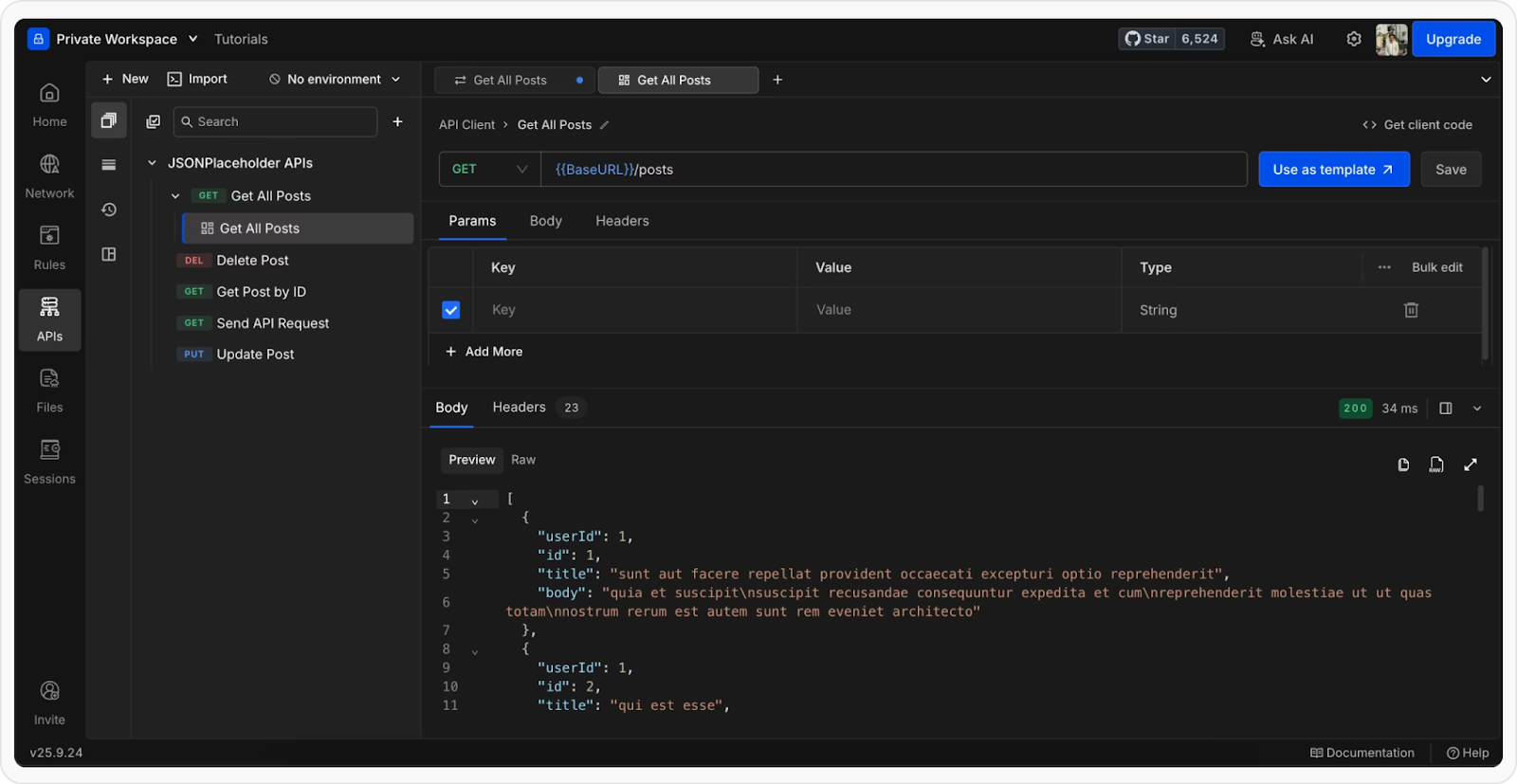
Examples are saved snapshots of an API call, including both the request and its response.
Each example captures:
- Query parameters
- Headers
- Request body
- Response status code
- Response body
- Response headers
You can attach multiple examples to a single request, all stored under it in the sidebar. This makes it easy to move between different scenarios without duplicating or rewriting requests.
Why this matters
Test multiple scenarios faster
Instead of manually editing the same request over and over, you can save different cases such as:
- Valid responses
- Edge cases
- Error states
And switch between them instantly.
Keep everything organized
Examples are neatly stored under the original request in the sidebar. No clutter. No duplicate requests. Just structured workflows.
Share exact configurations with your team
Every example is available within your workspace, so your team can:
- Use the same request setups
- Debug issues faster
- Stay aligned on API behavior
Revisit past responses anytime
Each example stores both the request and its response. This means you can go back and inspect exactly what happened without re-running anything.
How it works
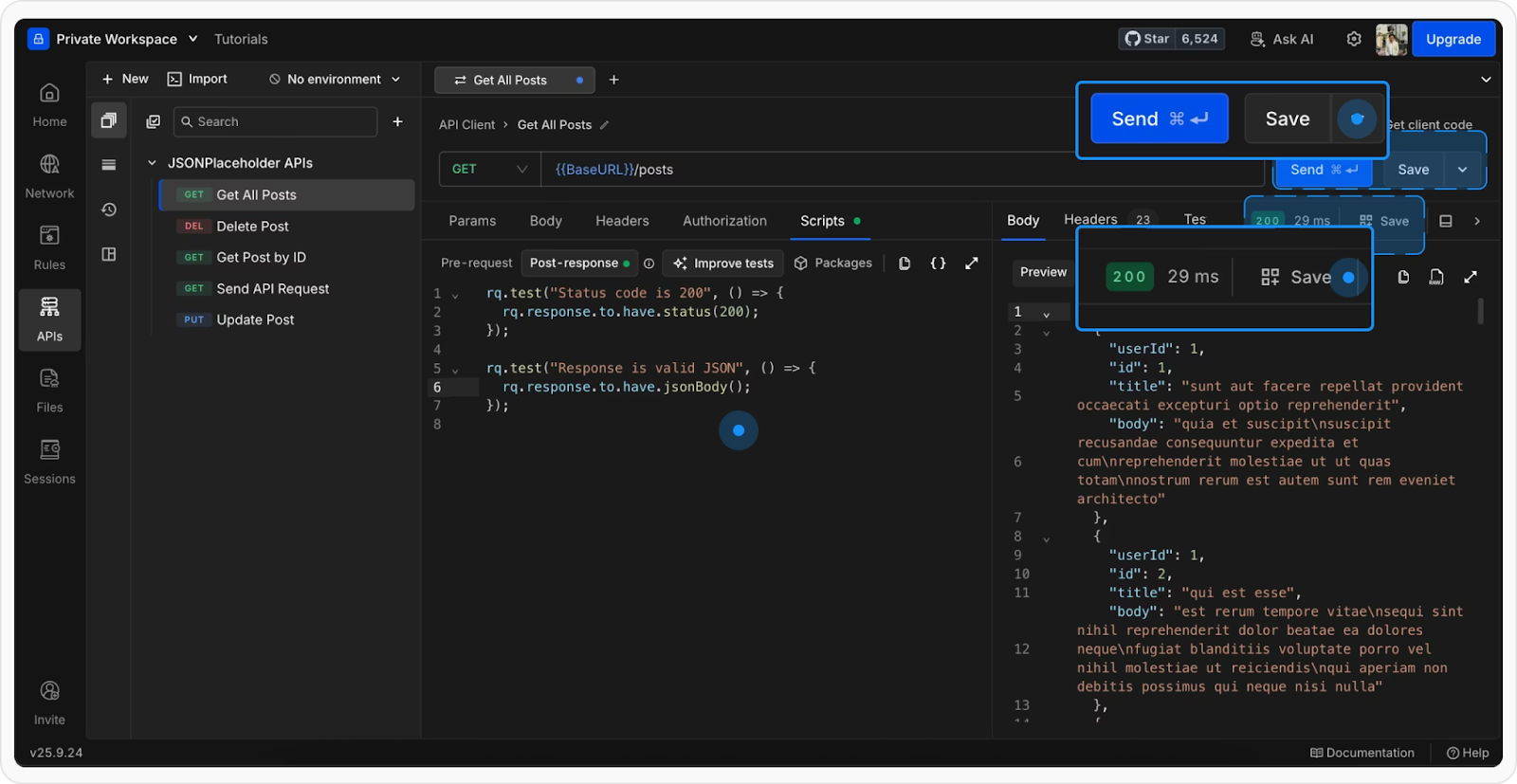
1. Save any request-response as an example
It includes both the request configuration and the response it returned. This captures everything in one place, so you can reuse or revisit it anytime.
2. Access from the sidebar
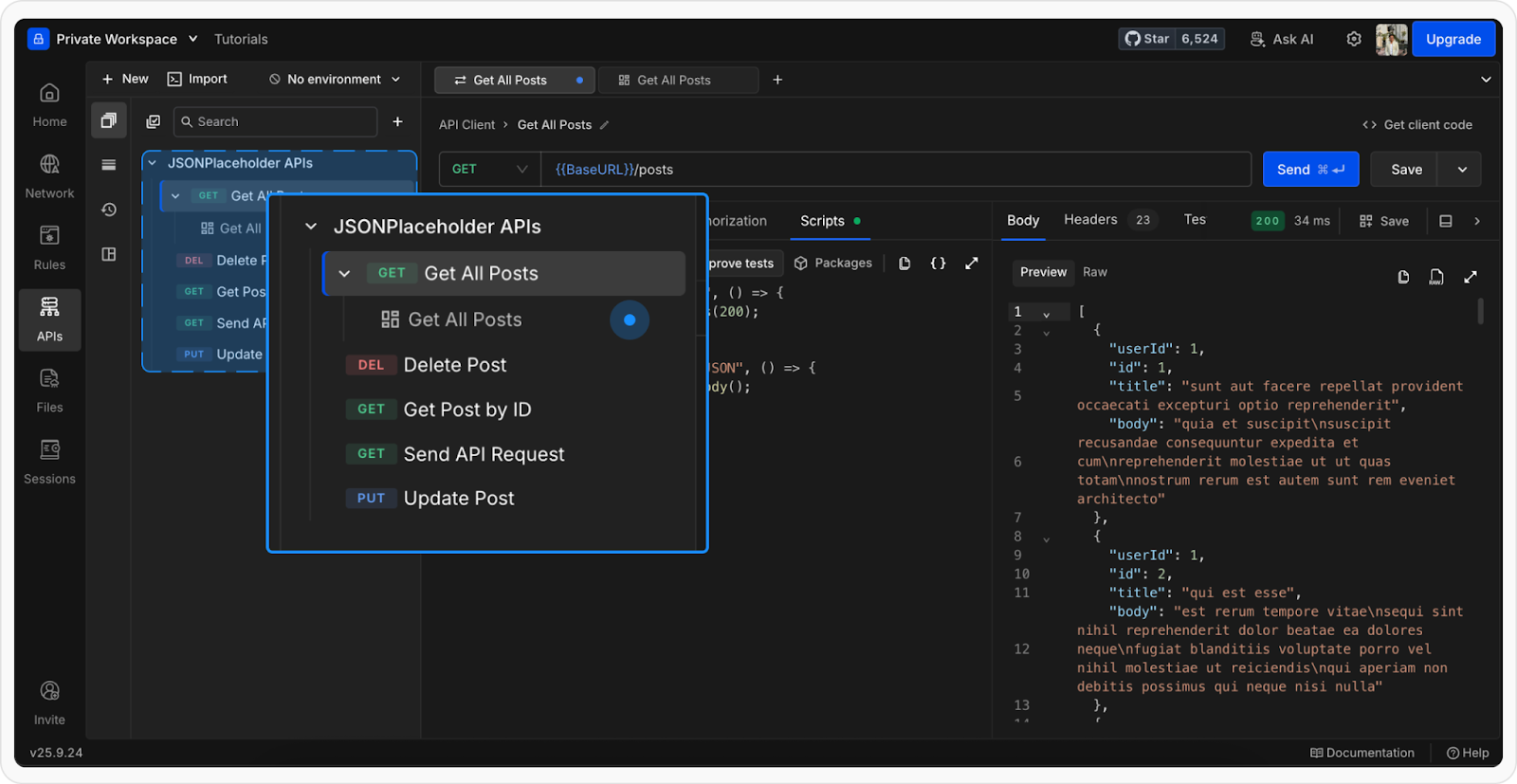
Examples appear as child items under the main request. Expand the request to view all saved examples and open them in a new tab.
3. Manage with ease
You can:
- Rename examples for clarity
- Duplicate them to create variations
- Delete ones you no longer need
Everything is designed to keep your workflow flexible and clean.
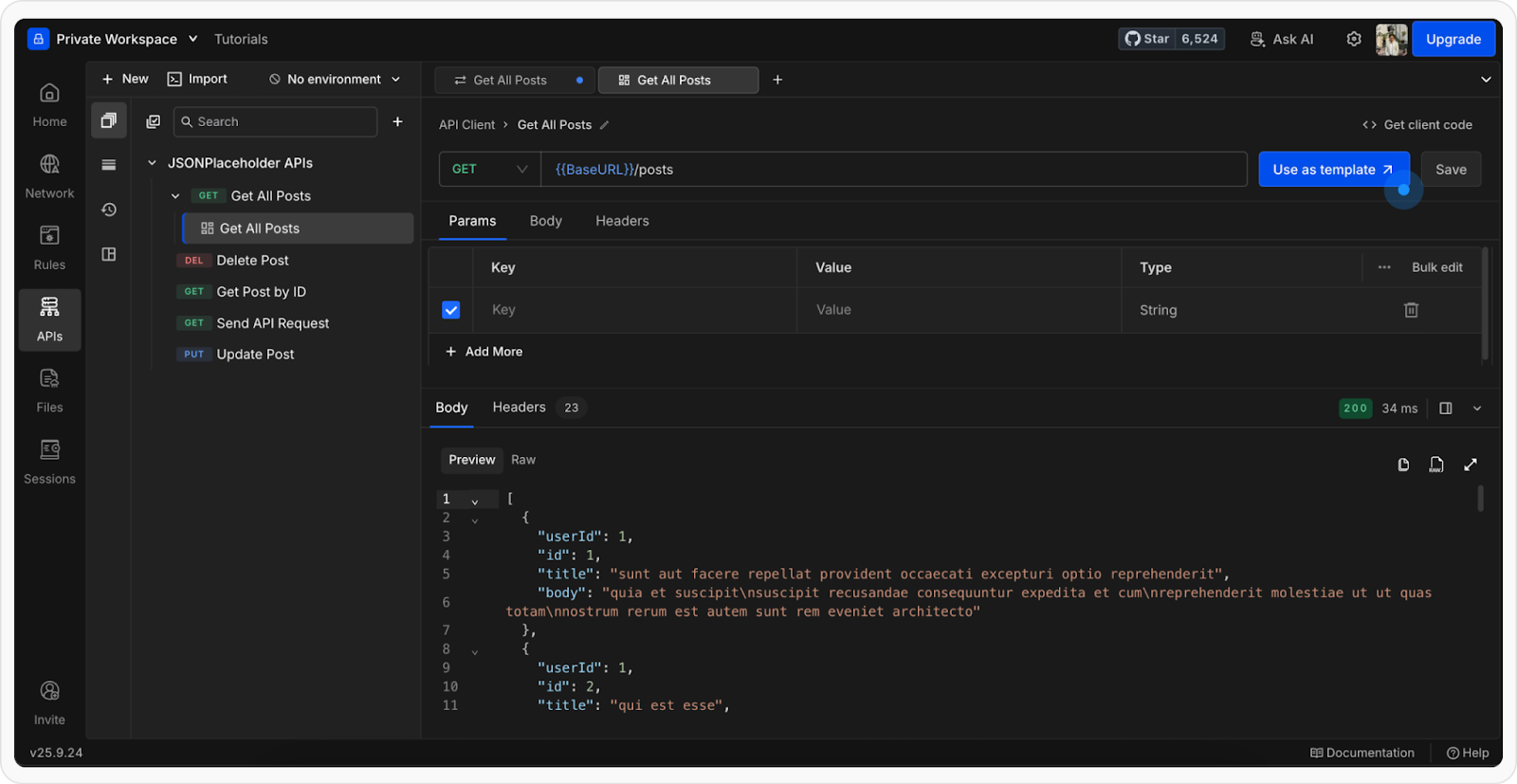
4. Use examples as templates
Want to create a new request based on an existing setup? Just use an example as a template and start fresh without modifying the original.
Built for real API workflows
Request Examples are designed for how developers actually work:
- Iterating on APIs
- Testing multiple scenarios
- Collaborating across teams
- Debugging faster
It removes friction and lets you focus on what matters: building and testing APIs efficiently


Get Started for Free