






Get Requestly
Introduction
Map Local feature lets you serve the content of any local file as the response to an intercepted request in real time. This can greatly speed up development and testing as you can make changes in the file locally and test them live without updating them on the server.
Use Cases
- Map production JS/CSS/HTML files to local files for testing.
- Create Mock APIs using local files and use them in production.
How to Use Map Local?
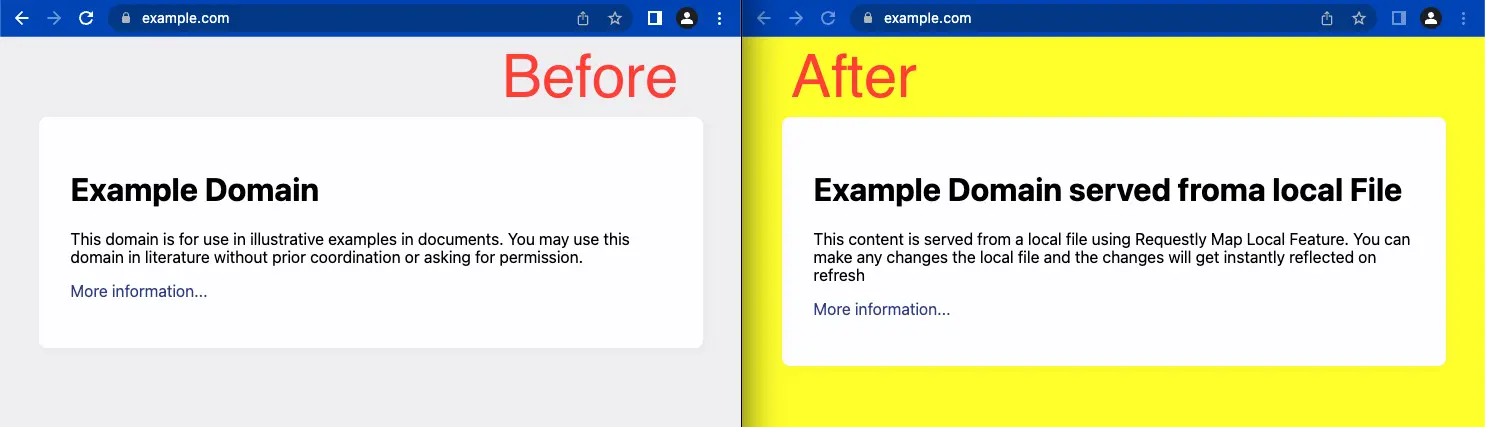
In this example, we’ll use Requestly’s map local feature to serve the content of https://example.com from a local file. Here’s a quick peek at what we’ll do using Map Local. To do this, follow these steps:
- Download and Install the Requestly desktop app.
- Open the app, and click Connect Apps.
- Choose the browser you want to launch and open https://example.com
- In the Network Traffic table in the Requestly app, right-click on the request (example.com) and then select Redirect URL (Map Local/Remote)
- Select Map Local option and select the file from which you must serve the content.
- Click Create Rule and reload the website again to see the updated results.





Get Started for Free