


API Design Guide: Key Principles, Best Practices & Steps

Parth Bhardwaj
April 2, 2026
12MIN READ
Clear, actionable guide to API design covering key principles, essential best practices, and step-by-step processes for building robust APIs.

Your lightweight Client for API debugging
No Login Required
Get Requestly
Requestly Works on Desktop Only
Requestly isn’t available for download on mobile or tablets.
To download it, please open this page on a desktop PC and enter your email to get the link.



Mac app
Lightweight & Privacy-first API Client
- Local Projects
- Organize API into Collections & Environments
- API Tests
- Import from Postman, OpenAPI, etc
Download Now


Chrome extension
Intercept & modify HTTP requests/responses
- Redirect URLs & modify HTTP headers
- Mock API / GraphQL responses
- Insert custom JavaScript scripts
Add To Chrome
APIs enable software components to communicate across distributed systems, mobile devices, and microservices architectures. As businesses expand their digital ecosystems, the demand for well-structured, scalable, and secure APIs has become critical.
Poorly designed APIs can introduce latency, security vulnerabilities, and maintenance nightmares, whereas well-designed APIs enable smooth integrations and faster development cycles. A 2023 Postman State of the API report found that over 89% of developers use APIs daily, highlighting the importance of strong API design principles.
What is API Design?
API design refers to the process of planning and structuring how an API will expose its functionalities, data models, and operations to external or internal consumers. It encompasses decisions around endpoints, methods, data formats, authentication, error responses, and much more. A well-designed API is intuitive, consistent, and flexible enough to evolve with business needs.
API Types and Architectural Styles in API Design
There are various API types and styles, each suited for specific use cases. Choosing the right one is a foundational step in the API design process.
Common API Types:
- REST (Representational State Transfer): Utilizes HTTP methods and a stateless architecture to enable scalability, flexibility, and easy integration with web technologies. RESTful APIs are widely adopted due to their simplicity and standardization.
- GraphQL: A query language that allows clients to request exactly the data they need, reducing data transfer and improving performance. It supports nested queries and real-time updates via subscriptions.
- gRPC: Developed by Google, gRPC uses protocol buffers and HTTP/2 for low-latency, high-throughput communication between services, making it ideal for microservices and internal APIs.
- SOAP (Simple Object Access Protocol): An XML-based protocol designed for standardized, secure, and extensible enterprise communication, often used in legacy systems.
- Webhooks: Event-driven HTTP callbacks that allow systems to push real-time data to consumers, useful for notifications and asynchronous workflows.
Architectural Styles:
- Client-Server: Separates user interface concerns from backend logic, promoting modularity and reusability in development.
- Statelessness: Ensures each request contains all necessary information, enabling horizontal scalability and reducing server memory requirements.
- Layered System: Introduces a tiered architecture that isolates concerns such as security, caching, and business logic into distinct layers.
- Uniform Interface: Enforces consistent API interactions through standardized URIs, HTTP methods, and media types, crucial for RESTful APIs.
Defining API Design Purpose and Use Cases
Before drafting a single line of code, it’s critical to establish why the API exists and who will use it. This sets the scope and guides every design decision.
- Internal vs. External Use: Internal APIs focus on seamless integration within the organization, allowing rapid iteration and change. Public APIs, on the other hand, require stable interfaces, comprehensive documentation, and robust versioning to support third-party developers.
- Consumer Types: APIs intended for mobile applications need to minimize payload size and latency, while those for partner integrations may prioritize flexibility and detailed logging.
- Domain Specificity: An API designed for financial services will need strict security and auditing, whereas an e-commerce API will prioritize high availability, real-time inventory, and promotional logic.
- Scalability Goals: Understanding expected traffic and usage patterns helps determine infrastructure requirements, rate-limiting thresholds, and caching strategies.
API Design Principles & Guidelines
A strong foundation of principles ensures consistency, usability, and scalability.
- Consistency: Use uniform naming conventions, predictable endpoints, and standardized error formats across the API. This reduces cognitive load and accelerates development.
- Simplicity: Minimize complexity by keeping endpoints focused and intuitive. Avoid unnecessary abstraction or over-engineering that can confuse API consumers.
- Predictability: Ensure that similar inputs always produce similar outputs. API behavior should be well-documented and free from surprising side effects.
- Flexibility: Design APIs to accommodate new features and extensions without breaking existing implementations, such as by using optional fields and backward-compatible changes.
- Security First: Incorporate security measures like authentication, encryption, and request validation at every layer, not as an afterthought. Prevent unauthorized access and protect sensitive data.
Resource Modeling and Data Structures in API Design
Accurate resource modeling ensures that APIs align with business logic and are easy to consume.
- Entity Identification: Determine the key resources in the domain, such as customers, orders, products, and categories. Each entity should be uniquely identifiable and mapped to a URI.
- Relationships: Explicitly represent associations between resources, such as customers and their orders, using sub-resources or linked fields to reflect business rules and data hierarchies.
- Granularity: Balance between deeply nested structures and overly flat ones. Deep nesting complicates parsing, while shallow models may lead to excessive requests.
- Data Normalization: Avoid data duplication by referencing shared or common resources using unique identifiers or links, which improves consistency and reduces payload size.
Endpoint and URI Design for API Design
Clear and meaningful URIs enhance API usability and developer experience.
- Noun-Based URIs: Represent resources with nouns instead of actions, aligning with REST principles, such as /users, /products, or /invoices.
- Hierarchical Structure: Capture relationships by nesting URIs where appropriate, such as /users/42/orders to show orders belonging to a specific user.
- Avoid Verbs: Let HTTP methods define actions instead of embedding them in URIs; use POST /users rather than /createUser.
- Use Plural Nouns: Standardize URIs using plural nouns, e.g., /products and /categories, which enhances predictability and uniformity.
HTTP Methods and Status Codes in API Design
HTTP methods and status codes define the behavior of operations and the result of API calls.
HTTP Methods:
- GET: Retrieves one or more resources without modifying them. Should be idempotent and safe.
- POST: Creates a new resource. It can also be used to trigger operations where resource creation isn’t the main goal.
- PUT: Fully replaces an existing resource with the provided data. It is idempotent and suitable for full updates.
- PATCH: Applies partial updates to a resource, allowing selective field changes.
- DELETE: Removes a resource. Should be idempotent even if the resource does not exist.
Common Status Codes:
- 200 OK: Indicates that a request was successfully processed and data (if any) is included in the response.
- 201 Created: Returned when a new resource has been created, typically with a Location header pointing to the resource.
- 204 No Content: Indicates successful operation with no body returned, often used for DELETE or PUT.
- 400 Bad Request: Signals validation errors or malformed syntax in client input.
- 401 Unauthorized / 403 Forbidden: Authentication required or access to the requested resource is forbidden.
- 404 Not Found: The requested resource does not exist.
- 500 Internal Server Error: General server-side failure due to unhandled conditions or misconfigurations.
Request and Response Formats for API Design
Standardizing the structure and content of API requests and responses improves clarity and reduces integration errors.
- JSON: The most widely used format for APIs due to its lightweight structure and ease of use across modern programming environments. It’s human-readable and well-suited for web applications.
- XML: Often used in legacy systems or enterprise environments that require strict typing and schema enforcement. Though heavier than JSON, it provides strong validation capabilities.
- Schema Validation: Enforce data contracts by using tools like JSON Schema or XSD (XML Schema Definition). This ensures that data structures remain consistent and valid.
- Naming Conventions: Maintain consistent naming styles, such as camelCase or snake_case, for fields in both request and response bodies to avoid confusion and ensure readability.
Versioning Strategies in API Design
Versioning ensures API changes do not disrupt existing users by providing a stable experience while enabling evolution.
- URI Versioning: Append the version number directly to the endpoint, such as /v1/customers. This method is easy to understand and implement.
- Header Versioning: Pass version information in custom headers like Accept-Version. This keeps the URI clean but may be harder to discover and debug.
- Query Parameter Versioning: Include a version parameter in requests, e.g., /customers?version=2. This is easy to implement but not RESTful.
- Deprecation Policies: Clearly communicate which versions are deprecated, provide support timelines, and guide users toward newer versions.
Authentication, Authorization, and Security in API Design
Security is a foundational element of API design, safeguarding data and controlling access to sensitive resources.
- OAuth 2.0: A robust authorization framework widely adopted for token-based access control. Supports third-party access with user consent.
- API Keys: Simple tokens passed in headers or query parameters. Easy to implement but should be used with IP restrictions and rate limits.
- JWT (JSON Web Tokens): Stateless, compact tokens that encode claims and can be validated without a database lookup.
- Role-Based Access Control (RBAC): Enforce access policies based on user roles (e.g., admin, viewer) to restrict data or operations.
- Transport Layer Security: Always use HTTPS to encrypt data in transit and prevent eavesdropping or man-in-the-middle attacks.
Error Handling and Status Codes in API Design
Robust error handling helps consumers understand, debug, and recover from issues effectively.
- Standard Error Format: Structure errors with code, message, and optional details. This makes parsing and diagnosis easier for clients.
- HTTP Status Codes: Use appropriate status codes for different scenarios—400 for client errors, 500 for server issues, and so on.
- Error Logging: Log errors on the server with contextual information to assist in troubleshooting and analysis.
- User-Friendly Messages: Provide clear, non-technical messages for client-facing errors to improve user experience.
Rate Limiting and Quotas in API Design
Rate limiting controls traffic to ensure availability, fairness, and protection against misuse.
- Fixed Window: Defines limits per time window (e.g., 1000 requests per hour). Simple but allows burst usage near reset.
- Sliding Window or Leaky Bucket: Provides smoother distribution of requests and reduces peak load.
- Token Bucket: Allows temporary bursts while maintaining an average request rate.
- Headers: Include X-RateLimit-Limit, X-RateLimit-Remaining, and Retry-After to help clients self-regulate.
Caching and Performance Optimization in API Design
Caching improves performance by reducing server load and latency for repeated requests.
- HTTP Headers: Utilize ETag, Last-Modified, and Cache-Control to enable client-side and intermediary caching.
- Reverse Proxies: Implement caches using Varnish or CDNs to serve content closer to end-users.
- Memoization: For expensive operations, temporarily cache data on the server to avoid redundant computations.
- Compression: Use gzip or Brotli to compress responses and reduce payload size.
Pagination and Filtering Large Data Sets in API Design
Efficiently managing large datasets prevents excessive memory usage and improves responsiveness.
- Offset Pagination: Allows clients to retrieve a specific page using offset and limit. May suffer from inconsistencies in rapidly changing datasets.
- Cursor Pagination: Uses opaque tokens to mark the next or previous item, ensuring stable results over time.
- Filtering: Enable precise querying using parameters like status=active or category=electronics.
- Sorting: Allow clients to specify sort fields (e.g., sort=price&order=asc) to control the order of results.
Testing and Validation of API Design
Thorough testing validates functionality, reliability, and compliance with specifications.
- Unit Tests: Validate individual functions or components, ensuring correctness at the micro-level.
- Integration Tests: Simulate interactions between different parts of the system to verify business workflows.
- Contract Testing: Ensure API responses conform to defined schemas or expectations across services.
- Load Testing: Measure how the API performs under stress using tools like Apache JMeter or k6.
Documentation and API Specifications for API Design
Good documentation enhances adoption, reduces support overhead, and streamlines integration.
- OpenAPI (Swagger): Define APIs in a structured format to generate interactive documentation and client SDKs.
- Live Try-Outs: Allow users to experiment with endpoints directly within the documentation portal.
- Code Samples: Provide real-world examples in multiple languages to reduce integration friction.
- Changelogs: Track changes across versions to help developers manage updates.
Backward Compatibility and Deprecated Features in API Design
Maintaining stability over time ensures trust and long-term adoption.
- Non-Breaking Changes: Add optional fields or endpoints rather than modifying or removing existing ones.
- Deprecation Headers: Signal deprecated features using headers like Deprecation and include timelines.
- Fallback Support: Allow legacy clients to continue functioning during phased transitions.
- Version Pinning: Let clients explicitly target supported versions to isolate from breaking changes.
Change Management and Governance in API Design
Structured change management ensures consistency, quality, and alignment with business objectives.
- Design Reviews: Conduct peer reviews of API changes to maintain quality and enforce standards.
- Style Guides: Adopt organization-wide naming, structuring, and versioning conventions.
- Approval Workflows: Require sign-offs from stakeholders before pushing major changes.
- Collaboration: Use tools like API hubs or shared design platforms for transparent discussions and feedback loops.
Monitoring and Analytics for API Design
Operational insights help detect issues, optimize performance, and guide future improvements.
- Logging: Capture request details, latencies, and error events for debugging and auditing.
- Metrics: Track KPIs like uptime, response times, and error rates using Prometheus or Datadog.
- Dashboards: Visualize usage trends, top consumers, and performance bottlenecks.
- Alerting: Trigger notifications based on SLA breaches or traffic anomalies to enable fast response.
Common Pitfalls and Anti-Patterns in API Design
Avoid these common mistakes to ensure a scalable, user-friendly API:
- Ambiguous Endpoints: Mixing unrelated operations under one URI leads to confusion.
- Inconsistent Naming: Using different styles or verbs in URIs degrades usability.
Ignoring HTTP Conventions: Misusing methods or status codes breaks RESTful semantics. - Tight Coupling: Designing APIs too closely tied to backend logic reduces flexibility.
- Lack of Validation: Failing to enforce input/output structure increases the risk of bugs.
How can Requestly help in API Testing?
Requestly is a powerful toolkit for developers who need to debug, test, and simulate various API scenarios efficiently. It bridges the gap between frontend development and backend readiness, enabling teams to test and iterate faster.
- Request Interception and Modification: Developers can intercept outgoing HTTP requests and rewrite them on the fly—ideal for mocking responses, changing request parameters, or simulating backend failures.
- Request Mocking: Quickly simulate API endpoints and behaviors without needing live backend services. This helps in testing error handling, edge cases, and alternate data flows.
- Redirection and URL Rewriting: Route requests to different servers or paths for staging, testing, or legacy endpoints.
- Browser-Based Testing: Seamlessly integrated into the browser, allowing real-time validation and debugging within development environments.
Requestly API Client
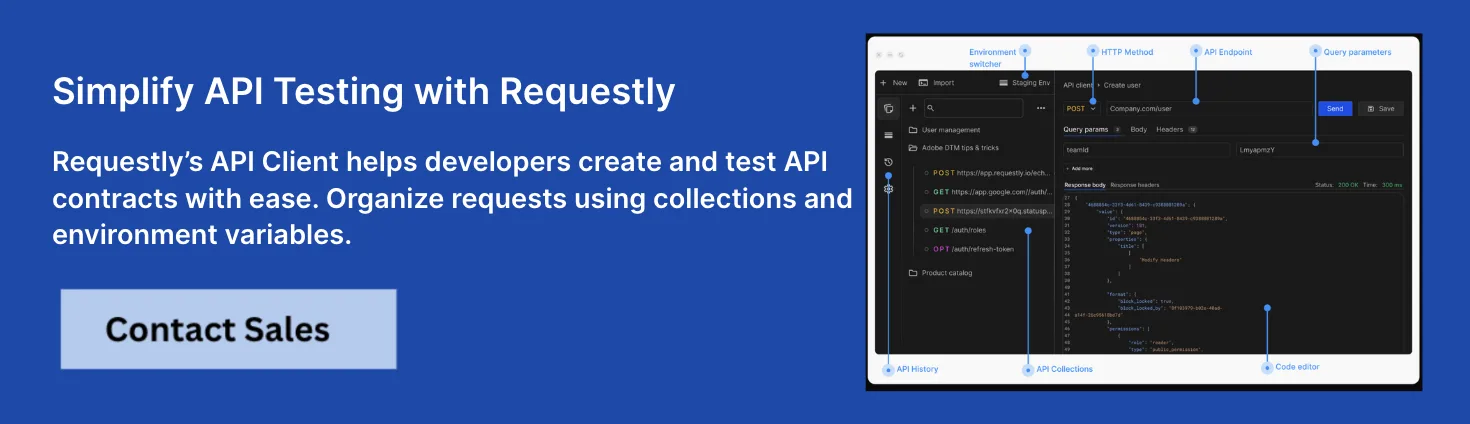
In addition to its advanced debugging capabilities, Requestly also provides a fully featured API Client designed to streamline request testing and management.
- In-Browser API Testing: Make HTTP requests directly from the browser—no need to switch between tools.
- Organized Collections: Create and manage structured collections of API requests for different projects or teams.
- Dynamic Variables and Environments: Use pre-configured environments and variables for seamless context switching between dev, staging, and production setups.
- Collaboration Ready: Share collections across teams, promoting transparency and standardization in API development workflows.
Together, Requestly’s API interception tools and API Client form a unified platform that boosts development productivity, shortens feedback loops, and ensures high-quality API integrations.
Conclusion
API design is foundational to scalable, maintainable, and user-centric digital systems. By adhering to consistent principles—such as clear resource modeling, intuitive versioning, and robust error handling—APIs become not only technical interfaces but also strategic assets.
By integrating API testing into continuous development workflows, teams can release with confidence and ensure their APIs deliver consistent value.
Written by
Parth Bhardwaj
Contents
- What is API Design?
- API Types and Architectural Styles in API Design
- Common API Types:
- Architectural Styles:
- Defining API Design Purpose and Use Cases
- API Design Principles & Guidelines
- Resource Modeling and Data Structures in API Design
- Endpoint and URI Design for API Design
- HTTP Methods and Status Codes in API Design
- HTTP Methods:
- Common Status Codes:
- Request and Response Formats for API Design
- Versioning Strategies in API Design
- Authentication, Authorization, and Security in API Design
- Error Handling and Status Codes in API Design
- Rate Limiting and Quotas in API Design
- Caching and Performance Optimization in API Design
- Pagination and Filtering Large Data Sets in API Design
- Testing and Validation of API Design
- Documentation and API Specifications for API Design
- Backward Compatibility and Deprecated Features in API Design
- Change Management and Governance in API Design
- Monitoring and Analytics for API Design
- Common Pitfalls and Anti-Patterns in API Design
- How can Requestly help in API Testing?
- Requestly API Client
- Conclusion
Subscribe for latest updates
[sibwp_form id=1]
Share this article

Related posts




Get started today
Join 300,000+ developers building smarter workflows.
Get Started for Free
Requestly Works on Desktop Only
Requestly isn’t available for download on mobile or tablets.
To download it, please open this page on a desktop PC and enter your email to get the link.
Mac app
Lightweight & Privacy-first API Client
- Local Projects
- Organize API into Collections & Environments
- API Tests
- Import from Postman, OpenAPI, etc
Download Now
Chrome extension
Intercept & modify HTTP requests/responses
- Redirect URLs & modify HTTP headers
- Mock API / GraphQL responses
- Insert custom JavaScript scripts
Add To Chrome