





Get Requestly
HTTP status codes are essential in web communication, signaling how requests between clients and servers are handled. Among these, 4xx client errors indicate issues caused by the client’s request. Understanding these errors, their impact, and how to resolve them is critical for developers, webmasters, and SEO specialists alike.
This article covers the essentials of 4xx errors, common ones you’ll encounter, their root causes, effects on SEO and user experience, troubleshooting steps, useful tools including Requestly’s HTTP Interceptor, and advanced handling techniques.
What Are 4xx Client Errors?
4xx status codes signify client-side errors, meaning the request sent by the client (browser, app, crawler) is malformed or unauthorized, preventing the server from fulfilling it. Unlike 5xx errors that indicate server problems, 4xx codes show something is wrong with the request syntax, authentication, or permissions. These errors range from malformed requests (400 Bad Request) to missing pages (404 Not Found) and denied access (403 Forbidden).
Read More: What Is an HTTP Request and How Does It Work?
Common 4xx Error Codes and Their Meanings
- 400 Bad Request: The server cannot process the request due to invalid syntax or malformed URL.
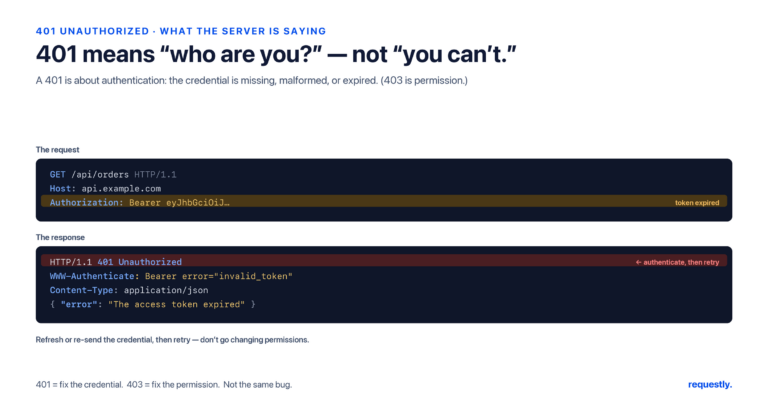
- 401 Unauthorized: Authentication is required and has failed or not been provided.
- 403 Forbidden: The client is authenticated but does not have permission to access the resource.
- 404 Not Found: The requested page or resource does not exist.
- 405 Method Not Allowed: The HTTP method used is not supported by the resource.
- 408 Request Timeout: The server timed out waiting for the client’s request.
- 410 Gone: The resource requested is no longer available and won’t be available again.
- 413 Payload Too Large: The request body is larger than the server is willing or able to process.
- 414 URI Too Long: The request URI is longer than the server can handle.
These codes help pinpoint specific client issues to address.
Causes of 4xx Errors
Common causes include:
- Typos or incorrect URLs: Mistyped addresses or outdated links lead to 404 errors.
- Malformed request syntax: Invalid characters or improper formatting can trigger 400 errors.
- Authentication failures: Missing or incorrect login credentials cause 401 errors.
- Insufficient permissions: Restricted access due to user roles or security settings results in 403 errors.
- Request size issues: Exceeding header or payload limits causes 413 or 414 errors.
- Expired or deleted content: Resources removed intentionally or by mistake produce 410 or 404 errors.
Understanding these reasons is crucial for efficient troubleshooting.
Impact of 4xx Errors on SEO and User Experience
4xx errors negatively affect both SEO and user satisfaction:
- Search engine crawlers: Encountering 4xx errors signals broken or missing pages, leading to lower crawl rates and rankings.
- User frustration: Visitors hit dead ends or access denied messages, reducing engagement and trust.
- Link equity loss: Broken URLs cause lost link juice which can diminish overall site authority.
Preventing or promptly fixing these errors supports smooth crawling, better rankings, and improved user experience.
Troubleshooting and Resolving 4xx Errors
Steps to identify and fix 4xx errors:
- Identify errors: Use tools like Google Search Console, server logs, or auditing tools to find URLs returning 4xx codes.
- Analyze root cause: Check URL validity, authentication status, permissions, or request formats.
- Fix broken URLs: Correct typos, update or remove outdated links.
- Redirect as needed: Use 301 redirects for moved pages or 410 status for permanently removed content.
- Adjust permissions: Correct access controls causing 403 errors.
- Handle authentication: Ensure valid credentials and tokens for restricted areas.
- Test request size: Reduce payload or header sizes beyond server limits.
- Create custom error pages: Provide helpful navigation or search options for 404 pages.
Regular monitoring and maintenance keep 4xx errors minimal and manageable.
Tools for Managing and Resolving 4xx Errors
Several tools aid detection and resolution:
- Google Search Console: Detects client errors encountered by Googlebot.
- Sitebulb: Comprehensive SEO auditing tool that finds 4xx errors during site crawls.
- Browser and server logs: Provide HTTP status codes and request details.
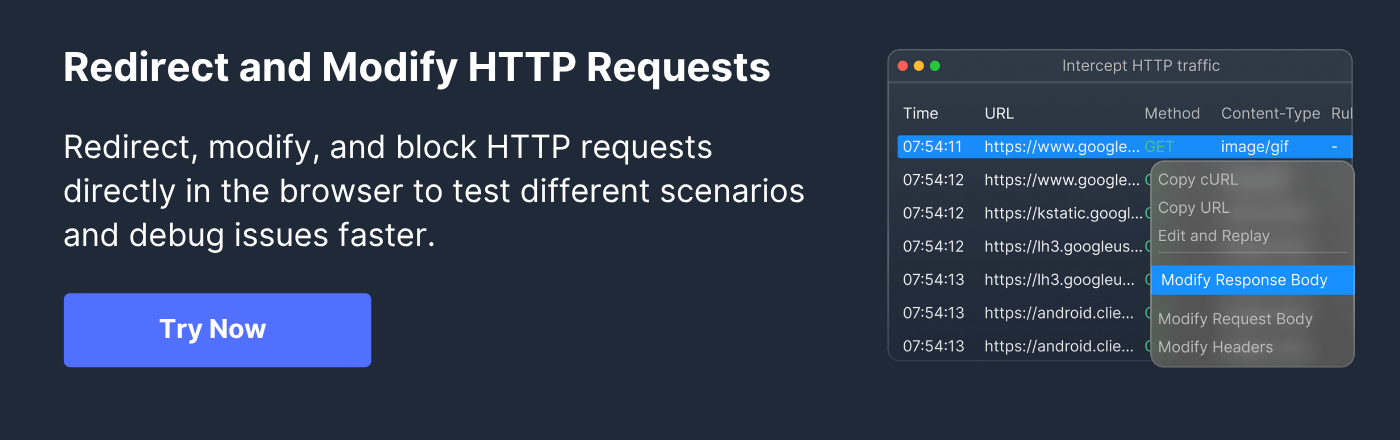
- Requestly HTTP Interceptor: A powerful browser extension and desktop app to intercept, modify, and test HTTP requests and responses in real-time. It allows developers to simulate 4xx error conditions, modify request headers, redirect calls, and mock API responses without backend changes. Its advanced rule engine supports regex, GraphQL interception, and shared team workflows, making it invaluable for debugging and fine-tuning client-side requests.
Using these tools helps pinpoint issues quickly and verify fixes efficiently.
Advanced Techniques for Handling 4xx Errors
Experienced developers employ these tactics:
- Fuzzing request headers and parameters: Testing permutations to discover vulnerabilities or bypass restrictions.
- Changing Host headers: To test for misconfigurations or alternate routing scenarios.
- Modifying user-agent strings: To access different content versions or detect bot blocks.
- Testing different HTTP methods: Switching between GET, POST, etc., to verify allowed actions.
- Using request interception tools: For live modification of HTTP traffic to simulate errors or alternative flows.
- Leverage archival tools: Like the Wayback Machine to recover content previously available but now missing.
These advanced strategies help uncover hidden configuration issues and optimize client-server interactions.
Conclusion
4xx client errors are vital signals indicating problems with client requests that impact site functionality, SEO, and user trust. By understanding their causes, meanings, and consequences, and using robust tools like Requestly HTTP Interceptor along with SEO audit and monitoring platforms, website managers and developers can effectively troubleshoot, resolve, and mitigate these errors. Advanced techniques further empower teams to optimize request handling and ensure smoother web experiences. Regular maintenance and swift error correction are cornerstones of a healthy, high-performing website.
Frequently Asked Questions (FAQs)
Q1: What is the difference between a 4xx and 5xx error?
A1: 4xx errors are due to client-side issues like bad requests or unauthorized access, while 5xx errors indicate server-side failures.
Q2: How does a 404 error affect SEO?
A2: Multiple 404 errors signal broken links or missing content to search engines, which can reduce site rankings and affect user experience.
Q3: Can I prevent all 4xx errors?
A3: While some errors like typos are unavoidable, regular monitoring, link audits, correct permissions, and proper authentication reduce most 4xx occurrences.
Q4: How does Requestly help with 4xx errors?
A4: Requestly intercepts and modifies HTTP requests and responses, enabling developers to test scenarios and simulate errors for debugging without backend changes.
Q5: What should a custom 404 page include?
A5: It should inform users clearly, provide site navigation or search options, and ideally redirect users to productive parts of the website.


Get Started for Free