
Home / Blog / API Client
API ClientHow to Automate API Testing (Without the Headaches)
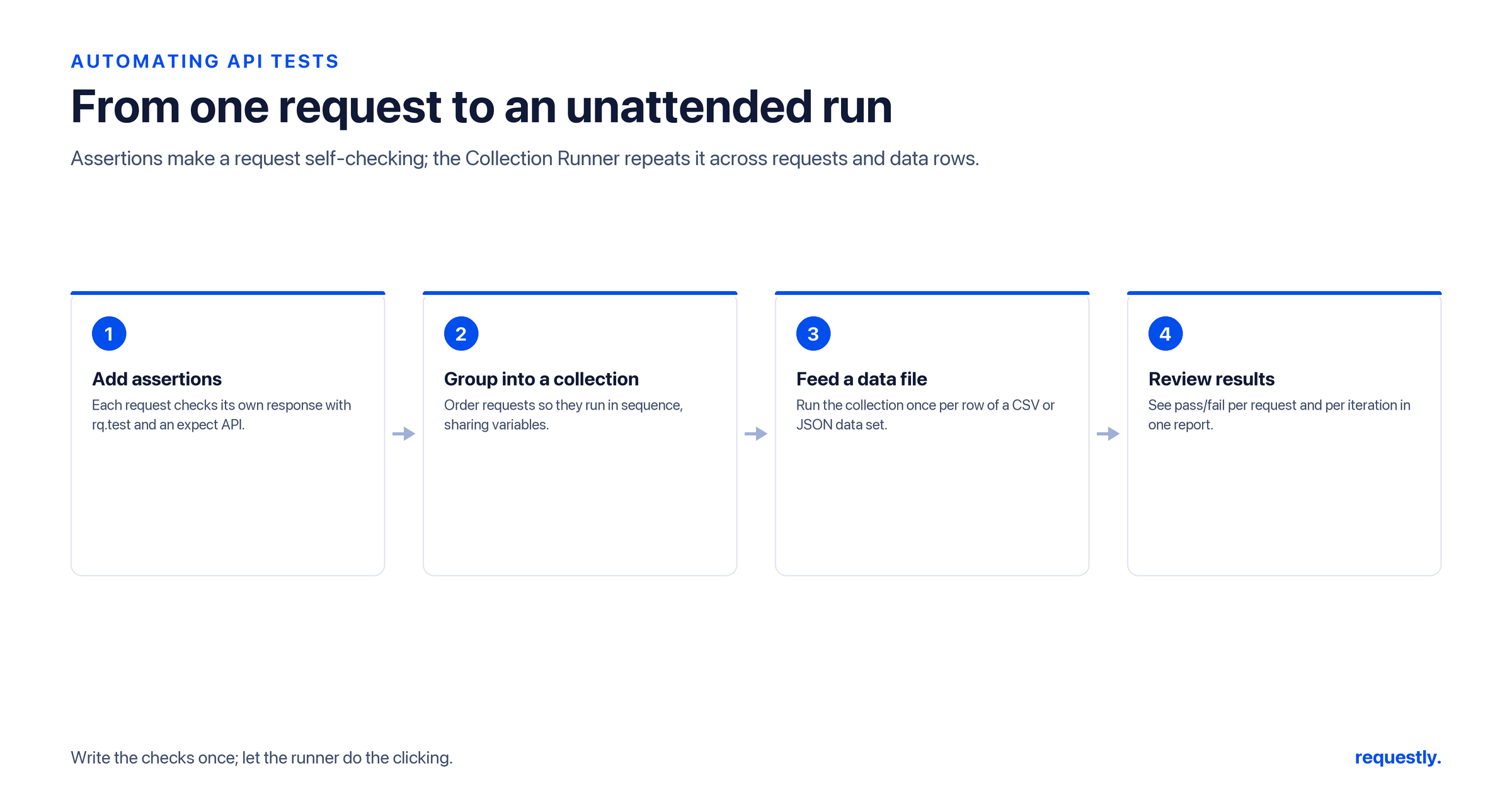
Manual API testing breaks down fast. You click Send, eyeball the JSON, copy a token by hand into the next request, and repeat - until a backend change quietly flips a field from a string to null and nobody notices for three days. Automating API tests means the client checks the response for you, every single time, with rules you write once.
This guide shows how to automate API testing entirely inside the Requestly API client: reusable assertions, AI-generated tests, full-collection runs, data-driven iterations, and request chaining. Every snippet below uses the real scripting API, so you can paste and run it.
1. Write reusable assertions as post-response scripts
The foundation of automated API testing is the assertion: a statement that must be true, checked automatically after every response. In Requestly you add these in the post-response script tab of any request using rq.test() and rq.expect() (a Chai-style matcher API).
rq.test("Status code is 200", function () {
    rq.expect(rq.response.code).to.equal(200);
});

const data = rq.response.json();
rq.test("Body has the fields we depend on", function () {
    rq.expect(data).to.have.property("id");
    rq.expect(data).to.have.property("email");
    rq.expect(data.email).to.be.a("string").and.not.be.empty;
});
Two things developers get wrong here: the status code lives at rq.response.code (not .status), and the parsed body comes from rq.response.json() (not .body). Raw text is available via rq.response.text() when you need the unparsed payload. Get those right and your assertions just work.
Build a real test suite: Add assertions to any request and watch them run on every send. Try Requestly API Client →
Once these scripts live on a request, they run automatically whenever that request fires - manually, inside a collection, or across a data set. For a deeper catalogue of patterns, see 10 practical script examples for API testing and our guide to API assertions and tests.
2. Scaffold tests fast with the AI test generator
Writing assertions from a blank tab is tedious. Requestly ships an AI test generator that reads an actual response and proposes a starting set of rq.test() blocks - status checks, presence checks for each field, type checks - which you then trim and tighten. It is the quickest way to get from “I have a response” to “I have a passing test suite.”
The workflow: send the request once so the client has a real response, open the AI test generator, and let it draft assertions against that payload. Treat the output as a first draft - delete the checks that do not matter and add the business-logic ones the AI cannot infer, like “discount never exceeds subtotal.”
3. Run an entire collection with the Collection Runner
Individual requests are fine for spot checks. To automate a suite, organize related requests into a collection and execute them in sequence with the Collection Runner. Every request runs in order, every post-response script fires, and you get a pass/fail summary across the whole flow.
This is how you turn a folder of requests into a repeatable regression run: order them logically (create, read, update, delete), give each one its assertions, and hit Run. A red result points you straight at the request that regressed.
4. Data-drive runs with a CSV or JSON file
One request, many inputs. The Collection Runner accepts a CSV or JSON data file and executes your requests once per row, substituting columns as variables. Instead of cloning a login request fifty times, you write it once and feed it a table of credentials.
A CSV like this:
email,password,expectedCode
alice@example.com,correct-horse,200
bob@example.com,wrong-pass,401
,no-email,400
Reference the columns as {{email}} and {{password}} in the request body, and assert against the per-row expectation in a script:
const expected = Number(rq.environment.get("expectedCode"));
rq.test("Login returns the expected status for this row", function () {
    rq.expect(rq.response.code).to.equal(expected);
});
Now positive, negative, and edge cases all run from a single request definition - add a row to widen coverage. That is data-driven API testing without writing a line of glue code.
5. Chain requests by extracting and reusing values
Real workflows are stateful: log in, grab a token, create a resource, then act on the ID you just received. You chain requests by extracting a value in a post-response script with rq.environment.set() and reusing it downstream via {{variable}} substitution.
// Post-response script on "Login"
const body = rq.response.json();
rq.environment.set("authToken", body.token);

// Post-response script on "Create order"
const order = rq.response.json();
rq.environment.set("orderId", order.id);
Then the next request uses Authorization: Bearer {{authToken}} and a URL ending in /orders/{{orderId}}. The Collection Runner executes the chain top to bottom, so each request hands the next one exactly what it needs. Full walkthrough in our guide to chaining API requests, and the variable model is explained in pre- and post-response scripts deep dive.
6. Reuse logic with snippets and shared scripts
Copy-pasting the same five assertions into every request is how test suites rot. Save common checks as snippets and drop them into any script, so a single “validate envelope” block stays consistent across dozens of requests. When the contract changes, you update one snippet instead of hunting through forty tabs.
One constraint worth knowing: scripts run synchronously and cannot make their own HTTP calls - there is no fetch, XHR, or async/await inside a script. Scripts validate and transform the response in front of them; the requests themselves do the network work. That keeps runs fast and deterministic.
Where this is heading: CLI and CI/CD
Everything above runs locally and on demand inside the app today. Running these same tests headless from a command line or automatically in CI/CD on every commit is on our roadmap and not yet shipped. We are building toward it - you can read where it is going in our previews of running API tests from the command line and running API tests in CI/CD with reports. Until then, the Collection Runner with a data file is the fastest way to automate a full suite by hand.
If you are still choosing tooling, our roundup of the best API testing tools for 2026 and the broader step-by-step guide to testing an API give the lay of the land.
Stop eyeballing responses: Write assertions once, run them across a whole collection. Try Requestly API Client →
Frequently Asked Questions
How do I automate API tests in Requestly?
Add post-response scripts to your requests using rq.test() and rq.expect(), group the requests into a collection, then run the whole collection with the Collection Runner. Assertions fire automatically on every response, giving you a pass/fail summary without manual checking.
What is the correct property for the response status code in scripts?
Use rq.response.code for the numeric HTTP status. The parsed JSON body comes from rq.response.json() and the raw payload from rq.response.text(). Common mistakes are reaching for a .status or .body property on the response, which do not exist - stick to .code, .json(), and .text().
Can I run one request against many inputs?
Yes. The Collection Runner accepts a CSV or JSON data file and runs your request once per row, substituting columns as {{variables}}. This lets you cover positive, negative, and edge cases from a single request definition.
How do I chain API requests so one feeds the next?
Extract a value in a post-response script with rq.environment.set(“key”, value), then reference it downstream as {{key}} in a later request’s URL, headers, or body. The Collection Runner executes the chain in order so each step passes data forward.
Can scripts make their own HTTP calls?
No. Scripts run synchronously and cannot use fetch, XHR, or async/await. They validate and transform the response already in front of them; the request itself performs the network call.
Can I run these tests in CI/CD or from a CLI?
Headless command-line and CI/CD execution are on our roadmap and not yet shipped. Today you automate suites locally with the Collection Runner and data files; CLI and pipeline runs are what we are building toward next.
Test any API request visually: import a cURL command or build from scratch in Requestly, the API client for developers.
Download →