
Home / Blog / API Client
API ClientHow to Upload Files via API: Multipart & Base64
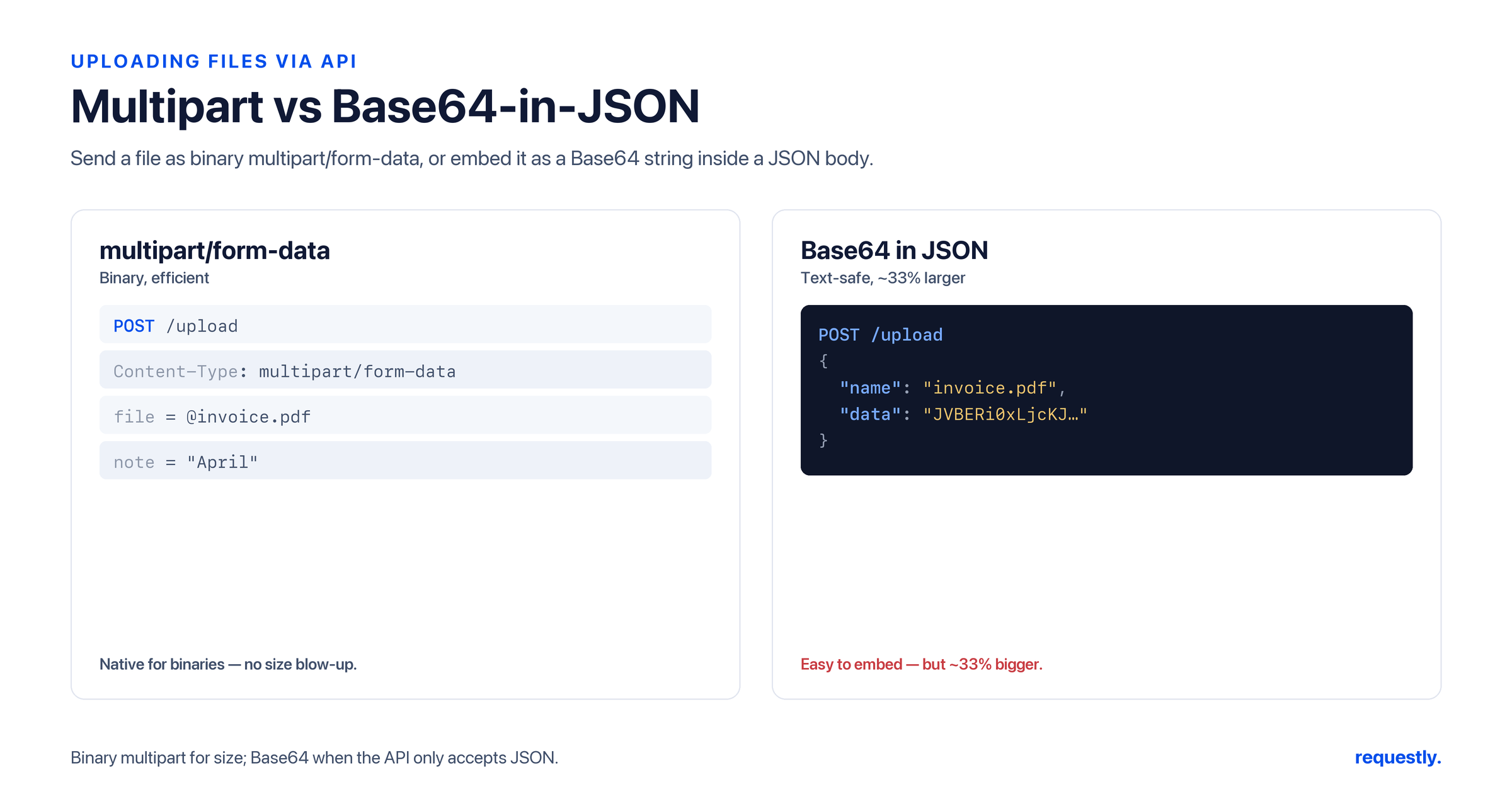
Uploading a file over HTTP is not the same as sending a JSON payload. A profile photo, a CSV import, a PDF attachment - each needs an encoding the server can split back into bytes plus metadata. Pick the wrong one and you get a corrupted file, a rejected request, or a payload about a third larger than it should be.
This guide covers the three most common ways to send a file through a typical web API - multipart/form-data, URL-encoded form data, and base64-in-JSON - with the actual wire format for each, then shows how to send a file upload in the Requestly API client.
How file uploads work over HTTP
An HTTP request that carries a file is just a normal request with a body and a Content-Type header that tells the server how to decode that body. For raw JSON the type is application/json; for file uploads it is almost always multipart/form-data. The header is the contract - if it lies about the format, parsing fails. Our guide to the HTTP message body breaks down what actually travels in that body.
multipart/form-data: the standard for file uploads
multipart/form-data is the workhorse. It splits the body into parts, each separated by a unique boundary string. Every part has its own headers - a Content-Disposition naming the field (and a filename for file parts) and an optional per-part Content-Type. This is what lets one request carry a file and ordinary text fields side by side.
Here is the raw wire format of a multipart request uploading an avatar plus a username field:
POST /api/v1/profile HTTP/1.1
Host: api.example.com
Content-Type: multipart/form-data; boundary=----RQBoundary7MA4YWx
Content-Length: 421

------RQBoundary7MA4YWx
Content-Disposition: form-data; name="username"

ada
------RQBoundary7MA4YWx
Content-Disposition: form-data; name="avatar"; filename="ada.png"
Content-Type: image/png

<binary PNG bytes here>
------RQBoundary7MA4YWx--
Note the structure: the boundary in the header (----RQBoundary7MA4YWx) reappears between parts prefixed with --, and the final boundary has a trailing -- to mark the end. The text field has no Content-Type; the file part declares image/png and a filename. You almost never hand-build this - the client generates the boundary for you.
application/x-www-form-urlencoded vs multipart
It is easy to confuse the two form encodings. application/x-www-form-urlencoded serializes fields as key=value&key2=value2, percent-encoding special characters - the same format as a query string. It is compact and perfect for short text fields, but it has no concept of a file or a filename and no per-field content type.
POST /api/v1/login HTTP/1.1
Host: api.example.com
Content-Type: application/x-www-form-urlencoded

email=ada%40example.com&password=correct-horse
Rule of thumb: url-encoded for plain key-value text, multipart the moment a file is involved. Trying to push binary through url-encoding bloats it with percent-escapes and loses the filename and type metadata the server needs.
Send any body type: Requestly supports raw, JSON, url-encoded, and multipart with file attachments out of the box. Try Requestly API Client →
base64-in-JSON: when you must stay JSON-only
Some APIs - especially JSON-RPC style or strict REST contracts - want everything in a single JSON object, no multipart. The pattern there is to base64-encode the file bytes and embed the string in a field:
{
  "filename": "ada.png",
  "mimeType": "image/png",
  "data": "iVBORw0KGgoAAAANSUhEUgAAAAEAAAABCAQAAAC1HAwCAAAAC0lEQVR4nGNgYAAAAAMAASsJTYQAAAAASUVORK5CYII="
}
The tradeoff is size: base64 inflates the payload by roughly 33 percent (it encodes 3 bytes of input into 4 ASCII characters), plus you pay JSON-escaping overhead. For a 10 MB file that is over 3 MB of pure encoding waste, held entirely in memory on both ends. Use base64-in-JSON when the API demands it or files are small; reach for multipart for anything large.
The cURL equivalent
On the command line, multipart uploads are a one-liner with -F. Each -F is one part; the @ prefix tells cURL to read a file and set the filename:
curl -X POST https://api.example.com/api/v1/profile \
  -F "username=ada" \
  -F "avatar=@./ada.png;type=image/png"
cURL builds the boundary, reads the file, and assembles exactly the raw multipart body shown earlier - you never specify the boundary yourself. Importantly, do not set Content-Type by hand when using -F; cURL must append the generated boundary to the header, and overriding it breaks parsing. Our complete cURL guide covers the full flag set.
How to upload a file in Requestly
The API client makes this a point-and-click operation. The steps:
- Set the request method to POST (or PUT/PATCH per your API) and enter the endpoint URL.
- Open the Body tab and choose form-data as the body type.
- Add a key for your text fields (for example
username) and type the value. - Add another key for the file, switch that row’s type to File, and attach the file from disk.
- Hit Send.
Crucially, let the client set the Content-Type. When you pick form-data, Requestly emits multipart/form-data and generates the boundary automatically. If you manually add a Content-Type header, you risk overriding that boundary and corrupting the upload - so leave it off and let the client manage it.
For a JSON-only API, switch the body to raw / JSON instead and paste your base64 payload. Either way you can save the request into a collection, add assertions, and replay it. If you want to confirm the upload succeeded, a quick post-response check works: our step-by-step API testing guide walks through writing those.
Attach a file and send: Pick form-data, add a File field, and Requestly handles the boundary for you. Try Requestly API Client →
Frequently Asked Questions
What Content-Type should I use to upload a file via API?
Use multipart/form-data for file uploads. It splits the body into parts separated by a boundary, with a Content-Disposition (including filename) and optional per-part Content-Type on each part, so a single request can carry files and text fields together.
What is the difference between multipart/form-data and x-www-form-urlencoded?
x-www-form-urlencoded serializes fields as key=value pairs like a query string and has no concept of files or filenames. multipart/form-data wraps each field as a separate part with its own headers, which is required to send binary files. Use url-encoded for plain text, multipart whenever a file is involved.
How much overhead does base64-in-JSON add?
About 33 percent, because base64 encodes every 3 bytes of input as 4 ASCII characters, plus extra JSON-escaping cost. A 10 MB file becomes roughly 13 MB of text held in memory on both ends, so base64 suits small files or APIs that require JSON-only bodies.
Should I set the Content-Type header manually for multipart uploads?
No. Let the client set it. The Content-Type must include a generated boundary string, and the tool (Requestly or cURL with -F) appends that boundary automatically. Manually overriding the header drops the boundary and breaks parsing.
How do I upload a file in the Requestly API client?
Choose POST, open the Body tab, select form-data, add your text fields as key-value rows, then add a row, set its type to File, and attach the file from disk. Send the request and let Requestly set multipart/form-data with the boundary for you.
How do I attach a file with cURL?
Use the -F flag with an @ prefix on the path, for example -F “avatar=@./ada.png;type=image/png”. cURL reads the file, sets the filename, and builds the multipart boundary; do not set Content-Type manually when using -F.
Test any API request visually: import a cURL command or build from scratch in Requestly, the API client for developers.
Download →