
Home / Blog / API Client
API ClientHow to Share API Collections With Your Team
The fastest way to slow down an API team is to keep every request on one laptop. A new hire spends their first week reconstructing endpoints from Slack threads, two engineers test against different base URLs, and the “real” auth flow lives only in someone’s memory. Sharing API collections fixes all three - one source of truth everyone works from.
This guide covers why teams share collections, the difference between shared and private workspaces in Requestly, how to organize and share collections and environments safely, and how to migrate existing collections in from other tools.
Why teams share API collections
A shared collection is a contract the whole team can see and run. The payoffs are concrete:
- Consistency - everyone hits the same endpoints with the same headers and the same auth setup, so “works on my machine” stops being a debugging answer.
- Onboarding - a new engineer opens the workspace and has every request, ready to send, on day one instead of week two.
- Single source of truth - when an endpoint changes, you update it once and the team sees it, rather than chasing stale copies across machines.
Shared vs local workspaces in Requestly
Requestly organizes work into workspaces, and the type you choose decides who can see it.
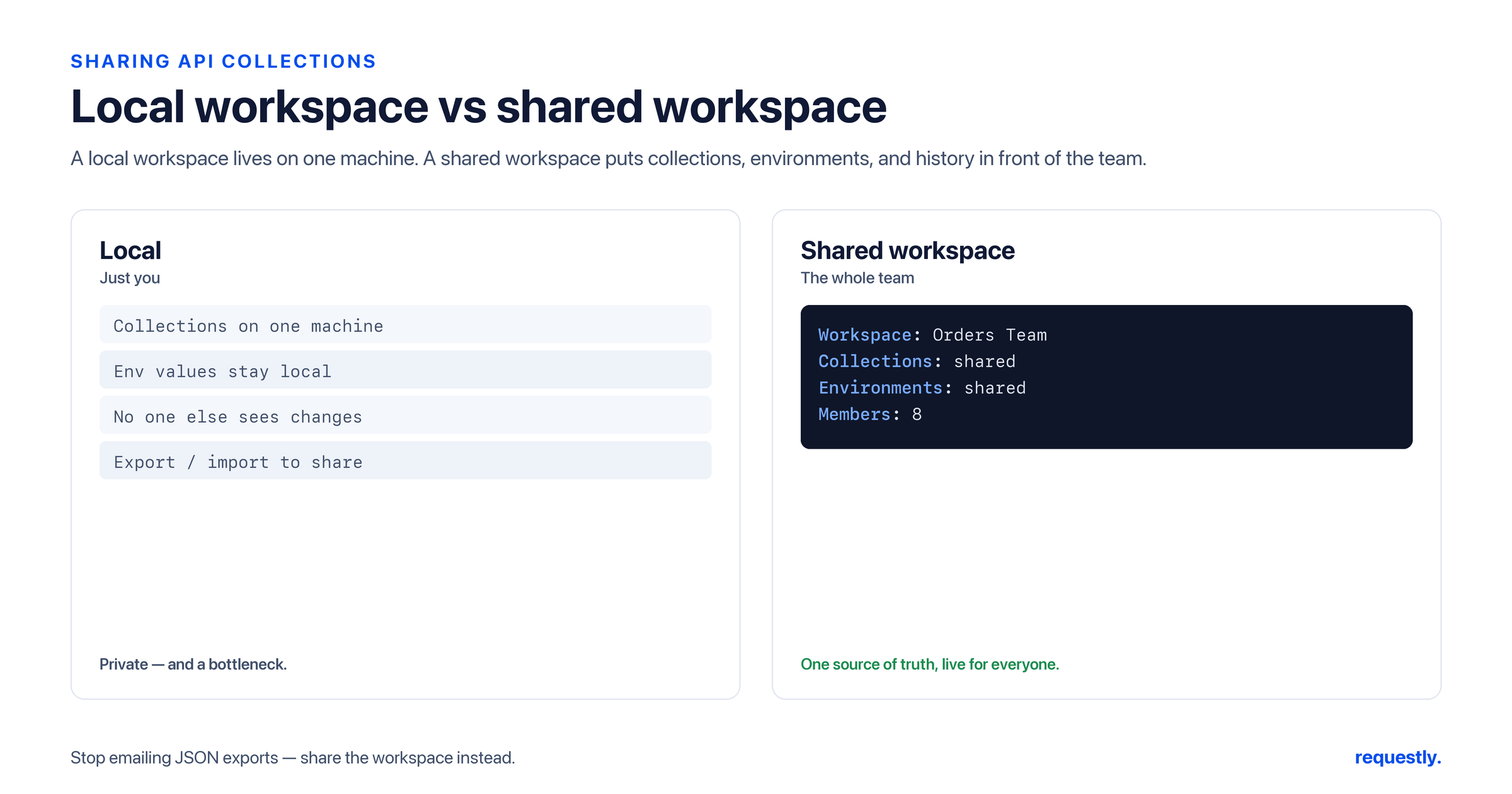
- A local workspace is private to you, stored on your machine. It is the right home for personal scratch requests, half-finished experiments, and anything you are not ready to standardize.
- A shared workspace is visible to teammates you invite. This is where the collections everyone depends on should live - the canonical auth flow, the core CRUD endpoints, the regression suite.
A good pattern: prototype in a local workspace, and once a request is stable and worth standardizing, move it into the shared workspace so the team inherits it. Keep noisy personal experiments out of the shared space so the source of truth stays clean.
Get your team on one workspace: Share collections so everyone tests against the same source of truth. Try Requestly API Client →
Organize requests into collections, then share
Before sharing, structure matters. Group related requests into collections - one per service, resource, or workflow - so the workspace reads like a map instead of a junk drawer. A typical layout:
- Auth - login, refresh token, logout
- Users - create, get, update, delete
- Orders - the full order lifecycle
Once the collections live inside a shared workspace and you invite teammates, everyone sees the same tree. Add or rename a request and it propagates - no exporting a file and pinging it around every time something changes.
Share environments alongside collections - carefully
Collections are only half the picture; requests reference environment variables like {{baseUrl}} and {{apiVersion}}, so sharing the environment is what makes a shared collection actually runnable. Define your non-sensitive config - base URLs, version tags, default IDs - in a shared environment so teammates inherit consistent settings. The variable model and precedence rules are covered in our guide to environment variables and our variables pillar.
Secrets are the exception. Do not put API keys, passwords, or tokens into plain environment variables that get shared - that scatters credentials across every teammate’s client. Requestly provides a Vault for sensitive values; store secrets there and reference them, so the shared collection stays runnable without exposing raw credentials. Treat any plain shared variable as readable by everyone in the workspace, and keep secrets out of it.
// Good: non-sensitive config in a shared environment
baseUrl   = https://api.example.com
apiVersion = v1

// Secrets do NOT belong here as plain values -
// store them in Vault and reference them instead.
Migrate existing collections in with import
You rarely start from zero - the requests already exist somewhere. Requestly imports from the formats teams actually have, so adopting a shared workspace does not mean rebuilding everything by hand. Supported import sources include:
- Postman collections - the most common migration; walked through in our Postman import guide
- OpenAPI specs - generate requests straight from your API definition
- cURL commands - paste a command and get a ready request
- HAR files - rebuild requests captured from real traffic
- WSDL - for SOAP services
The migration play: import your existing Postman (or OpenAPI/HAR/WSDL) collection, drop it into a shared workspace, define a shared environment for the config, and your whole team is running the same suite in minutes. You can also export collections to move them between workspaces or hand them off.
Sharing in Requestly is built on team workspaces plus import/export - invite teammates to a shared workspace, and use import to bring existing work in and export to take it out. Pair that with a Vault for secrets and you have a clean, safe single source of truth. New to API testing as a team? Start with our step-by-step API testing guide.
Onboard the whole team in minutes: Import your Postman collections, share the workspace, keep secrets in Vault. Try Requestly API Client →
Frequently Asked Questions
How do I share API collections with my team in Requestly?
Create a shared workspace, organize your requests into collections inside it, and invite your teammates. Everyone then sees and runs the same collection tree, and changes propagate automatically without exporting and re-sending files.
What is the difference between a shared and a local workspace?
A local workspace is private to you and stored on your machine, ideal for personal scratch requests and experiments. A shared workspace is visible to invited teammates and is where canonical collections - auth flows, core endpoints, regression suites - should live.
How do I share environments along with my collections?
Define non-sensitive config like base URLs, version tags, and default IDs in a shared environment so teammates inherit consistent settings. Requests reference these as {{variables}}, which is what makes a shared collection runnable for everyone.
Where should I store API keys and secrets?
Not in plain shared environment variables, which scatter credentials across every client. Use the Requestly Vault for sensitive values and reference them, so the shared collection stays runnable without exposing raw secrets. Treat any plain shared variable as readable by the whole workspace.
Can I import existing collections from Postman?
Yes. Requestly imports Postman collections, and also supports OpenAPI specs, cURL commands, HAR files, and WSDL for SOAP. Import your existing collection, drop it into a shared workspace, and your team runs the same suite without rebuilding it.
Can I move a collection between workspaces?
Yes. You can export a collection and import it into another workspace, or hand the export off to a teammate. Sharing in Requestly is built on team workspaces plus import and export rather than rebuilding requests by hand.
Test any API request visually: import a cURL command or build from scratch in Requestly, the API client for developers.
Download →