





Get Requestly
Digital experiences often overlook users who navigate the web differently, from screen reader users to keyboard-only navigators. UX accessibility addresses this gap by making interfaces functional for everyone, not just the average user.
What Is Accessibility In UX Design? It refers to designing user experiences that are accessible to everyone, including users with disabilities. This includes considerations for vision, hearing, motor skills, and cognitive functions.
Importance of Accessibility in UX Design
- Expands reach to over a billion people globally
- Improves user satisfaction and task completion rates
- Supports legal compliance with WCAG, ADA, and other standards
- Enhances SEO and overall usability for all users
- Strengthens brand reputation and promotes inclusivity
This article explores the principles, barriers, testing methods, tools, and best practices that make UX accessible, backed by standards and tested on real devices.
What Is Accessibility In UX Design?
Accessibility in UX design ensures digital products are usable by everyone, including people with disabilities. It addresses barriers that affect users with visual, auditory, motor, or cognitive impairments.
The goal is to create perceivable, operable, understandable, and robust interfaces so that all users can access content, regardless of how they interact with technology.
While accessibility overlaps with usability and inclusive design, its primary focus is enabling equal access, not just improving convenience.
Why UX Accessibility Matters
Designing accessible user experiences is not just a legal obligation, it also makes strong business sense. It helps organizations serve more users while enhancing product quality and brand credibility.
- Legal compliance: Meeting accessibility standards like WCAG and regulations such as ADA helps avoid lawsuits and penalties.
- Larger audience reach: Over 1 billion people globally live with some form of disability, so ignoring accessibility excludes a major user segment.
- Improved SEO: Accessible websites are more easily indexed by search engines, leading to better rankings and discoverability.
- Higher user satisfaction: Thoughtful design improves clarity, reduces friction, and supports all users, not just those with disabilities.
- Enhanced brand perception: Prioritizing accessibility reflects a commitment to inclusivity and social responsibility.
- Better usability for all: Features like keyboard navigation, alt text, and simplified interfaces benefit a wider audience, including older adults and mobile device users.
Key Principles Of Accessible UX Design
Accessible UX design is built on four key principles outlined by WCAG:
- Perceivable: Ensure users can identify content regardless of sensory ability (e.g., use sufficient color contrast).
- Operable: Make all functionality accessible via keyboard and assistive tools.
- Understandable: Content and interactions should be predictable and easy to follow.
- Robust: Design should work across devices, browsers, and assistive technologies.
Following these principles helps deliver inclusive experiences that serve a wider audience effectively.
Common Accessibility Barriers In UX
Many digital experiences unintentionally exclude users due to design decisions that overlook accessibility. Identifying these common issues is the first step toward building inclusive interfaces.
- Low color contrast: Makes it difficult for users with visual impairments to distinguish elements.
- Missing alternative text: Screen readers cannot describe images without proper alt attributes.
- Inaccessible forms: Lack of clear labels, instructions, and focus order can prevent users from completing actions.
- Keyboard traps: Users who rely on keyboards may get stuck if focus cannot be moved logically through the interface.
- Improper use of ARIA: Incorrect ARIA roles or misuse can confuse assistive technologies rather than support them.
- Dynamic content updates: Content that screen readers may miss changes without notification.
- Poor error feedback: Vague or missing error messages leave users unsure of how to proceed.
- Unlabeled icons and buttons: Icons without descriptive text hinder navigation and comprehension.
Accessibility Guidelines And Standards
Global accessibility standards provide a structured framework for ensuring digital products are inclusive. Following these guidelines helps teams meet compliance requirements and design responsibly.
- WCAG (Web Content Accessibility Guidelines): The most widely adopted global standard, currently at version 2.2, built around four principles—Perceivable, Operable, Understandable, Robust (POUR).
- ADA (Americans with Disabilities Act): U.S. law that requires digital content to be accessible in both private and public sectors.
- Section 508: Federal regulation mandating accessibility for government-related digital content and software in the U.S.
- EN 301 549: Accessibility standard required for public sector procurement in the European Union.
- Mobile accessibility guidelines: Adaptations of WCAG for responsive and mobile-first experiences.
- ISO 30071-1: International standard focused on embedding accessibility within development processes.
- Design system integration: Ensuring internal guidelines align with external standards like WCAG and ADA.
Importance Of Assistive Technology In UX Accessibility
Assistive technologies are vital in how users with disabilities access digital products. Designing with these tools in mind is critical to delivering functional and inclusive user experiences.
- Screen readers: Convert text and interface elements into audio or Braille for visually impaired users.
- Keyboard navigation: Supports users who cannot operate a mouse by enabling full control via keyboard inputs.
- Voice recognition tools: Allow users to interact with content using speech commands, aiding those with motor disabilities.
- Switch devices: Assist users with limited mobility by allowing navigation through customized switches or sensors.
- Braille displays: Provide tactile output from screen readers for blind users.
- Zoom and magnifiers: Enable low-vision users to enlarge interface elements for better visibility.
- Alternative input devices: Include tools like eye-tracking systems or head pointers for users with severe physical impairments.
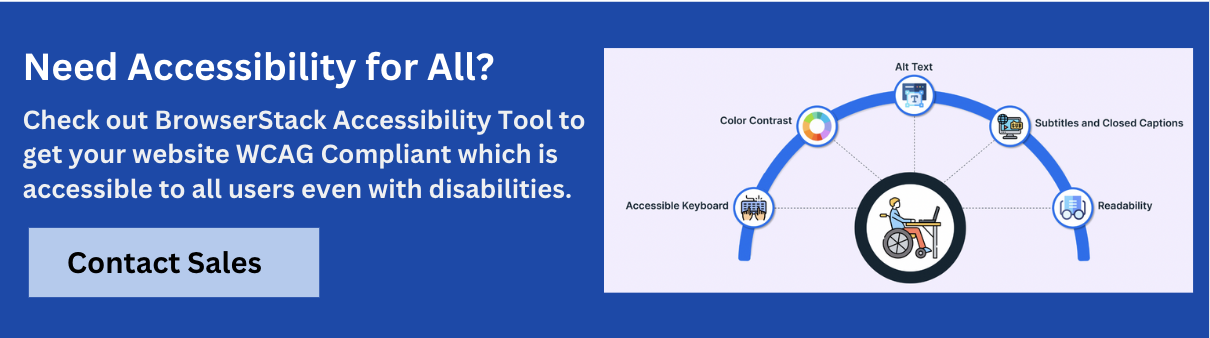
UX Accessibility Testing Methods
Accessibility testing helps identify and resolve barriers that prevent users with disabilities from navigating or interacting with digital products. Combining manual techniques with real-device automation ensures broad and accurate coverage.
- Manual Testing: Use screen readers like VoiceOver (macOS), NVDA (Windows), and TalkBack (Android) to evaluate content flow and navigation. BrowserStack provides access to these screen readers on real devices to help simulate real-world usage.
- Keyboard Navigation Checks: Ensure all functionality is accessible without a mouse by testing keyboard tab order, focus states, and interaction flows. BrowserStack’s workflow scanner highlights tabbing issues, missing focus indicators, and role-related errors.
- Automated Scans: Using automated tools, quickly identify missing alt text, low contrast, ARIA misuse, and improper heading structures. BrowserStack includes built-in automated checks aligned with WCAG 2.0, 2.1, 2.2, ADA, and Section 508 standards.
- Visual and Workflow Validation: Test user journeys across browsers and devices, not just static pages. BrowserStack supports end-to-end testing with accessibility overlays, accessibility tree inspection, and dynamic content handling.
- Reporting and Monitoring: Generate shareable reports, export CSVs, and schedule recurring scans. BrowserStack’s dashboard simplifies team issue tracking across large design and development cycles.
Teams can start testing accessibility for free on BrowserStack. The platform offers unlimited automated scans, keyboard interaction analysis, and page-level insights, making it easy to evaluate accessibility without setup or code changes.
Best Practices For Accessibility In UX Design
Implementing accessibility is most effective when embedded into every phase of the UX process. These best practices help create experiences that are inclusive and compliant by default.
- Start With Accessibility In Mind: Plan for accessibility during research, wireframing, and design, not after development.
- Use Clear Visual Hierarchy: Apply consistent heading levels and layout structures to aid navigation.
- Prioritize Keyboard Accessibility: Ensure all interactive elements are usable without a mouse.
- Maintain Adequate Color Contrast: Follow WCAG guidelines to make text and components easily readable.
- Design Descriptive Labels and Instructions: Provide meaningful input labels, button text, and error messages.
- Avoid Content That Auto-Updates Without Notice: Alert users when dynamic changes occur on the page.
- Support Responsive and Mobile Access: Make interfaces accessible across screen sizes and orientations.
- Conduct Regular Testing: Use real devices and tools like BrowserStack to catch and resolve accessibility gaps.
- Document and Educate: Maintain accessibility guidelines internally and upskill teams regularly.
Consistency across design, development, and QA ensures accessibility isn’t treated as an add-on but a core UX principle.
Conclusion
By following established guidelines, testing across real devices, and addressing the needs of diverse users, teams can create digital products that are inclusive, compliant, and high-performing.
Accessibility is not just about meeting standards; it’s about respecting users. Designing for everyone leads to better products for all.


Get Started for Free