





Get Requestly
Web accessibility is essential for creating inclusive digital experiences.
VPAT (Voluntary Product Accessibility Template) and WCAG (Web Content Accessibility Guidelines) are both crucial in ensuring that content is accessible to all users, but they serve different purposes.
VPAT is a tool for reporting accessibility compliance, while WCAG offers guidelines for creating accessible web content.
This article explores the key differences, similarities, and practical applications of VPAT and WCAG, as well as how to achieve WCAG compliance for web content.
VPAT vs WCAG: Key Differences
Understanding their unique functions and applications is key when comparing VPAT (Voluntary Product Accessibility Template) and WCAG (Web Content Accessibility Guidelines).
While VPAT serves as a tool for reporting accessibility compliance, WCAG offers guidelines for ensuring digital content is accessible to all users.
Below are the key differences:
| Aspect | VPAT (Voluntary Product Accessibility Template) | WCAG (Web Content Accessibility Guidelines) |
| Purpose | A template for documenting how a product or service meets accessibility standards. | A set of guidelines for creating accessible web content. |
| Focus | Accessibility reporting for products, including software, hardware, and websites. | Web accessibility for content such as text, images, and user interfaces. |
| Scope | Broad, includes various product types, both hardware and software. | Narrow focus on digital content, specifically web-based platforms. |
| Format | A formal report with accessibility claims based on legal standards. | A set of technical criteria (A, AA, AAA levels) for web developers to follow. |
| Regulatory Requirement | Often required for compliance with ADA, Section 508, and other accessibility laws. | Not legally required but commonly referenced in accessibility laws worldwide. |
| Applicability | Used for reporting compliance, especially for government contractors. | Applies to all web content creators globally for improved accessibility. |
| Evaluation Method | Involves filling out a self-assessment report on product accessibility. | Requires technical testing and web design changes to meet accessibility criteria. |
What is VPAT?
VPAT (Voluntary Product Accessibility Template) is a reporting tool that documents how a product or service meets accessibility standards.
Vendors primarily use it to demonstrate compliance with accessibility laws, such as Section 508 of the Rehabilitation Act in the U.S.
VPAT is essential for businesses contracting with government agencies, ensuring their products are accessible to people with disabilities.
- Purpose: VPAT helps vendors document and communicate how their products meet accessibility standards.
- Legal Relevance: Often required for companies working with government agencies to ensure compliance with regulations like Section 508 and the ADA.
VPAT provides transparency on a product’s accessibility features, enabling organizations to meet legal obligations and enhance their reputation for inclusivity.
What is WCAG?
The Web Content Accessibility Guidelines (WCAG) are standards that guide web developers in making content accessible to users with disabilities.
WCAG ensures that digital content, including websites and web applications, is usable by people with various impairments, such as visual, auditory, motor, and cognitive disabilities.
- Purpose: WCAG provides guidelines to make web content accessible and inclusive for all users.
- Levels of Conformance: It is divided into three levels—A (basic accessibility), AA (intermediate accessibility), and AAA (advanced accessibility).
These guidelines are widely adopted globally and referenced in many legal frameworks, helping organizations build accessible, user-friendly websites.
Understanding the Differences Between VPAT vs WCAG
While both VPAT and WCAG focus on improving accessibility, they serve distinct purposes and are applied in different contexts.
Understanding their differences is crucial for ensuring proper compliance and meeting accessibility requirements.
1. Purpose
VPAT is a reporting tool that helps organizations document how their products or services meet accessibility standards. It’s often used to comply with legal requirements, particularly government contracts.
WCAG, on the other hand, provides specific guidelines for developers to create accessible web content, ensuring compliance with web accessibility standards.
2. Scope
VPAT covers a wide range of products, including hardware, software, and websites, providing a comprehensive accessibility report.
WCAG focuses explicitly on web content, guiding developers on making digital content accessible to people with disabilities.
3. Legal and Regulatory Relevance
VPAT is a legal document required to comply with accessibility laws such as Section 508 and the ADA.
In contrast, WCAG isn’t legally mandated but is a widely adopted standard in web accessibility that informs compliance with various international laws.
4. Format
VPAT is typically presented in a report format that outlines the product’s compliance with accessibility standards, often including a checklist of criteria.
WCAG is a set of technical guidelines and criteria organized into levels (A, AA, AAA) that web developers must adhere to to ensure accessibility.
By recognizing these differences, organizations can better navigate their compliance requirements and leverage both tools effectively for accessibility.
What are the Similarities Between VPAT and WCAG?
Despite their differences, VPAT and WCAG aim to improve accessibility for people with disabilities.
Below are the key similarities between the two:
- Commitment to Accessibility: Both VPAT and WCAG aim to ensure that products, services, and digital content are accessible to all users, including those with disabilities. Their shared purpose is to create a more inclusive digital environment.
- Focus on Disability Access: Both standards emphasize making content usable for individuals with various impairments, whether a product or web content. This includes addressing the needs of users with visual, auditory, cognitive, and motor disabilities.
- Compatibility in Use: While VPAT reports a product’s accessibility, WCAG provides the framework for achieving that accessibility in web content. In practice, they complement each other, as WCAG guidelines are often referenced when filling out a VPAT for a digital product or service.
- Influence on Legal Compliance: VPAT and WCAG play a significant role in helping businesses meet legal accessibility requirements. While VPAT is directly tied to legal compliance, WCAG is often the reference point for organizations striving to meet web accessibility laws.
VPAT Compliance and its Role in Accessibility Reporting
VPAT is essential for documenting accessibility compliance, particularly for legal requirements:
- Documentation: VPAT provides a standardized report on how a product meets accessibility criteria.
- Legal Compliance: Often required for government contracts, VPAT ensures adherence to laws like ADA and Section 508.
- Assessment & Transparency: It allows organizations to assess their accessibility efforts and identify improvement areas.
- Business Value: VPAT compliance fosters trust with clients, ensuring accessibility and meeting regulatory standards.
VPAT ensures organizations meet legal requirements while enhancing product accessibility.
How to Meet WCAG Standards for Web Accessibility
To ensure your web content meets WCAG standards, follow these key steps:
- Understand the Guidelines: WCAG has three conformance levels: A, AA, and AAA. Aim for at least AA compliance, as it covers most accessibility requirements.
- Perceivable Content: Ensure all non-text content has text alternatives (e.g., alt text) and adequate color contrast for readability.
- Operable Interface: Make your website navigable via keyboard and assistive technologies, and avoid time-based elements.
- Understandable Content: Keep content clear with consistent navigation, simple language, and error-free forms.
- Robust Web Content: Ensure your site works seamlessly across different browsers, devices, and assistive technologies.
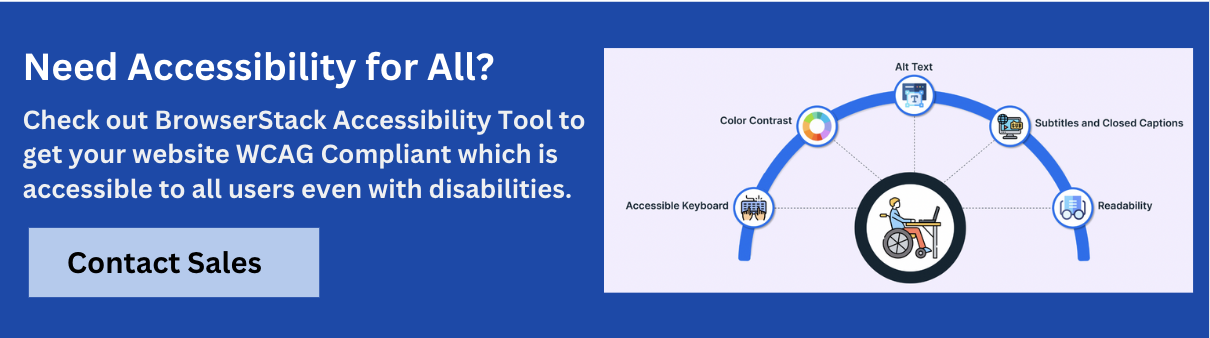
Platforms like BrowserStack Accessibility Testing can assist by automatically checking for WCAG 2.0, 2.1, and 2.2 compliance for efficient testing. The platform allows you to scan up to five pages per test for issues like missing alt text, low contrast, and incorrect heading structures.
It also provides real-time feedback on keyboard navigation and screen reader compatibility, helping you identify and fix accessibility issues to meet WCAG standards effectively.
VPAT vs WCAG: How to Choose?
Choosing between VPAT and WCAG depends on your specific needs and the context of your product:
Use VPAT if:
- You are required to report accessibility compliance, especially for government contracts or federal agencies.
- You need to document how your product or service meets legal standards like Section 508 or the ADA.
- You are looking for a formal compliance report to present to stakeholders or customers.
Use WCAG if:
- You are developing web content and want to ensure it is accessible to a wide range of users, including those with disabilities.
- You need specific, actionable guidelines to follow while designing or developing web content.
- You aim for long-term accessibility improvements across your web platforms.
- In many cases, both tools can complement each other. VPAT can be used for formal reporting, while WCAG provides the framework for making digital content accessible.
Conclusion
Understanding the distinctions between VPAT and WCAG and their complementary roles is essential for ensuring full accessibility compliance.
VPAT is a valuable tool for reporting accessibility compliance, particularly for legal and regulatory requirements, while WCAG provides the guidelines for creating accessible web content.
By using both, organizations can achieve comprehensive accessibility, improve user experience, and meet legal obligations. Whether you’re preparing for government contracts or improving web accessibility, these tools are key to fostering inclusivity in the digital space.


Get Started for Free