


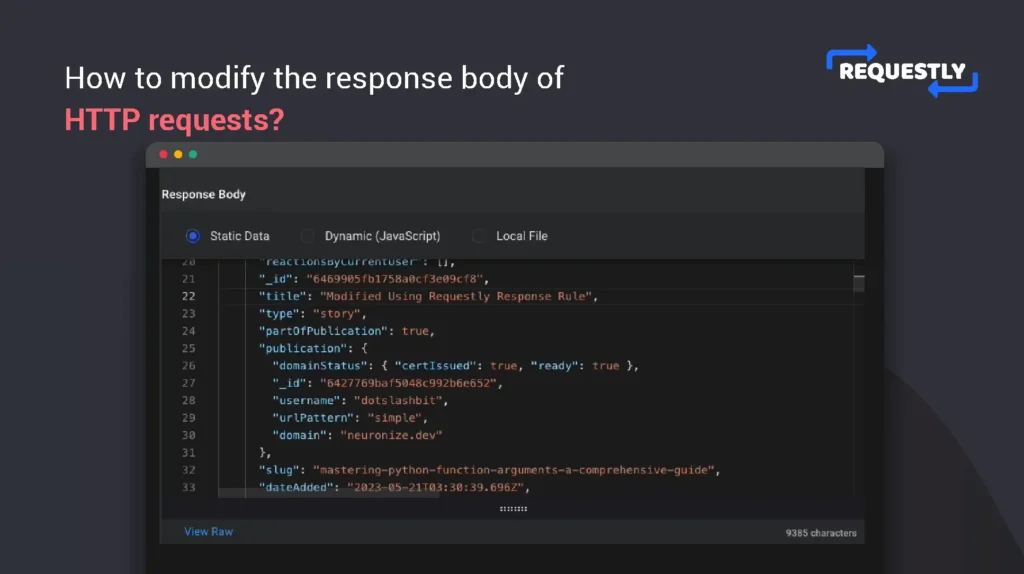
Get Requestly
I think this new tool is a better alternative to Postman. Postman tests APIs, Requestly controls live traffic.
Mocking APIs locally has always been painful. You either spin up a mock server, maintain fake endpoints, tweak environment variables, or wait for backend teams to unblock you. Even then, your mocks often drift away from real production behavior.
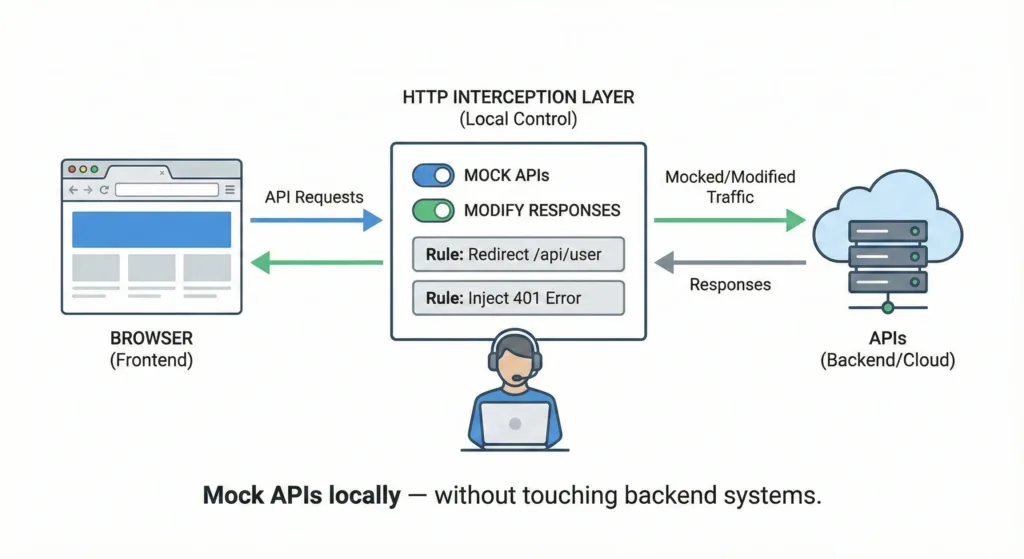
But modern frontend and full-stack development can’t afford this friction.
Client-side HTTP interception changes how API mocking works, by letting you mock APIs directly in the browser, without touching backend code, servers, or infrastructure. This article explores how local API mocking works using Requestly, and why client-side interception is the fastest, safest, and most flexible approach for modern development teams.
Why Local API Mocking Still Matters
Even with great backend teams and clean contracts, API mocking is unavoidable.
Common scenarios:
- Backend APIs aren’t ready yet
- Backend is unstable or frequently changing
- You need to test edge cases that are hard to reproduce
- You want to build UI independently
- You want predictable data during development
Traditional solutions: mock servers, JSON files, env switching and all work, but they come with overhead:
- setup time
- maintenance cost
- configuration drift
- limited realism
The closer your mock is to real network behavior, the better your testing becomes.
The Problem With Traditional Mocking Approaches
Let’s look at the common patterns.
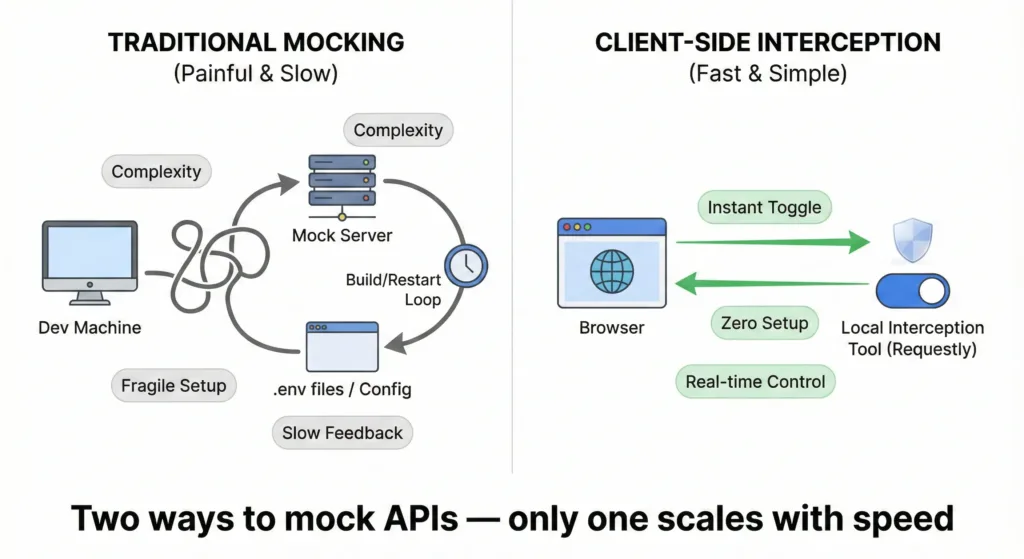
Mock Servers
- Require setup and hosting
- Must be kept in sync with real APIs
- Add another moving part to your system
Environment Switching
- Forces rebuilds
- Breaks local workflows
- Encourages hacky conditional logic
Hardcoded Mock Data
- Lives inside the codebase
- Easy to forget and ship accidentally
- Not reusable across teams
All of these approaches mock before the request ever leaves the app.
Client-side interception takes a different route.
What Is Client-Side HTTP Interception?
Client-side HTTP interception works inside the browser.
Instead of changing your app or backend, you intercept requests:
- as they leave the browser
- or as responses come back
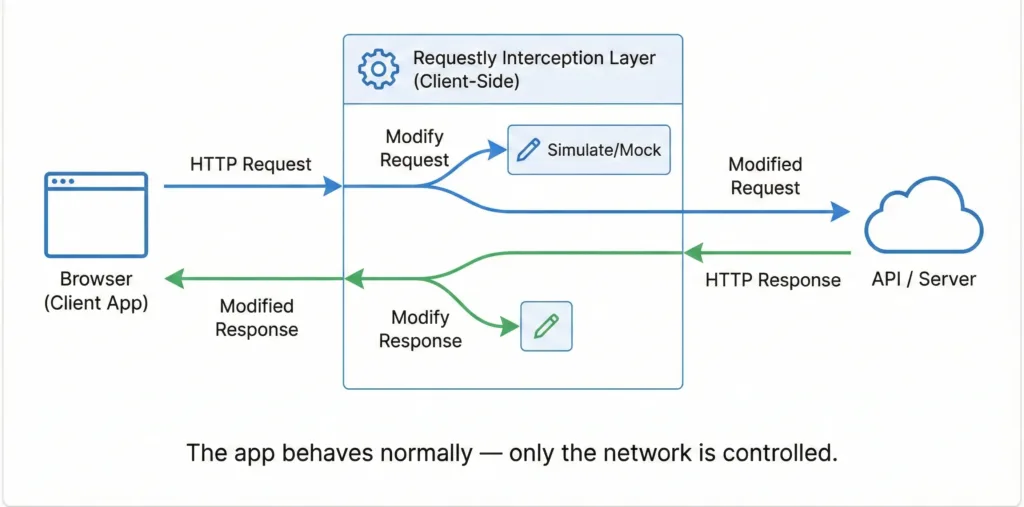
In simple terms:
You let the app behave normally, then override the network behavior on the client.
This preserves:
- real URLs
- real headers
- real auth
- real request flow
But gives you total control over the response.
Introducing Requestly
Requestly is a browser-based HTTP interception and modification tool.
It allows you to:
- mock API responses
- modify requests and responses
- redirect APIs
- simulate errors and delays
- inject scripts
All from the browser, without changing code or backend systems.
This makes it ideal for local API mocking, because:
- setup is instant
- behavior is reversible
- scope is local to your session
- realism stays high
How Client-Side Mocking Actually Works
Conceptually, the flow looks like this:
Browser → Requestly → API
Requestly can:
- short-circuit the request and return mock data
- let the request go out and modify the response
- selectively intercept based on URL, method, or headers
Your app doesn’t know the difference.
Example 1: Mocking an API That Doesn’t Exist Yet
Scenario: Frontend development starts before the backend is ready.
API your app expects
GET https://api.example.com/v1/user/profileRequestly Mock Rule: Trigger URL
https://api.example.com/v1/user/profileMock Response
{
  "id": 42,
  "name": "Test User",
  "role": "Admin",
  "status": "Active"
}
Result
Frontend development continues at full speed, no waiting, no blockers.
Example 2: Testing Error Scenarios Locally
Scenario: You need to test how your app behaves when auth fails.
Normal API response
{
  "status": "success"
}
Mocked error response
{
  "error": "Unauthorized",
  "code": 401
}
Requestly Rule
Intercept:
https://api.example.com/v1/auth/checkReturn:
{
  "error": "Unauthorized",
  "message": "Invalid token"
}
Result
You can validate:
- redirect to login
- toast notifications
- token refresh logic
Example 3: Simulating Slow or Flaky APIs
Scenario: Your UI breaks only under slow networks.
API call
fetch("https://api.example.com/v1/dashboard")<br> .then(res => res.json())<br> .then(renderDashboard);Requestly Rule: Add delay:
6000ms
Result
You can test:
- loading states
- cancellation
- retry logic
Without touching backend throttling.
Example 4: Switching Between Multiple Mock States
Scenario: You want to test multiple user roles.
Mock responses
Admin:
{ "role": "admin" }User:
{ "role": "user" }Guest:
{ "role": "guest" }With Requestly: Create multiple mock rules and toggle them on/off instantly.
Result
No rebuilds. No env changes. Instant role switching.
Example 5: Redirecting APIs to Local Services
Scenario: You’re building a new backend feature locally.
Production API
https://api.example.com/v1/paymentsLocal backend
http://localhost:8080/v1/paymentsRequestly Redirect Rule: Redirect prod → local.
Result
Your frontend continues using production URLs, but hits your local backend.
Why Client-Side Mocking Is Better
Client-side HTTP interception offers:
- zero backend dependency
- no environment setup
- instant reversibility
- real request context
- minimal maintenance
You mock what matters: the network, instead of rewriting your app.
Final Thoughts
Local API mocking doesn’t need to be heavy or fragile.
Client-side HTTP interception lets you:
- mock APIs instantly
- stay close to production behavior
- move fast without breaking contracts
Requestly makes this workflow practical, safe, and scalable.
Mock locally. Intercept intelligently. Build faster.





Get Started for Free