


Get Requestly
Accessibility is essential to digital experiences, ensuring that websites and applications are usable for everyone, including people with disabilities. WCAG 2.1 provides a standardized framework to help teams achieve this goal.
What are WCAG 2.1 Success Criteria?
WCAG 2.1 success criteria are testable rules that define how content must be structured and presented to be accessible. Conformance levels group these criteria and address a range of user needs.
To meet WCAG 2.1 success criteria:
- Use semantic HTML and proper heading hierarchy
- Ensure keyboard accessibility for all interactive elements
- Maintain sufficient color contrast between text and backgrounds
- Provide descriptive alt text for meaningful images and icons
- Test interfaces with real screen readers and devices
This article explains why WCAG 2.1 matters, its structure, and what teams need to know to meet compliance effectively.
Why WCAG 2.1 Matters
As digital interfaces become more central to daily life, accessibility must be treated as a non-negotiable standard. WCAG 2.1 is vital in inclusive digital content, particularly for users with vision, mobility, cognitive, and learning challenges.
The guidelines ensure that individuals using screen readers, keyboard navigation, or assistive technologies can access content without barriers.
They also align with global regulations such as the ADA, EN 301 549, and AODA, making WCAG 2.1 critical for user experience and legal compliance.
For organizations, meeting WCAG 2.1 leads to improved usability, reduced legal risk, and a broader, more inclusive user base.
Overview of WCAG Structure
The Web Content Accessibility Guidelines (WCAG) are organized into a clear framework designed to cover the full spectrum of accessibility. This framework is built on four core principles, known as POUR:
- Perceivable: Users must be able to perceive the content presented
- Operable: Interface components must work with various input methods
- Understandable: Content and interactions must be clear and predictable
- Robust: Content must function reliably across platforms and assistive tools
Under these principles, WCAG 2.1 includes 13 guidelines and 78 success criteria, which are grouped into three levels of conformance:
- Level A: Basic accessibility features
- Level AA: Industry-standard compliance
- Level AAA: Enhanced accessibility for broader inclusion
This structure provides a comprehensive roadmap for designing accessible digital products that meet user needs and regulatory standards.
Detailed Breakdown of WCAG 2.1 Success Criteria
WCAG 2.1 includes 78 success criteria designed to make digital content accessible to people with visual, auditory, cognitive, and motor impairments. These criteria are structured under four principles: Perceivable, Operable, Understandable, and Robust, and categorized into three conformance levels.
Below is a complete list of success criteria for each level.
Level A Success Criteria
Level A defines the minimum baseline for accessibility. These success criteria prevent significant barriers that would make content completely unusable for many users with disabilities.
| Principle | SC Number | Success Criterion |
| Perceivable | 1.1.1 | Non-text Content |
| 1.2.1 | Audio-only and Video-only (Prerecorded) | |
| 1.2.2 | Captions (Prerecorded) | |
| 1.2.3 | Audio Description or Media Alternative (Prerecorded) | |
| 1.3.1 | Info and Relationships | |
| 1.3.2 | Meaningful Sequence | |
| 1.3.3 | Sensory Characteristics | |
| 1.4.1 | Use of Color | |
| 1.4.2 | Audio Control | |
| Operable | 2.1.1 | Keyboard |
| 2.1.2 | No Keyboard Trap | |
| 2.1.4 | Character Key Shortcuts | |
| 2.2.1 | Timing Adjustable | |
| 2.2.2 | Pause, Stop, Hide | |
| 2.3.1 | Three Flashes or Below Threshold | |
| 2.4.1 | Bypass Blocks | |
| 2.4.2 | Page Titled | |
| 2.4.3 | Focus Order | |
| 2.4.4 | Link Purpose (In Context) | |
| Understandable | 3.1.1 | Language of Page |
| Robust | 4.1.1 | Parsing |
| 4.1.2 | Name, Role, Value |
Level AA Success Criteria
Level AA is the most widely adopted accessibility standard and is often required under legal regulations like the ADA, EN 301 549, and AODA.
It enhances usability for a wider audience by addressing visual presentation, navigation, and content clarity.
| Principle | SC Number | Success Criterion |
| Perceivable | 1.2.4 | Captions (Live) |
| 1.2.5 | Audio Description (Prerecorded) | |
| 1.3.4 | Orientation | |
| 1.3.5 | Identify Input Purpose | |
| 1.4.3 | Contrast (Minimum) | |
| 1.4.4 | Resize Text | |
| 1.4.5 | Images of Text | |
| 1.4.10 | Reflow | |
| 1.4.11 | Non-text Contrast | |
| 1.4.12 | Text Spacing | |
| 1.4.13 | Content on Hover or Focus | |
| Operable | 2.4.5 | Multiple Ways |
| 2.4.6 | Headings and Labels | |
| 2.4.7 | Focus Visible | |
| 2.5.1 | Pointer Gestures | |
| 2.5.2 | Pointer Cancellation | |
| 2.5.3 | Label in Name | |
| 2.5.4 | Motion Actuation | |
| Understandable | 3.1.2 | Language of Parts |
| Robust | 4.1.3 | Status Messages |
Level AAA Success Criteria
Level AAA offers the highest standard of accessibility. While not always legally required, it is ideal for government services, educational content, and organizations aiming to lead in inclusive design.
| Principle | SC Number | Success Criterion |
| Perceivable | 1.2.6 | Sign Language (Prerecorded) |
| 1.2.7 | Extended Audio Description (Prerecorded) | |
| 1.2.8 | Media Alternative (Prerecorded) | |
| 1.2.9 | Audio-only (Live) | |
| 1.3.6 | Identify Purpose | |
| 1.4.6 | Contrast (Enhanced) | |
| 1.4.7 | Low or No Background Audio | |
| 1.4.8 | Visual Presentation | |
| 1.4.9 | Images of Text (No Exception) | |
| Operable | 2.1.3 | Keyboard (No Exception) |
| 2.2.3 | No Timing | |
| 2.2.4 | Interruptions | |
| 2.2.5 | Re-authenticating | |
| 2.3.2 | Three Flashes | |
| 2.4.8 | Location | |
| 2.4.9 | Link Purpose (Link Only) | |
| 2.4.10 | Section Headings | |
| Understandable | 3.1.3 | Unusual Words |
| 3.1.4 | Abbreviations | |
| 3.1.5 | Reading Level | |
| 3.1.6 | Pronunciation | |
| 3.2.5 | Change on Request | |
| 3.3.5 | Help | |
| 3.3.6 | Error Prevention (All) |
Accessibility Challenges Addressed by WCAG 2.1 Success Criteria
WCAG 2.1 was introduced to address key accessibility gaps not covered in earlier versions. It adds 17 new success criteria focused on improving access for mobile users, individuals with cognitive disabilities, and people with low vision or motor impairments.
Key challenges addressed include:
- Mobile accessibility: WCAG 2.1 accounts for screen orientation (SC 1.3.4), touch targets (SC 2.5.5), and motion gestures (SC 2.5.1), all of which are essential for mobile and tablet users.
- Low vision support: New criteria require sufficient contrast for non-text elements (SC 1.4.11), customizable text spacing (SC 1.4.12), and responsive design layouts (SC 1.4.10) to ensure legibility.
- Cognitive and learning disabilities: WCAG 2.1 helps reduce cognitive load and improve comprehension by requiring clear labels, visible instructions, and consistent structure (e.g., SC 2.5.3 and SC 4.1.3).
- Keyboard and pointer navigation: Users who rely on keyboard input benefit from improved focus order, keyboard-only interactions, and error prevention for gestures triggered by touch or motion.
- Dynamic content and custom widgets: Updates supporting ARIA roles, accessible names, and landmark detection make WCAG 2.1 more compatible with assistive technologies in complex web applications.
How to Test and Validate WCAG 2.1 Compliance
Testing WCAG 2.1 compliance requires a structured process combining automated checks, real-device validation, and assistive technology testing.
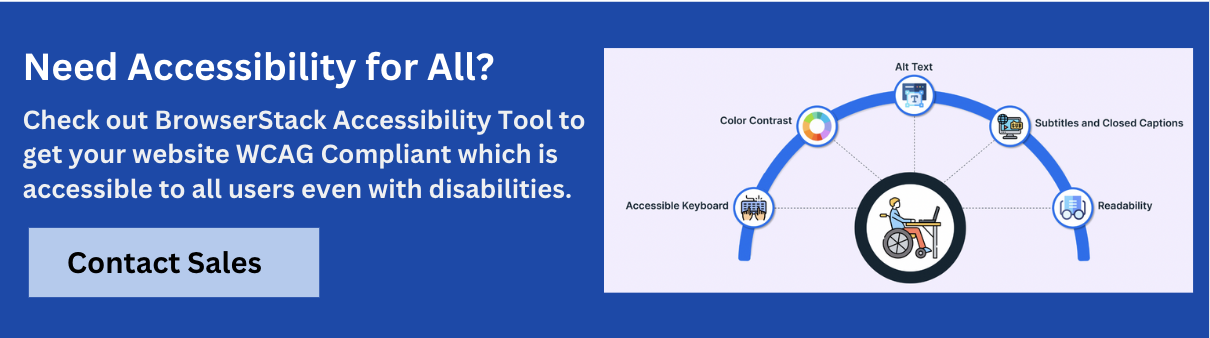
Key steps to include in your accessibility testing workflow:
- Automate checks for common WCAG violations like missing alt attributes, low contrast, heading structure issues, and ARIA misuse using tools that surface these errors early in development.
- Evaluate keyboard navigation flow by testing tab order, focus visibility, and logical sequencing—BrowserStack’s workflow scanner identifies navigation issues across real pages.
- Test with native screen readers such as NVDA, VoiceOver, and TalkBack on real devices to simulate real-world experiences—available directly through BrowserStack’s real device cloud.
- Run real-time color contrast checks to ensure text and UI components meet AA or AAA requirements, especially for dynamic or hover-triggered elements.
- Review accessibility tree output and semantic structure to confirm that assistive technologies, supported by visual overlays and tree inspection tools, correctly interpret roles, states, and labels.
- Validate full-page workflows such as forms, modals, and user journeys for consistency and accessibility coverage across devices and viewports.
BrowserStack offers free accessibility testing, allowing unlimited scans across websites and apps. It also supports up to five unique user workflows per test, helping teams efficiently surface WCAG 2.1 issues.
WCAG 2.1 in Practice
Applying WCAG 2.1 in real-world projects means integrating accessibility into design, development, and QA processes. Teams should start using semantic HTML, designing for compatibility with keyboard and screen reader, and ensuring mobile responsiveness.
For example:
- Use aria-label or visible labels to describe form fields
- Maintain proper heading structure for assistive tech navigation
- Avoid relying solely on color to convey meaning
- Validate modals, menus, and SPAs for keyboard focus and tab order
- Ensure all touch targets meet minimum size requirements
Implementing these practices helps prevent accessibility regressions and supports compliance from the ground up.
WCAG 2.1 vs WCAG 2.0
WCAG 2.1 builds directly on WCAG 2.0 by introducing 17 new success criteria. These additions specifically address gaps in mobile accessibility, low vision support, and cognitive usability.
| Feature Area | WCAG 2.0 | WCAG 2.1 |
| Total Success Criteria | 61 | 78.00 |
| Mobile Accessibility | Limited | Enhanced (e.g., orientation, gestures) |
| Cognitive Disabilities | Minimal Support | Improved label and error handling |
| Low Vision Requirements | Basic Contrast | Added criteria for spacing, reflow |
| Touch Interactions | Not covered | Included (e.g., pointer gestures) |
WCAG 2.1 retains full compatibility with WCAG 2.0, meaning any site conforming to 2.1 also satisfies 2.0.
Conclusion
WCAG 2.1 sets a clear, testable standard for making digital content accessible to users of all abilities. By understanding its structure, applying its success criteria, and validating against real use cases, teams can create more inclusive and legally compliant experiences.
Using reliable tools and structured workflows, accessibility becomes a continuous part of product quality, not a last-minute fix. The result is a more usable web for everyone.




Get Started for Free
Contact us