


Get Requestly
ADA compliance is a legal and usability requirement for all digital platforms. Understanding what ADA stands for is the first step towards building inclusive, accessible experiences.
What is ADA?
ADA stands for Americans with Disabilities Act, a civil rights law that prohibits discrimination against individuals with disabilities across public and digital spaces.
Why is ADA important?
It ensures equal access to services, employment, and information—both in physical environments and on websites, apps, and digital tools.
How to Ensure ADA Compliance:
- Follow WCAG 2.1 guidelines (Level AA) for digital accessibility
- Use real devices to test screen reader and keyboard interactions
- Ensure proper color contrast, alt text, and semantic HTML
- Run manual and automated audits across browsers and platforms
- Integrate accessibility checks into CI/CD workflows
This article explains what ADA stands for, why it matters in the digital landscape, and how to ensure ADA compliance through practical steps and real device accessibility testing.
What Does ADA Stand for?
The acronym ADA most commonly refers to the Americans with Disabilities Act, a landmark civil rights law enacted in the United States in 1990.
It was designed to prohibit discrimination against individuals with disabilities and ensure equal access to opportunities across all areas of public life.
The law applies to various environments, including employment, education, transportation, and public accommodations. It also plays a critical role in enforcing accessibility standards for digital spaces like websites, mobile apps, and software platforms.
Why was ADA Created?
The Americans with Disabilities Act was introduced to end widespread discrimination against individuals with physical or mental impairments. It ensures equal access to employment, education, and both public and private services.
Key goals of the ADA:
- Prohibit discrimination based on disability
- Guarantee equal access to essential services
- Support independent living and full participation in society
In digital contexts, ADA compliance is achieved by following the Web Content Accessibility Guidelines (WCAG), which serve as the technical standard for accessible design and development.
When did ADA come into Effect?
The Americans with Disabilities Act was signed into law by President George H. W. Bush on July 26, 1990. Its provisions were rolled out in phases, allowing organizations time to align with compliance requirements.
In 2008, the ADA Amendments Act expanded the definition of disability, making protections more inclusive and reinforcing the law’s original purpose.
Today, ADA compliance also covers digital accessibility, requiring websites, applications, and digital tools to meet WCAG standards for usability by individuals of all abilities.
Core Principles of ADA
The Americans with Disabilities Act (ADA) is built on civil rights principles that ensure individuals with disabilities have the same access to public life as everyone else.
These principles have evolved beyond physical infrastructure and directly influence how digital environments are designed and tested for accessibility.
Here are the foundational values that guide ADA enforcement across industries:
- Equal Opportunity: Digital platforms must offer the same functionality and access to people with disabilities as others, without exceptions or alternative paths.
- Full Participation: Websites, applications, and services should enable users with disabilities to engage fully, not limit them to partial or read-only experiences.
- Independent Living: Users should be able to complete tasks like shopping, filling out forms, or accessing support without assistance, using accessible design and assistive technology compatibility.
- Economic Self-Sufficiency: Accessible career portals, remote work platforms, and internal tools are critical to equal employment opportunities in a digital-first economy.
- Accessibility: Digital content must be perceivable, operable, understandable, and robust (POUR). This includes readable text, alt text for images, keyboard navigation, and screen reader support.
How Does ADA Influence Digital Accessibility?
While the Americans with Disabilities Act (ADA) was introduced before the digital era, its scope now includes websites, mobile apps, and digital platforms.
To meet ADA requirements, organizations follow the Web Content Accessibility Guidelines (WCAG). These are based on four key principles, known as POUR:
- Perceivable: Content must be visible and understandable to all users. Use alt text, proper color contrast, and captions.
- Operable: Interfaces must support different input methods. Enable keyboard navigation, logical tab order, and focus indicators.
- Understandable: Content and behavior should be predictable. Use clear language, consistent layouts, and helpful error messages.
- Robust: Code must work with assistive technologies. Use semantic HTML, apply ARIA only when needed, and test across devices.
What Happens if You Don’t Comply with ADA
Failure to meet ADA requirements for digital accessibility can result in legal action, financial penalties, and mandatory remediation.
The ADA applies to physical and digital services, and courts consistently uphold its relevance to websites and applications.
Legal consequences include:
- Lawsuits: Businesses can be sued by individuals or advocacy groups for inaccessible websites, even without prior notice.
- Court Orders: Judges may mandate accessibility remediation, often requiring WCAG 2.1 Level AA compliance.
- Financial Settlements: Cases often result in costly settlements, sometimes alongside civil penalties or attorney fees.
- Injunctions: Companies may be legally obligated to make all future content accessible and prove ongoing compliance.
For example, Domino’s Pizza was sued by a blind user who ordered the site to be made accessible. Winn-Dixie and Blick Art Materials faced similar actions and had to implement accessibility fixes.
Even small businesses have been targeted for basic issues like missing alt text or poor navigation.
How To Ensure ADA Compliance (Step-By-Step Guide)
Here’s a simple step-by-step process to help ensure your digital product meets ADA and WCAG standards:
1. Understand the Guidelines: Review WCAG 2.1 requirements, especially Level AA, which is widely accepted for ADA compliance.
2. Audit Your Digital Assets: Conduct a comprehensive accessibility audit of your website, app, or software. Identify contrast, alt text, keyboard navigation, and screen reader compatibility issues.
3. Use Accessibility Testing Tools: Leverage automated tools and manual testing tools like BrowserStack Accessibility Testing to catch real-world accessibility barriers.
4. Fix Identified Issues: Remediate issues in design and code, focus on semantic HTML, proper ARIA usage, color contrast ratios, and navigation structure.
5. Retest and Validate: Run another round of tests to verify fixes. If possible, include users with disabilities in usability testing.
6. Maintain Accessibility Standards: Integrate accessibility into your design and development workflows. Schedule regular audits and stay updated with evolving WCAG standards.
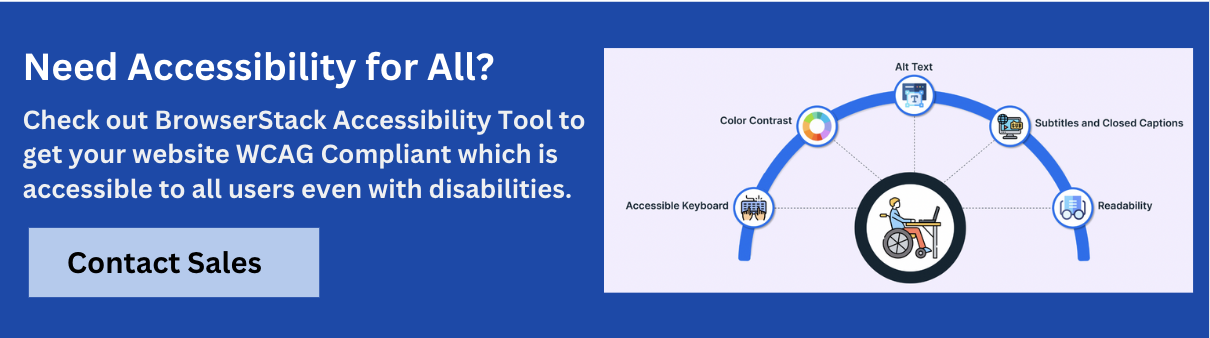
Why Use BrowserStack For ADA Compliance Testing?
Accurate ADA compliance testing requires real-device validation. Simulators often miss screen reader behavior, keyboard interaction, and layout issues.
BrowserStack Accessibility Testing enables comprehensive accessibility testing across 3,500+ real device-browser combinations.
Key Accessibility Testing Features on BrowserStack:
- Free Accessibility Testing: Run unlimited scans and test workflows across up to 5 unique pages. Includes keyboard navigation checks and cloud-based reporting.
- WCAG Compliance Support: Covers WCAG 2.0, 2.1, 2.2, along with ADA, Section 508, and AODA standards.
- Real Device Cloud: Test on Android, iOS, Windows, and macOS to detect environment-specific issues.
- Screen Reader Compatibility: Validate content with VoiceOver, TalkBack, and NVDA on real devices.
- Automated Issue Detection: Catch common accessibility errors like missing alt text, low contrast, and ARIA misuse.
- Workflow Scanner: Identify issues during live interaction with grouped logs and traceable insights.
- CI/CD Integration: Embed accessibility checks directly into your development pipeline.
- Centralized Reporting: Access detailed dashboards with summaries, impacted components, and historical trends to track progress and compliance over time.
Common Misconceptions About ADA
Despite its widespread impact, several misconceptions persist about the Americans with Disabilities Act (ADA), especially in the context of digital accessibility.
- ADA Only Covers Physical Locations: ADA compliance extends to digital spaces. Courts have ruled that websites and mobile apps are subject to the same standards as physical storefronts.
- Accessibility Is Only for Visual Impairments: ADA covers many disabilities, including hearing loss, cognitive challenges, mobility impairments, neurological conditions, and speech disabilities.
- Automated Tools Guarantee Compliance: Automation helps, but it’s not enough. Full compliance requires manual testing on real devices, using screen readers, keyboard navigation, and user scenarios that automation can’t simulate.
- Small Businesses Don’t Need to Comply: ADA applies to all public-facing businesses, regardless of size or industry. Numerous lawsuits have involved small to mid-sized retailers and service providers.
- One-Time Fixes Ensure Long-Term Compliance: Accessibility needs to evolve with your product. Ongoing testing, content updates, and platform changes must all be evaluated for ADA impact.
- Third-Party Tools or Plugins Shift Liability: Even if accessibility barriers stem from third-party tools or integrations, the business is still responsible for compliance under ADA.
- WCAG is Optional for ADA: While not named in the ADA statute, WCAG is widely accepted as the benchmark for digital compliance in legal and industry contexts.
Also Read: WCAG Compliance Levels and What They Mean for Accessibility
Conclusion
Understanding what ADA stands for and how it shapes accessibility expectations is essential for building inclusive digital experiences. The law has evolved from physical accessibility to set clear standards for websites, applications, and software tools.
Organizations are now expected to meet WCAG criteria, ensure usability with assistive technologies, and prioritize accessibility from design to deployment.




Get Started for Free
Contact us