
📣 Requestly – Modern git-based API Client. No login required. Switch from Postman in 1 click. Try now ->

Modify API Response

Modify & mock API responses superfast

Validate edge cases

Simulate backend responses

Bypass backend complexities

Mock Third-Party API Responses​

Download Now
Documentation ->
4.5 ⭐  1700+ Ratings, 300,000+  developers
Redirect URLs

Trusted by 300,000+ developers from Fortune 500 companies.

Trusted by teams at… Trusted by teams at… Trusted by teams at… Trusted by teams at… Trusted by teams at… Trusted by teams at… Trusted by teams at… Trusted by teams at… Trusted by teams at…
modify api response editor v1

Build frontend when the backend isn’t ready​

Use the Modify Response rule to create mock APIs with custom responses and status codes. Easily disable these mocks when actual APIs become available.

Test for edge/Corner cases

Simulate diverse API edge cases (e.g., missing parameters, null values, incorrect data types) without modifying the backend. This ensures robust error handling in your code.

GraphQL support​

GraphQL’s single-endpoint design can hinder targeted API modification. Requestly solves this with operation name filters, enabling precise response manipulation in GraphQL.

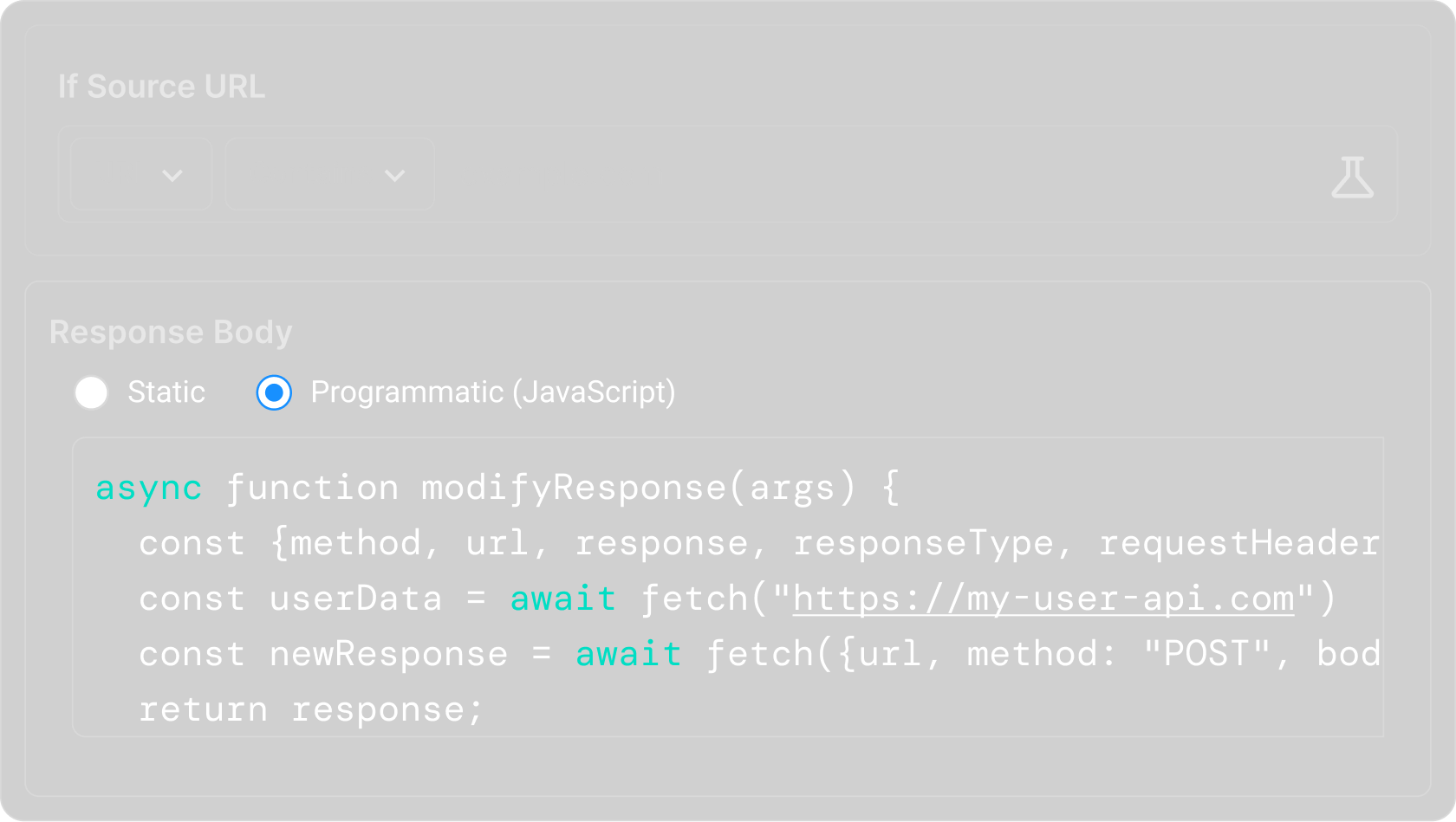
Async /Await Support​

Async /Await Support​
When faced with lengthy API calls or the need to manage multiple requests simultaneously, using an asynchronous approach with Async/Await can significantly improve efficiency.

Built for teams

Effortless team collaboration

Share instantly, sync effortlessly, and collaborate effectively with your team in dedicated workspaces.

Quick One time sharing

Instantly generate and share a link to your rules and more

Team workspaces

Collaborate easily with teammates in a shared workspace.

Export data & sync to Git

Easily version-control your configs by exporting and syncing

Secure and private

Enterprise-ready security and compliance

Requestly ensures top-tier security with SOC-II compliance, SSO integration, and role-based access control. We protect your data and secure your workflows, making us the ideal choice for enterprises.
Requestly security and compliance

SOC-II Compliance

Adheres to rigorous security standards for data protection and privacy.

Single Sign-On (SSO)

Simplifies user access with secure, centralized authentication.

Role-based access control

Ensures precise control over user permissions and data access.

Data encryption

Protects your data in transit and at rest with advanced encryption protocols.

Audit logs

Tracks and records user actions and system events, giving you complete visibility.

Regular security updates

Keeps your environment secure with timely updates and patches.
Customers love us

Loved by developers around the World

Developers around the world trust us to simplify debugging, speed up workflows, and make development more efficient.

Frequently Asked Questions​

There are frequently asked questions related to Requestly

What does the Modify API Response Rule do in Requestly?

The Modify API Response Rule lets you intercept API responses and change the response body before it reaches your application. This helps you test different backend scenarios without changing server code or waiting for backend updates.

What response formats can I modify using this rule?

You can modify JSON, XML, text, HTML, and other text-based API responses. This makes it easy to test UI behavior with different response structures, values, or edge cases.

Is Requestly open-source

Is the Modify API Response rule available in the free plan?

Yes, you can use the Modify API Response rule in Requestly’s free plan for local testing and debugging.

Do I need a paid plan to create multiple API response modification rules?

No, you can create and use multiple response modification rules on the free plan. Paid plans mainly unlock collaboration, syncing, and team workflows.

Is Requestly free for students?

Yes! Requestly is free for students, enjoy access to powerful tools and features with no cost.

My Modify API Response rule is not working. What should I check?

First, make sure the rule is enabled, the URL matching condition is correct, and the request you are testing actually matches the configured endpoint. Also verify that Requestly interception is active.

Why are my API changes not showing in the application?

Browser cache, service workers, or application-level caching may be serving older responses. Try disabling cache in DevTools, hard refreshing the page, or clearing cached data before testing again.

Why Aren’t My Requestly Rules Working?

How do I change a JSON field in an API response using Requestly?

Create a Modify API Response rule, add the API endpoint in the source condition, select the JSON field you want to update, enter the new value, save the rule, and refresh your application. Matching responses will now return the modified data.

How do I test error states without backend changes?

Use the Modify API Response rule to change successful API responses into error responses by updating status fields, messages, or response data. This helps you test how your application handles failures.

How do I test feature flags or user permissions?

Intercept the API response that returns user settings or feature configurations, modify the relevant fields, and refresh your application to test different user experiences instantly.