
Home / Blog / API Client
API ClientHow to Write API Tests and Assertions
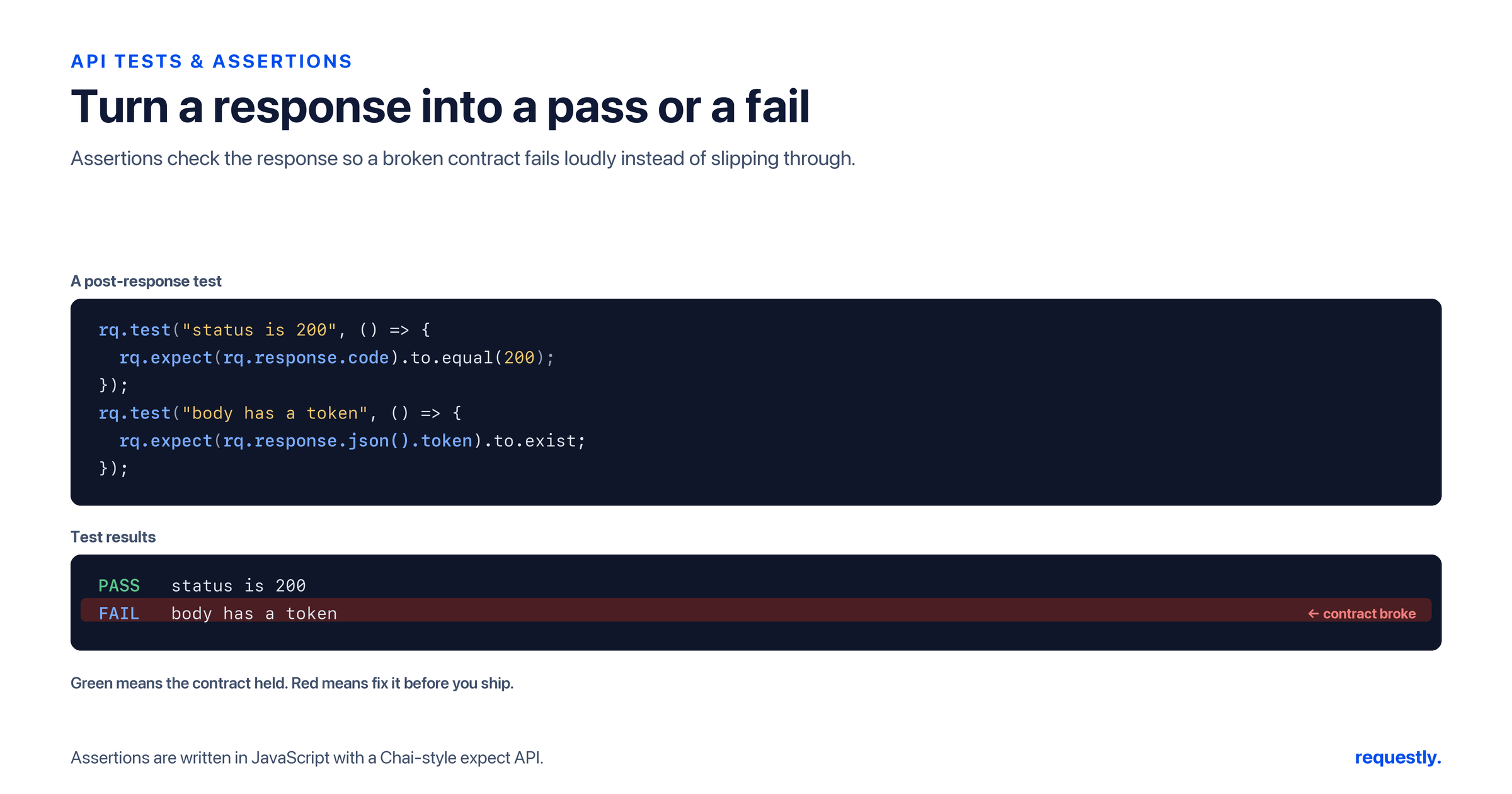
Sending a request and eyeballing the response works exactly until it does not. The moment you have more than a handful of endpoints, or you want to know that a deploy did not break anything, “looks fine” has to become “passed 14 assertions.” Tests turn a subjective glance into a repeatable, named check that either passes or fails. In the Requestly API client you write them with rq.test and rq.expect — a Chai-style assertion API that reads almost like English.
This guide covers writing real assertions: checking the status code, asserting on fields parsed from the response body, verifying headers, validating an entire payload against a JSON schema with ajv, and organizing tests so a whole collection can be checked in one go. It builds directly on the pre-request and post-response scripts model, since tests live inside post-response scripts, and ties back to the variables pillar for the values your assertions lean on.
The anatomy of a test
A test is a named block written in a post-response script. rq.test takes a label and a function; inside the function you make one or more assertions with rq.expect. The label is what shows up in results, so write it as the thing you are claiming is true.
rq.test("responds with 200 OK", function () {
  rq.expect(rq.response.code).to.equal(200);
});
If the assertion holds, the test passes; if it throws, the test fails with that label. The function wrapper matters — it lets a single request hold many independent tests, each reported separately, so one failure does not mask the others.
Asserting on the status code
The status code is the first thing worth checking, and it uses rq.response.code — the numeric status, not .status. Equality covers the common case, and Chai’s chainable matchers cover ranges and sets:
rq.test("status is 201 Created", function () {
  rq.expect(rq.response.code).to.equal(201);
});

rq.test("status is a success code", function () {
  rq.expect(rq.response.code).to.be.oneOf([200, 201, 204]);
});
Asserting on response body fields
Most assertions are about the payload. Parse it once with rq.response.json() — which returns the body as an object, not a .body property — then assert on the fields you care about.
const body = rq.response.json();

rq.test("returns the created user", function () {
  rq.expect(body).to.have.property("id");
  rq.expect(body.email).to.equal("ada@example.com");
  rq.expect(body.roles).to.be.an("array").that.includes("admin");
});
The Chai vocabulary — have.property, to.equal, to.be.an, to.include, above, below — covers the vast majority of field checks. Assert on the things that would actually signal a bug: presence of an ID, the right value in a key field, the expected type and shape of a collection.
Asserting on headers
Headers in Requestly come back as an array of { key, value } objects, not a keyed map, so you locate one by searching the array and then assert on its value:
rq.test("content type is JSON", function () {
  const ct = rq.response.headers.find(function (h) {
    return h.key.toLowerCase() === "content-type";
  });
  rq.expect(ct).to.exist;
  rq.expect(ct.value).to.include("application/json");
});
Lowercasing the key before comparing keeps the check robust, since header casing is not guaranteed. This pattern — find then assert on .value — works for any header you want to verify, from cache-control to a custom x-request-id.
Validating the whole payload with a JSON schema
Asserting field by field is great for a few keys, but when you want to guarantee an entire response conforms to a contract, validate it against a JSON schema. Requestly bundles ajv, a fast schema validator you can require() directly in a script.
const Ajv = require("ajv");
const ajv = new Ajv();

const schema = {
  type: "object",
  required: ["id", "email", "createdAt"],
  properties: {
    id: { type: "string" },
    email: { type: "string" },
    createdAt: { type: "string" },
    roles: { type: "array", items: { type: "string" } }
  }
};

const validate = ajv.compile(schema);
const body = rq.response.json();

rq.test("response matches the user schema", function () {
  const ok = validate(body);
  rq.expect(ok, JSON.stringify(validate.errors)).to.be.true;
});
Schema validation catches a different class of problem than field assertions: a missing required field, a number where a string belongs, an unexpected null. Passing validate.errors as the second argument to rq.expect means a failure tells you exactly which part of the schema was violated, not just that something was wrong.
Turn “looks fine” into a passing check: Write rq.test assertions on status, fields, headers, and full JSON schemas so every Requestly request proves it still works. Explore the API client →
Using variables in assertions
Tests are far more powerful when they compare against known values rather than hard-coded literals. Read a variable you set earlier — perhaps an ID captured by a previous request — and assert the response matches it:
const expectedId = rq.environment.get("orderId");
const body = rq.response.json();

rq.test("returned order matches the one we created", function () {
  rq.expect(body.id).to.equal(expectedId);
});
This is where assertions meet chaining: one request creates a resource and stores its ID, the next fetches it and asserts the ID round-tripped correctly. The variable scopes and precedence behind rq.environment.get are covered in the variables pillar guide.
Organizing and running tests across a collection
Individual tests are useful; a suite is what gives you confidence. Group related requests into a collection, attach the relevant tests to each request’s post-response script, and you have a contract for that API surface. You can then execute the whole collection in sequence with the Collection Runner, which sends each request in order and rolls up every test result so you see passes and failures across the run in one place. Our guide to the Collection Runner goes deep on running workflows this way.
To exercise the same assertions against many inputs, drive the run from a data file. With data-driven testing, each row of a CSV or JSON file becomes one iteration, exposed to your scripts as rq.iterationData, so a single set of tests runs against dozens of cases. The complete walkthrough lives in data-driven API testing with Requestly; here the point is simply that your rq.test blocks do not change — only the data feeding them does.
// the same test, run once per data row
const expectedStatus = Number(rq.iterationData.get("expectedStatus"));

rq.test("status matches the data row", function () {
  rq.expect(rq.response.code).to.equal(expectedStatus);
});
What makes a good assertion
A few habits separate a flaky suite from a trustworthy one. Assert on meaning, not noise — check the fields and statuses that signal real behavior, and skip volatile values like exact timestamps unless they matter. Give each rq.test a label that states the claim, so a failure reads like a sentence. Lean on schema validation for shape and field assertions for specific values, using each where it is strongest. And reach for variables so tests compare against what a previous step actually produced rather than against a literal that will drift.
Do that, and your collection stops being a pile of requests and becomes an executable specification — one you can run on demand, against one input or a hundred, every time something changes.
Frequently asked questions
How do I write an API test in Requestly?
Write it in a post-response script using rq.test(label, function) and make assertions inside with rq.expect. For example, rq.test("status is 200", function () { rq.expect(rq.response.code).to.equal(200); }). The label appears in results, and a single request can hold many independent tests that are each reported separately.
How do I assert on the response status code?
Use rq.response.code, which is the numeric status (not .status), inside an rq.expect. Use .to.equal(200) for an exact match or chainable matchers like .to.be.oneOf([200, 201, 204]) for a set of acceptable codes. Wrap it in an rq.test so the result is labeled and reported.
How do I assert on fields in the response body?
Parse the body once with rq.response.json(), which returns it as an object (not .body), then assert on fields with Chai matchers such as to.have.property, to.equal, to.be.an, and to.include. Assert on the values that would signal a real bug, like the presence of an ID or the correct value in a key field.
How do I validate a response against a JSON schema?
Require the bundled ajv validator, compile your schema with ajv.compile(schema), and run it against rq.response.json(). Assert the result is true inside an rq.test, passing validate.errors as the second argument to rq.expect so a failure reports exactly which part of the schema was violated.
How do I run tests across a whole collection?
Attach tests to each request’s post-response script, group the requests into a collection, and run them in sequence with the Collection Runner. It sends each request in order and rolls up every test result, so you see passes and failures across the entire run in one place rather than checking requests one by one.
How do I run the same assertions against many inputs?
Use data-driven testing: drive the run from a CSV or JSON file where each row is one iteration exposed to scripts as rq.iterationData. Your rq.test blocks stay the same while the data feeding them changes, so one set of assertions runs against dozens of cases automatically in the Collection Runner.
Make your API prove itself: Write Chai-style assertions and JSON-schema checks in Requestly, then run the whole collection — with one input or a data file full of them. Try the API client →
Test any API request visually: import a cURL command or build from scratch in Requestly, the API client for developers.
Download →