
Home / Blog / API Client
API ClientHow to Configure Proxy Settings for API Requests
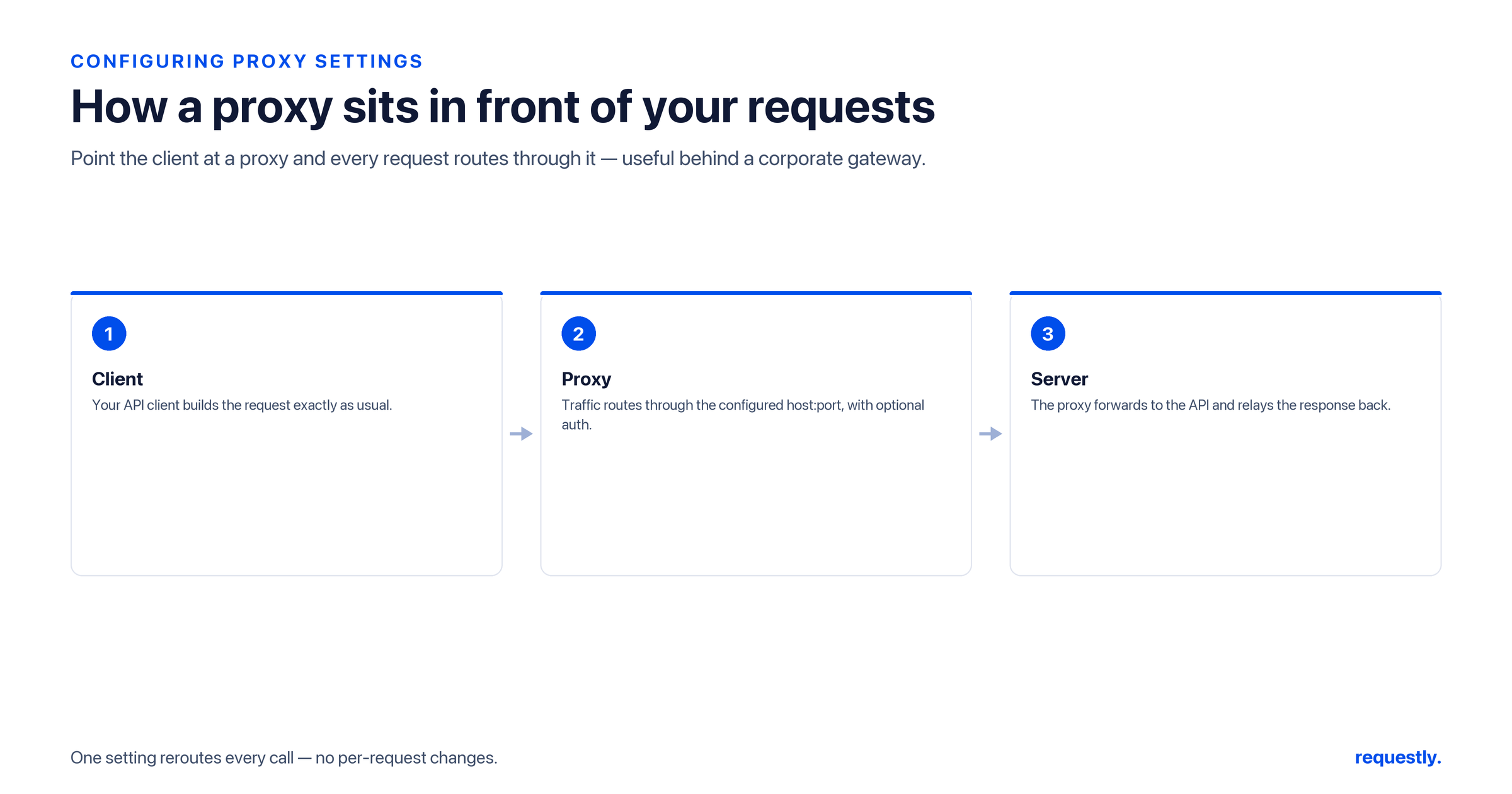
In many environments, your API requests cannot reach the internet directly - they have to go through a proxy first. A corporate firewall, a VPN, an outbound security gateway, or a debugging proxy on your own machine can all sit between your API client and the server. If you do not configure your tooling to use that proxy, requests simply time out or get refused.
This guide explains how to configure proxy settings for outgoing API requests: what a forward proxy is, how to set system and per-tool proxies, how to use the universal HTTP_PROXY / HTTPS_PROXY / NO_PROXY environment variables, how to authenticate to a proxy, and how to trust a custom CA so HTTPS still works.
What is a forward proxy (and why it matters for APIs)?
A forward proxy is an intermediary that your client sends requests to, which then forwards them on to the real destination on your behalf. Organizations use forward proxies to enforce security policy, cache responses, and log outbound traffic. The key point for API work: your client must be told the proxy’s address and port, otherwise it tries to connect directly and fails.
A proxy address is just a host and port, optionally with credentials, for example http://proxy.corp.example.com:8080 or http://user:pass@proxy.corp.example.com:8080.
Option 1: The system proxy
The simplest approach is to configure the proxy at the operating-system level so every well-behaved app inherits it.
- macOS - System Settings → Network → your interface → Details → Proxies, then enable “Web Proxy (HTTP)” and “Secure Web Proxy (HTTPS)” and enter the host and port.
- Windows - Settings → Network & Internet → Proxy, then set “Use a proxy server” with the address and port.
- Linux (GNOME) - Settings → Network → Network Proxy, switch to Manual, and fill in the HTTP/HTTPS proxy fields.
Many tools offer a “use system proxy” option so they follow whatever the OS is set to. That is usually the lowest-friction choice on a managed corporate machine.
Option 2: The universal proxy environment variables
For command-line tools, the de facto standard is a trio of environment variables that almost every HTTP library and CLI respects: HTTP_PROXY, HTTPS_PROXY, and NO_PROXY.
# Route HTTP and HTTPS traffic through the proxy
export HTTP_PROXY="http://proxy.corp.example.com:8080"
export HTTPS_PROXY="http://proxy.corp.example.com:8080"

# Bypass the proxy for these hosts (comma-separated, no spaces)
export NO_PROXY="localhost,127.0.0.1,.internal.example.com"
NO_PROXY is important: it lists hosts that should be reached directly, such as localhost and internal services that the proxy cannot route to. A leading dot (e.g. .internal.example.com) matches all subdomains.
You can confirm the proxy is in effect with curl, which reads these variables automatically:
# curl honors the *_PROXY variables; -v shows the CONNECT to the proxy
curl -v https://api.example.com/health

# Or point curl at a proxy explicitly, ignoring the environment
curl -x http://proxy.corp.example.com:8080 https://api.example.com/health
Option 3: Per-tool proxy configuration
Some runtimes need their own setting in addition to (or instead of) the environment variables:
# Node.js / npm
npm config set proxy http://proxy.corp.example.com:8080
npm config set https-proxy http://proxy.corp.example.com:8080

# Git (useful when an API workflow clones repos)
git config --global http.proxy http://proxy.corp.example.com:8080
If you script requests in Python with requests, you can pass proxies per call rather than globally:
import requests

proxies = {
    "http": "http://proxy.corp.example.com:8080",
    "https": "http://proxy.corp.example.com:8080",
}
r = requests.get("https://api.example.com/health", proxies=proxies, timeout=30)
print(r.status_code)
Authenticating to a proxy
Corporate proxies frequently require credentials. The most portable way is to embed username:password in the proxy URL itself, which both the environment variables and most CLIs accept:
# Credentials in the proxy URL (URL-encode special characters in the password)
export HTTPS_PROXY="http://alice:s3cr3t@proxy.corp.example.com:8080"

# curl can also take credentials separately
curl -x http://proxy.corp.example.com:8080 \
  --proxy-user alice:s3cr3t \
  https://api.example.com/health
If your password contains characters like @ or :, URL-encode them so the proxy URL parses correctly.
Trusting a custom CA through the proxy
Some inspecting proxies terminate TLS and re-sign traffic with the organization’s own certificate authority. Without trusting that CA, HTTPS requests fail with certificate errors. Point your tools at the corporate CA bundle:
# curl: use the corporate CA bundle for verification
curl --cacert /path/to/corp-ca.pem https://api.example.com/health

# Node.js: add an extra CA file
export NODE_EXTRA_CA_CERTS="/path/to/corp-ca.pem"

# Python requests: point at a CA bundle
export REQUESTS_CA_BUNDLE="/path/to/corp-ca.pem"
Trusting the CA is the right fix; disabling certificate verification entirely is a security risk and should be avoided outside of throwaway debugging.
Verifying the proxy is actually being used
Before you blame the API, confirm that traffic is really flowing through the proxy you think it is. A quick way is to ask a service to echo back the IP it saw - if the proxy is working, that will be the proxy’s egress address, not your machine’s:
# With the *_PROXY variables exported, this should report the proxy's egress IP
curl -s https://api.ipify.org

# Verbose mode shows the CONNECT handshake to the proxy for HTTPS
curl -v https://api.example.com/health 2>&1 | grep -i "CONNECT\|Proxy"
If the verbose output shows a CONNECT to your proxy host, the request is being tunneled correctly. If it connects straight to the API host instead, your proxy variables are not being picked up - check for typos, a missing HTTPS_PROXY, or a tool that needs its own proxy setting.
Choosing between system, env-var, and per-tool proxies
On a managed corporate laptop, the system proxy is usually the least-effort choice because most apps inherit it. For command-line and CI work, the *_PROXY environment variables are the most portable. Reach for per-tool settings only when a runtime (like npm or Git) ignores the environment. When in doubt, set the environment variables first - they cover the widest range of HTTP clients.
Common pitfalls
- Forgetting
HTTPS_PROXY- setting onlyHTTP_PROXYleaves your TLS API calls unproxied. - Missing
NO_PROXYentries - local and internal hosts get routed to a proxy that cannot reach them. - Unencoded credentials - special characters in a proxy password break the URL.
- Untrusted CA - inspecting proxies cause certificate errors until you add their CA.
Where Requestly fits today (and what is coming)
Requestly is a Git-native desktop API client. Today it does not have an in-app proxy-settings panel - there is no field inside Requestly to point your outgoing API requests at an upstream or corporate proxy yet. Configurable proxy support is on our roadmap, not a shipped feature, so we want to set expectations honestly.
In the meantime, the operating-system and environment-variable approaches above are the way to route traffic through a proxy on your machine. Requestly already supports the related need of custom SSL/TLS certificates, which helps when your environment uses its own certificate authority. When in-app proxy configuration arrives, we will update this guide with the exact steps.
A local-first API client that respects your environment: the Requestly API Client → keeps your requests, secrets, and certificates on your machine - a Git-native Postman alternative with custom SSL certificate support.
Frequently asked questions
What is a forward proxy for API requests?
A forward proxy is an intermediary your client sends requests to, which then forwards them to the real destination on your behalf. Organizations use forward proxies to enforce security policy, cache responses, and log outbound traffic, so your API client must know the proxy’s address to reach the internet.
What do HTTP_PROXY, HTTPS_PROXY, and NO_PROXY do?
HTTP_PROXY and HTTPS_PROXY tell HTTP libraries and CLIs to route plain and TLS traffic through the given proxy. NO_PROXY lists hosts that should be reached directly, such as localhost or internal services, bypassing the proxy for those addresses.
How do I authenticate to a proxy that requires credentials?
The most portable method is to embed username:password in the proxy URL, for example http://alice:s3cr3t@proxy.example.com:8080. Tools like curl also accept credentials separately via –proxy-user. URL-encode any special characters in the password so the URL parses correctly.
Why do I get certificate errors when using a proxy?
Some inspecting proxies terminate TLS and re-sign traffic with the organization’s own certificate authority. Until you trust that CA, HTTPS requests fail verification. Point your tools at the corporate CA bundle (for example with curl –cacert or NODE_EXTRA_CA_CERTS) rather than disabling verification.
Does the Requestly API client have proxy settings?
Not yet. Requestly does not currently offer an in-app panel to route outgoing API requests through an upstream or corporate proxy. Configurable proxy support is on the Requestly roadmap; until then, use your operating system’s proxy settings or the HTTP_PROXY and HTTPS_PROXY environment variables.
How do I set the proxy at the operating-system level?
On macOS, open System Settings, Network, your interface, Details, Proxies, and enable the Web and Secure Web proxies. On Windows, use Settings, Network and Internet, Proxy. On Linux GNOME, use Settings, Network, Network Proxy and choose Manual. Apps that follow the system proxy then inherit it automatically.
Related reading: browse the best API testing tools and learn how to manage configuration with environment variables.
Test any API request visually: import a cURL command or build from scratch in Requestly, the API client for developers.
Download →