
Home / Blog / API Client
API ClientHow to Use Environment Variables in API Requests
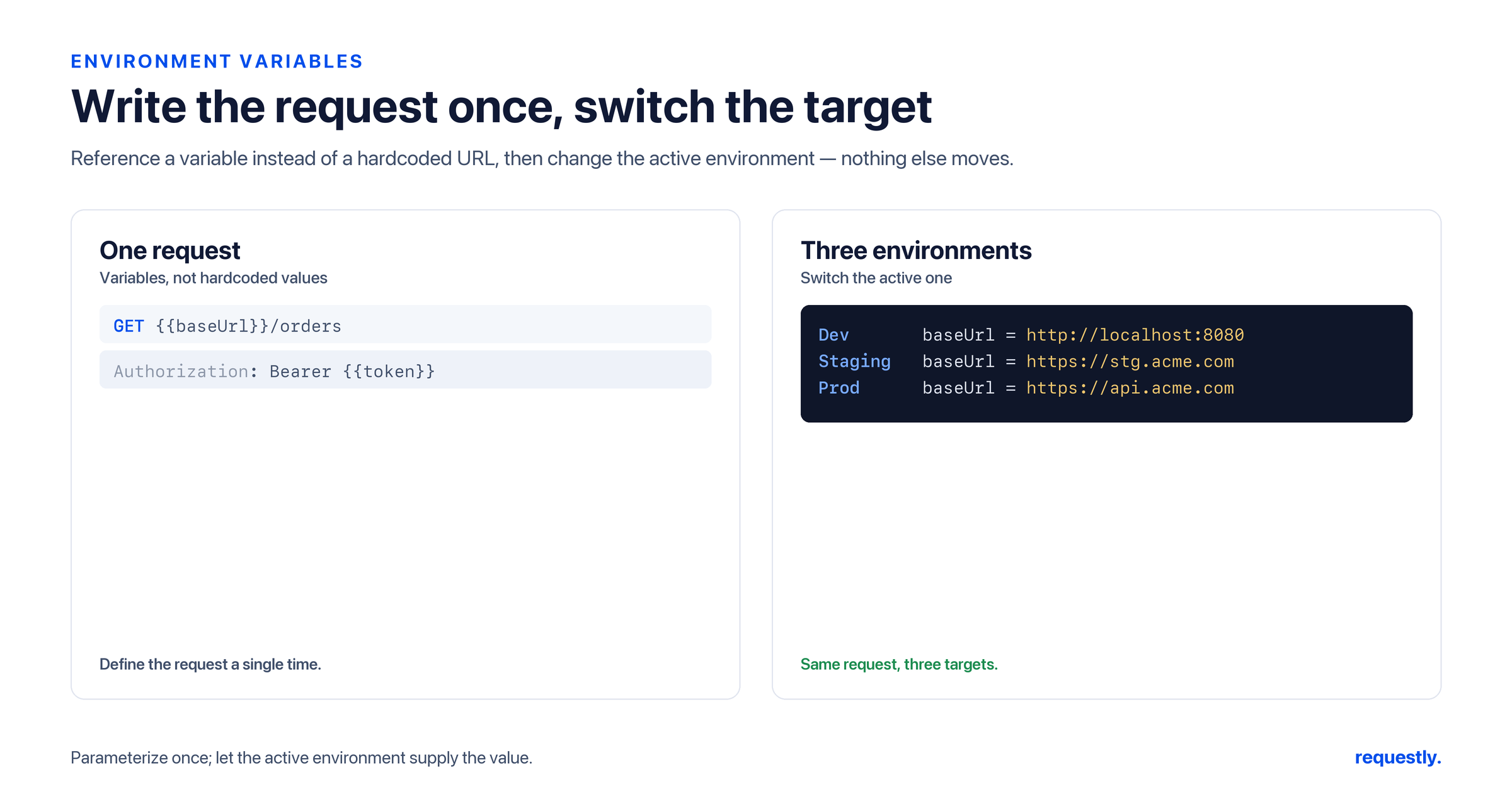
You have a login request that works perfectly against localhost:3000. Now you need to run it against staging. Then production. If your URL and token are typed directly into the request, that means hand-editing every call each time you switch — and quietly hoping you did not leave a production token in a request pointed at local. Environment variables remove that whole class of mistake. You define baseUrl and token once per environment, flip the active environment from a dropdown, and the same collection runs anywhere.
This is a hands-on guide to environment variables in the Requestly API client: how to create local, staging, and production environments, switch between them, parameterize requests with {{baseUrl}} and {{token}}, share them across a workspace, and keep secrets out of plain text using the Vault. For the wider picture of how environment scope sits among collection, global, runtime, and dynamic variables, start with the pillar guide on variables in API testing.
What an environment is
An environment is a named set of key/value pairs. local might hold baseUrl = localhost:3000 and a development token; staging holds the staging host and its token; prod holds the production host and a read-only key. Only one environment is active at a time. When a request references {{baseUrl}}, Requestly looks up that name in the active environment and substitutes the value at send time.
The power is in the separation. Your requests describe shape — the path, the method, the body structure — while the environment supplies the specifics. Swap the active environment and every request retargets without a single edit to the request itself.
Creating your first environments
Open the Environments section and create three: local, staging, and prod. In each, add the same variable names with environment-appropriate values. Keeping the names identical across environments is the whole trick — it is what lets one request work everywhere.
# local
baseUrl = http://localhost:3000
token   = dev-local-token

# staging
baseUrl = https://staging.api.example.com
token   = staging-token

# prod
baseUrl = https://api.example.com
token   = prod-readonly-token
A useful habit is to seed every environment with the same key set even when some values are blank. That way a missing value shows up as an empty string you can spot, rather than an unresolved {{token}} that silently goes out as literal text.
Parameterizing requests with {{baseUrl}} and {{token}}
With the variables defined, rewrite your requests to reference them. Replace the literal host with {{baseUrl}} and the literal credential with {{token}}:
GET {{baseUrl}}/v1/users/me
Authorization: Bearer {{token}}
The same placeholders work in the body and in query parameters:
{
  "tenant": "{{tenantId}}",
  "callbackUrl": "{{baseUrl}}/webhooks/payment"
}
Now the request is environment-agnostic. Send it with local active and it hits localhost; switch to prod and the identical request targets production. Nothing about the request changed — only which environment supplied baseUrl and token.
Switching the active environment
The active environment is controlled by a picker in the workspace. Selecting a different one immediately changes what every {{...}} placeholder resolves to. This is the moment that used to be dangerous — the manual “find and replace the host everywhere” step — collapsed into a single dropdown choice.
A practical discipline: name production something unmistakable like prod (LIVE) so you always know when you are pointed at it. Because switching is so frictionless, the only real risk is forgetting which environment is active, and a loud name solves that.
One collection, every environment: Define matching variable names in each environment and switch the active one from a dropdown — the same Requestly requests run against local, staging, and prod with zero edits. Explore the API client →
Reading and updating environment values from scripts
Environment variables are not only static panel entries — scripts can read and write them while a request runs. This is how a login response can populate token for the rest of your session. From a post-response script:
// post-response on POST /auth/login
const body = rq.response.json();
rq.environment.set("token", body.accessToken);
And reading or clearing values elsewhere:
const token = rq.environment.get("token");   // read
rq.environment.unset("token");               // remove
Environment values are stored as strings, so when you need to stash structured data, serialize it with JSON.stringify on the way in and JSON.parse on the way out. Capturing a token automatically like this lets the login request feed every subsequent call — the classic setup behind chaining requests and passing data between them.
Sharing environments across a workspace
Environments live inside a workspace, which is how a team shares them. When you collaborate in a shared workspace, the environment definitions — the variable names and the non-secret values — are available to everyone in that workspace. A new teammate opens the workspace, sees local, staging, and prod already defined, and is productive immediately rather than reconstructing config from a wiki page.
This shifts environment setup from tribal knowledge into something concrete and shared. The structure of “here are our environments and the variables each one expects” travels with the workspace.
Keeping secrets safe with the Vault
Tokens, API keys, and passwords should not sit in plain text where they might be exported or shared by accident. Requestly provides a Vault for exactly this: sensitive values are stored securely and referenced like any other variable, so a secret never appears as readable text in the request definition. You get the convenience of {{token}} without the credential being visible in the panel.
For teams that centralize secrets, the Vault integrates with AWS Secrets Manager, so the source of truth for a credential can live in your existing secrets infrastructure rather than being duplicated into the client. Sensitive values are managed where they belong, and your requests just reference them by name.
A clean workflow, end to end
Putting it together, a healthy environment-variable setup looks like this:
- Create
local,staging, andprodwith an identical set of variable names. - Parameterize every request with
{{baseUrl}},{{token}}, and any other values that differ by environment. - Switch the active environment from the picker to retarget the whole collection at once.
- Let a login script write
tokenwithrq.environment.setso credentials refresh themselves. - Share the environments through a workspace so the team stays in sync.
- Push secrets into the Vault (optionally backed by AWS Secrets Manager) so credentials never sit in plain text.
From here, the natural next steps are layering other scopes on top — collection and runtime variables — and chaining requests so one call feeds the next. The variables pillar guide ties all of that together, including the precedence rules that decide which scope wins when names overlap.
Frequently asked questions
What are environment variables in API testing?
Environment variables are named values grouped into a named environment such as local, staging, or production. Only one environment is active at a time, and requests reference values with {{variableName}}. Switching the active environment changes what every placeholder resolves to, so the same request can target any environment without edits.
How do I switch between environments in Requestly?
Select a different environment from the active-environment picker in the workspace. Every {{...}} placeholder immediately resolves against the newly selected environment, so the same collection retargets in one step. Giving production a loud name like “prod (LIVE)” makes it obvious which environment is currently active.
How do I parameterize a base URL and token?
Define baseUrl and token in each environment with the same names but environment-specific values, then write requests as {{baseUrl}}/path with an Authorization: Bearer {{token}} header. The placeholders resolve from the active environment at send time, so one request definition works everywhere.
Can I set environment variables from a script?
Yes. Use rq.environment.set(name, value) to write, rq.environment.get(name) to read, and rq.environment.unset(name) to remove. A common pattern is a post-response script on a login request that stores the returned token so the rest of the collection uses it automatically. Values are strings, so serialize objects with JSON.stringify.
How do I share environments with my team?
Environments live inside a workspace. When you work in a shared workspace, the environment definitions and their non-secret values are available to everyone in it, so teammates open the workspace and immediately have local, staging, and prod configured without reconstructing settings by hand.
How should I store secrets like tokens and API keys?
Put them in the Vault, which stores sensitive values securely and lets you reference them like any other variable so they never appear as readable text in the request. For centralized secret management, the Vault integrates with AWS Secrets Manager so credentials can live in your existing secrets infrastructure.
Switch environments, not requests: Set up local, staging, and prod once in Requestly and run the same collection against any of them from a single dropdown — with secrets safely in the Vault. Try the API client →
Test any API request visually: import a cURL command or build from scratch in Requestly, the API client for developers.
Download →