
Home / Blog / HTTP Interceptor
HTTP InterceptorHow to Intercept & Modify GraphQL Requests with Requestly


GraphQL APIs have become the go-to choice for modern frontend applications. Their flexible querying system allows clients to request precisely the data they need—nothing more, nothing less. But this same flexibility often makes debugging, testing, and experimenting harder.
What if you could intercept a GraphQL request and tweak its variables, override certain fields, or simulate different input values—without touching a line of code?
That’s where Requestly comes in.
In this guide, you’ll learn how to intercept and modify outgoing GraphQL requests using Requestly’s Modify Request Body rule. Whether you’re testing pagination logic, simulating another user, or altering request payloads for debugging, Requestly makes it incredibly easy.
Why GraphQL Request Interception Is Different
GraphQL sends all operations (queries and mutations) to a single endpoint, typically as a POST request. Unlike REST, where URL and query parameters define the resource, GraphQL includes the operation and variables in the request body, making traditional URL-based interception ineffective.
That means:
- You can’t just filter by URL—you must filter by operationName or payload keys
- Any meaningful changes require modifying the body JSON, not headers or URL params
Requestly handles this gracefully with dedicated support for GraphQL operation filtering and request body rewriting.
Example: Limit Product list in Requestly Playground by Modifying a GraphQL Variable
In this example, we’ll demonstrate how to intercept a GraphQL request in the Requestly Playground and modify one of the query variables to control the number of products fetched.
Step 1: Understand the Playground Setup
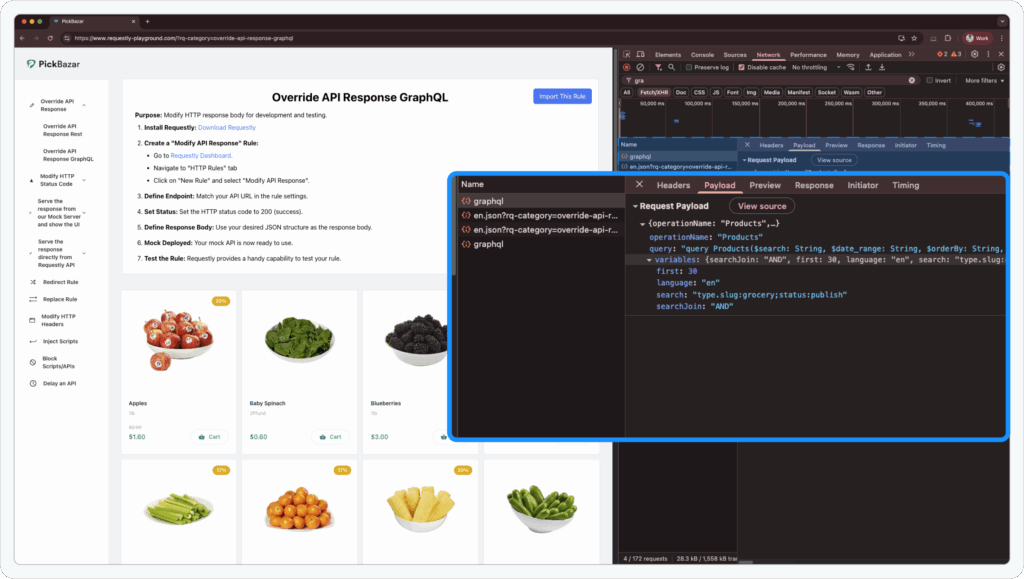
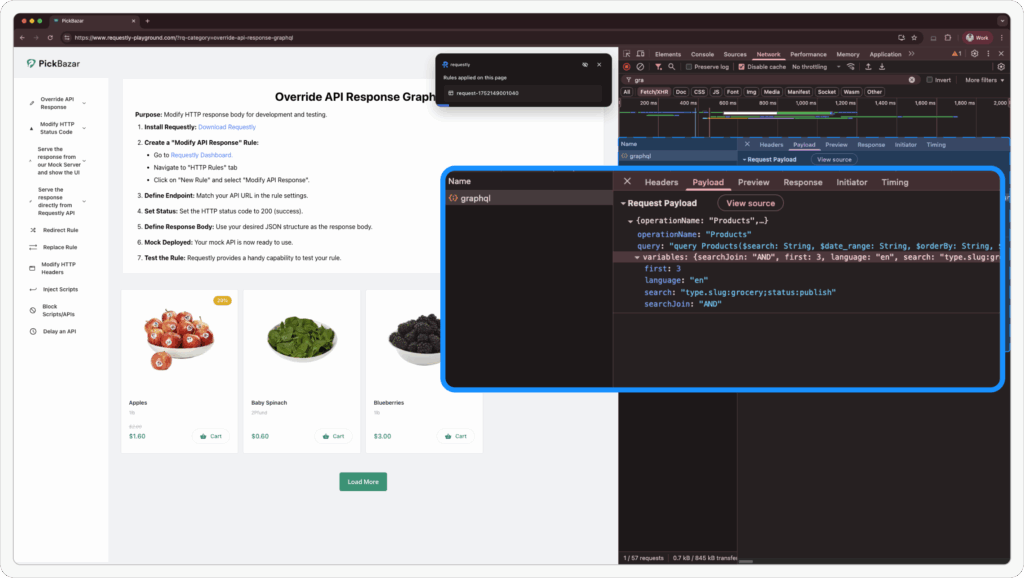
First, open the Requestly Playground. Choose any GraphQL demo available. If you inspect the Network tab in DevTools, you’ll notice a request sent to the GraphQL server with a payload like this:
This is a POST request that contains the operationName, variables, and the query itself. In our case, we want to modify the first variable, which controls how many products are fetched.
Step 2: Create a Modify Request Body Rule
To intercept and update the request:
-
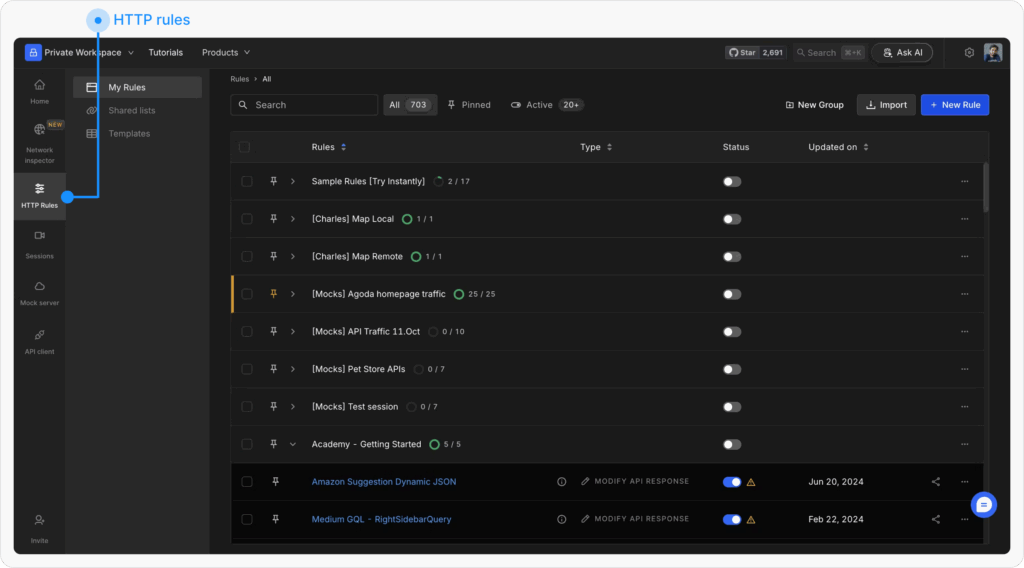
Open HTTP Rules
Navigate to the HTTP Rules section in the web or desktop app.
-
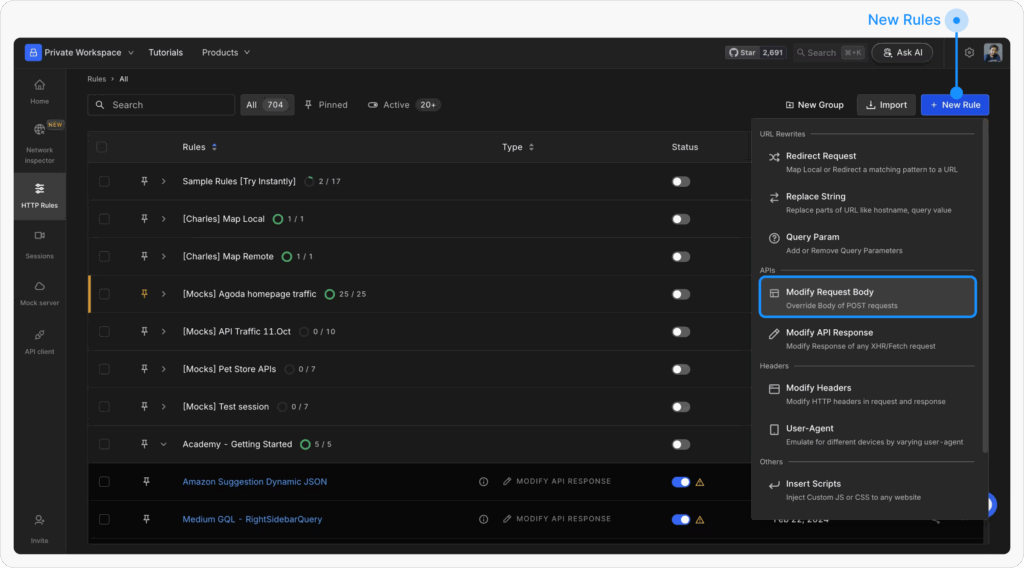
Create a New Rule
Click on “+ New Rule” and select Modify Request Body.
-
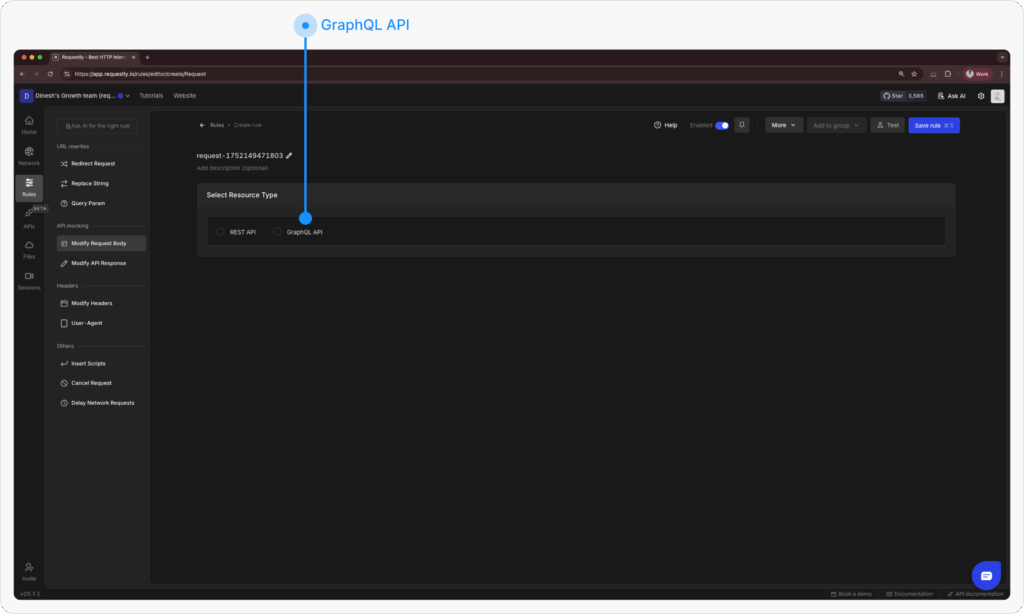
Configure Resource Type
Choose “GraphQL API” as the Resource Type.
-
Enter your source condition
In the Source Condition, enter the domain of the GraphQL API:
graphql.requestly-playground.com

-
Set GraphQL Operation Filter
In the GraphQL Operation (Request Payload Filter) section:
- Enter Key as
operationName. - Set Value as
Products(which is the operation used in this demo)
- Enter Key as

-
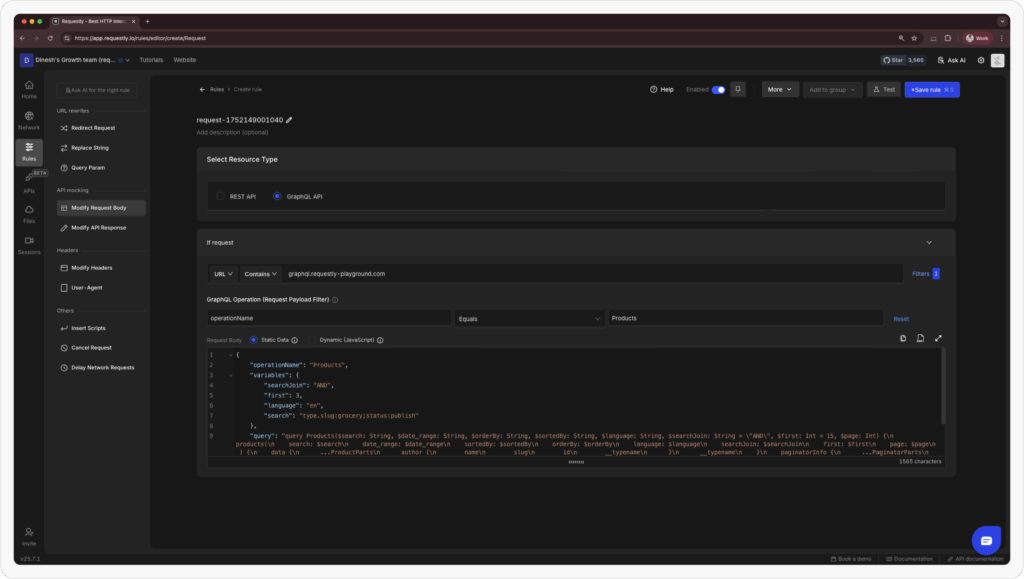
Customize Request
Now, let’s override the GraphQL request with modified values. You can either write dynamic JavaScript or directly paste the static modified payload.
For this demo, we’ll use a static replacement where we set
first: 3to limit the results.
{
    "operationName": "Products",
    "variables": {
        "searchJoin": "AND",
        "first": 3,
        "language": "en",
        "search": "type.slug:grocery;status:publish"
    },
    "query": "query Products($search: String, $date_range: String, $orderBy: String, $sortedBy: String, $language: String, $searchJoin: String = "AND", $first: Int = 15, $page: Int) {n  products(n    search: $searchn    date_range: $date_rangen    sortedBy: $sortedByn    orderBy: $orderByn    language: $languagen    searchJoin: $searchJoinn    first: $firstn    page: $pagen  ) {n    data {n      ...ProductPartsn      author {n        namen        slugn        idn        __typenamen      }n      __typenamen    }n    paginatorInfo {n      ...PaginatorPartsn      __typenamen    }n    __typenamen  }n}nnfragment ProductParts on Product {n  idn  namen  slugn  type {n    idn    namen    slugn    settings {n      productCardn      __typenamen    }n    __typenamen  }n  product_typen  pricen  sale_pricen  min_pricen  max_pricen  quantityn  unitn  skun  is_digitaln  is_externaln  ratingsn  image {n    idn    thumbnailn    originaln    __typenamen  }n  video {n    urln    __typenamen  }n  tags {n    idn    namen    slugn    __typenamen  }n  statusn  external_product_urln  external_product_button_textn  in_flash_salen  __typenamen}nnfragment PaginatorParts on PaginatorInfo {n  countn  currentPagen  firstItemn  hasMorePagesn  lastItemn  lastPagen  perPagen  totaln  __typenamen}"
}
We’ve updated "first": 3, this will instruct the server to return only 3 products.
-
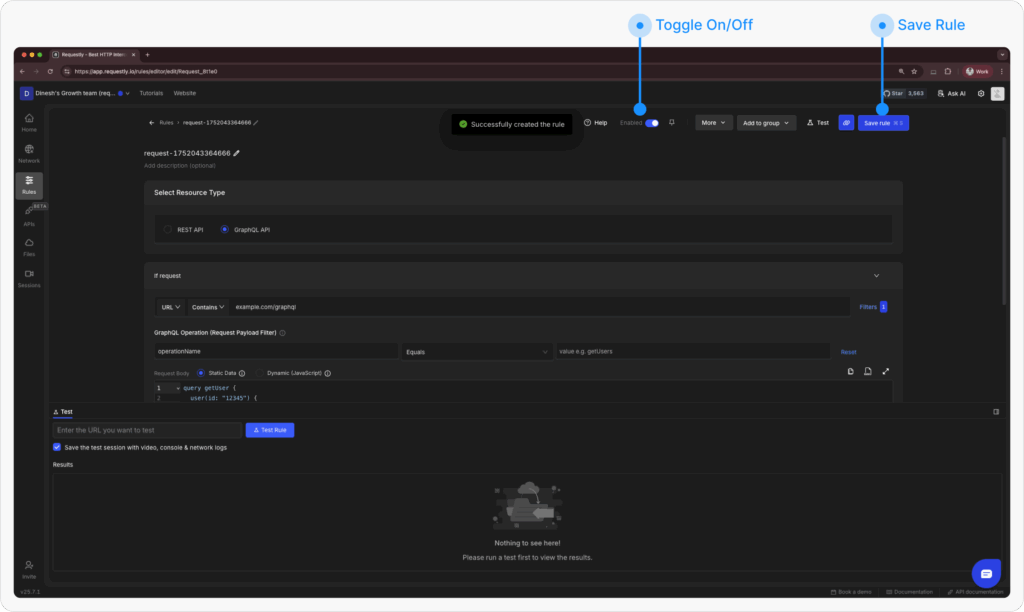
Save and Activate
Click Save, then toggle the rule ON to activate it.
Refresh the Playground
Now return to the Requestly Playground and reload the demo. You should see only 3 products loaded instead of the default 20:
Advanced Targeting with GraphQL Operation Filters
Requestly allows you to precisely target GraphQL operations by their name, even when multiple queries share the same endpoint.
When defining your rule:
- Use
operationNameto specify the GraphQL query/mutation you want to modify. - You can also add conditional checks for specific variable values (e.g.,
country: 'US').
This is especially useful when:
- Multiple operations use the same endpoint
- You only want to modify one particular request out of many
Conclusion
Modifying GraphQL requests in-flight can dramatically improve how you develop and test modern web apps. Requestly’s Modify Request Body rule gives you full control over the GraphQL payload—without touching the source code or backend services.
Whether you’re debugging, prototyping, or experimenting—Requestly empowers you to own your client-side workflows end-to-end.
Test any API request visually: import a cURL command or build from scratch in Requestly, the API client for developers.
Download →