
Home / Blog / HTTP Interceptor
HTTP InterceptorHow to Migrate Resource Override Rules to Requestly


Introduction
Resource Override has been a popular browser extension for debugging web pages by injecting scripts or modifying network requests. However, with Chrome’s transition to Manifest V3 (MV3), this extension will soon become unavailable for Chromium-based browsers.
Fortunately, Requestly offers a powerful alternative. As a Manifest V3-compatible extension, Requestly not only replicates the features of Resource Override but also adds new capabilities to enhance your debugging and development experience. To make the transition seamless, Requestly now officially supports importing rules directly from Resource Override into its platform.
Step-by-Step Guide
Requestly’s supports 1-click import for your Resource Override configurations. Follow these steps to migrate and apply your rules:
Step 1: Go to Developer Tools (DevTools)
Open your browser’s DevTools and navigate to the “Override” option.
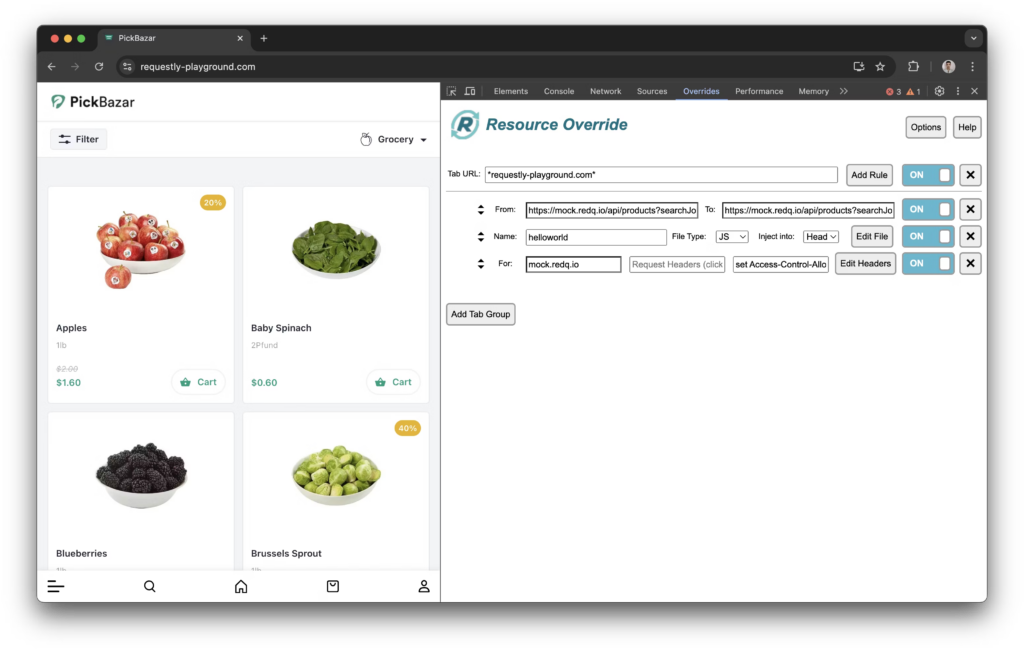
Resource Override dashbaord
Step 2: Download Rule Configuration
Click on the Options menu in the “Override” section and select Save Rule. This will download your current Resource Override configuration file to your device.

Resource override options dropdown
Step 3: Open Requestly Dashboard
Log in to your Requestly dashboard and navigate to the HTTP Rules section. This is where you can view, create, and manage your rules.
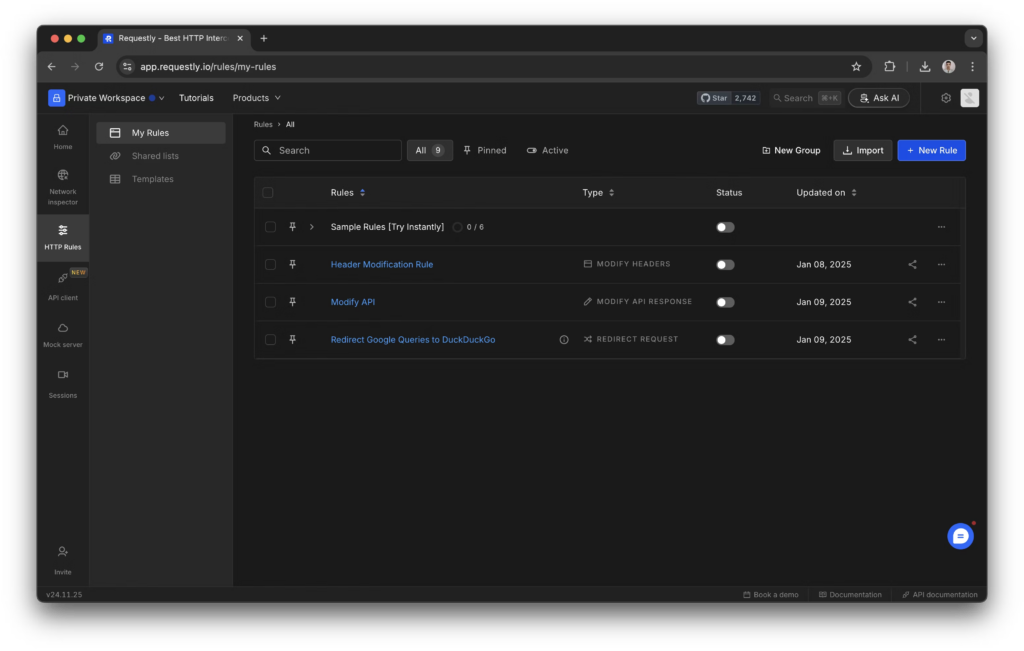
Requestly Dashboard
Step 4: Click on “Import” and Select “Resource Override”
In the HTTP Rules section, click the Import button. From the available options, select Resource Override to initiate the import process.

Import rules popup
Step 5: Upload and Import Your Configuration
Upload the saved configuration file you downloaded earlier. Once the file is uploaded, click on the Import Rules button to apply the rules to your Requestly setup. Your imported rules will now be active.

Imported Resource override settings popup
Conclusion
The shift to Manifest V3 in Chrome has changed how extensions like Requestly handle network requests, but the transition doesn’t have to disrupt your workflow. With Requestly’s 1-click importer, migrating your Resource Override rules is fast, simple, and hassle-free
Test any API request visually: import a cURL command or build from scratch in Requestly, the API client for developers.
Download →