
Home / Blog / Uncategorized
UncategorizedRunning Ollama with Requestly - A guided tutorial

Running Large Language Models (LLMs) locally has become essential for secure, private, and low-latency AI development. Cloud LLMs are powerful, but not every project can afford to send sensitive business or user data across the Internet. With local execution, it can be solved by keeping computation fully on-device. In this guide, we show how to run an LLM fully locally with Ollama and route API traffic to that model with Requestly, without writing any backend code. This setup enables:
- Real LLM responses served locally
- Cloud-like API behavior
- No dependency on OpenAI or hosted endpoints
- Toggle between mock and real LLM responses instantly
Browser and frontend testing before backend integration We used the llama3.2:1b model because it is lightweight, fast on CPU, and ideal for developers working on laptops.
Throughout the tutorial, screenshots and terminal outputs will be inserted to validate each step of execution, so readers can confidently follow along and verify their own environment.
1. Install & Verify Ollama Locally
Ollama is a minimal runtime that exposes LLMs over a REST API running automatically on:
http://localhost:11434Install Ollama-
curl -fsSL https://ollama.ai/install.sh | shPull the model-
ollama pull llama3.2:1bValidate Ollama server is running
ps aux | grep ollamaIf you see:
/usr/local/bin/ollama serveIt visually verifies:
http://localhost:11434/is responding 
Test local inference via API
curl http://localhost:11434/api/generate -d '{
 "model": "llama3.2:1b",
 "prompt": "hello"
}'
Expected streaming output like this: 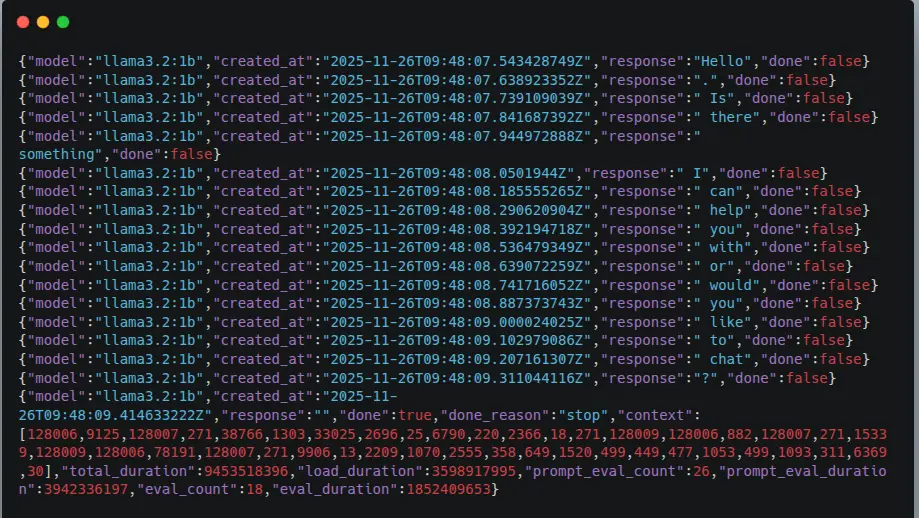
2. Routing Local LLM Traffic via Requestly
To send LLM requests from a browser or external clients without modifying any application code, we use Requestly Redirect Rules.
This creates a cloud-like API endpoint while maintaining full local execution.
Create Redirect Rule
- Open Requestly
- Go to Rules from the left sidebar
- Click New Rule - Redirect Request
Fill in the configuration:
| Field | Value |
|---|---|
| Rule Type | Redirect Request |
| IF - Request URL Contains | https://user1763230645199.requestly.tech/generate |
| Redirect destination | localhost:11434/api/generate |
| Rule Status | Enabled |
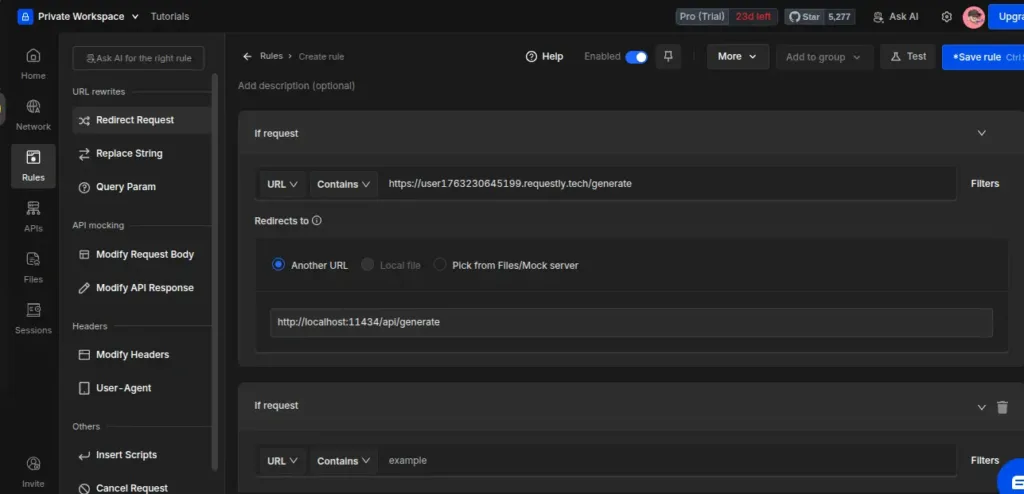
Here is the final working Redirect Rule configuration.
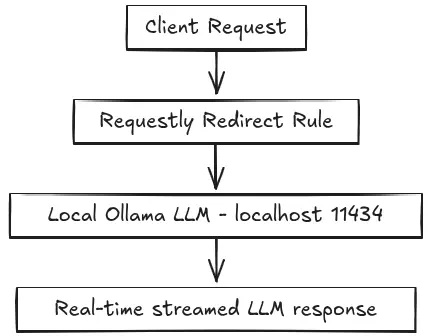
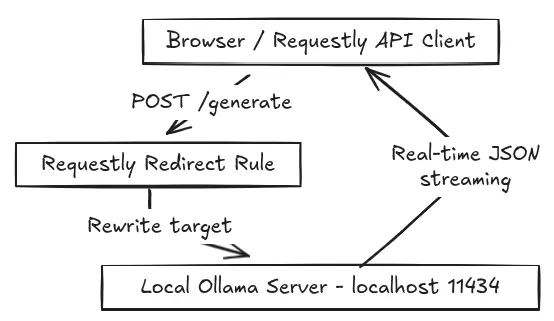
Also, this rule enables the full request flow:
3. Test End-to-End Using Requestly API Client
Now, verify the redirect rule works.
API Client Request
Inside Requestly - API Client:
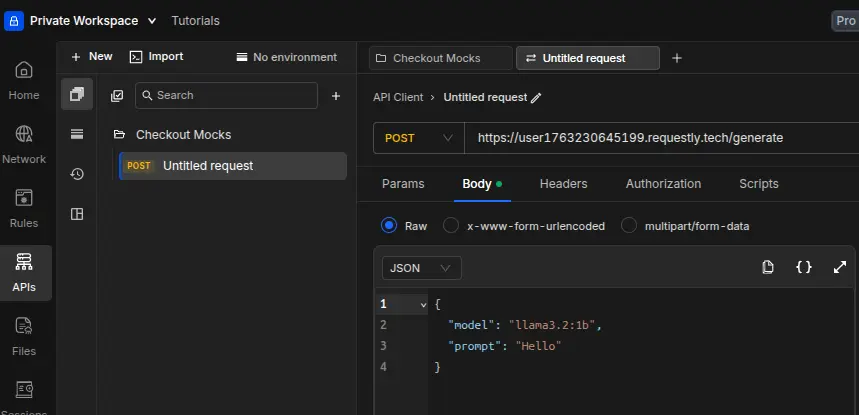
- Method: POST
- URL:
https://user1763230645199.requestly.tech/generate- Body (raw JSON):
{
  "model": "llama3.2:1b",
  "prompt": "Hello from Requestly"
}
Click Send.
You should see model tokens streaming back via local inference.
4. Final Working Architecture
| Component | Responsibility |
|---|---|
| Client (Browser / API Client / curl) | Sends prompt request |
| Requestly | Redirects call to local model |
| Ollama | Generates the LLM response |
| Client | Receives streamed text |
Architecture Diagram
Why This Matters for Developers
| Benefit | What it enables |
|---|---|
| Local-first inference | No cloud dependency & offline-ready |
| Zero code required | UI teams can test without waiting for the backend |
| Privacy / Compliance | Data stays on the device |
| Instant environment switching | Mock - Real model toggle |
| Faster iteration | No API key, no rate limiting |
Conclusion
Running LLMs locally doesn’t require complex infrastructure or backend changes.
In our setup, Ollama handled the model execution entirely on the machine, while Requestly served as the routing layer, allowing us to forward API calls to the local inference endpoint without modifying any application code.
We validated the entire flow using only curl and the Requestly API Client, with a single Redirect Rule ensuring that every test request reached the llama3.2:1b model running on localhost. The integration worked smoothly end-to-end and demonstrated a practical workflow for secure, offline-ready AI development.
Any developer following these exact steps on Ubuntu can achieve the same result in one continuous run. This gives full control over where inference happens and makes it easy to adopt a local-first approach to modern LLM applications.
Test any API request visually: import a cURL command or build from scratch in Requestly, the API client for developers.
Download →