
Home / Blog / HTTP Interceptor
HTTP InterceptorServing API Mocks from Local Files in Requestly

Modern web development often relies on APIs. But when backend services are unavailable, unstable, or under development, it can stall frontend progress. That’s where Requestly’s Map Local feature comes in—allowing you to serve API mocks directly from local files without running an external mock server.
This approach gives developers real-time feedback, accelerates iteration cycles, and keeps testing independent of backend constraints.
What Is Requestly’s Local Mocking Feature?
Requestly enables developers to intercept HTTP(S) requests and redirect them to a local file on their computer. This means that when your application calls an API endpoint, Requestly can serve a JSON file stored locally instead of reaching out to the live service. It’s useful for situations like:
- The backend is not yet available.
- You want to test new data or edge cases safely.
- You’re working offline but still need API responses.
Using Map Local (Redirect Request)
Using Map Local, you can replace a server response with a local file. Follow these steps:
-
Install Requestly Desktop App
Download and install the Requestly Desktop App to access the Map Local feature. -
Connect to the Browser
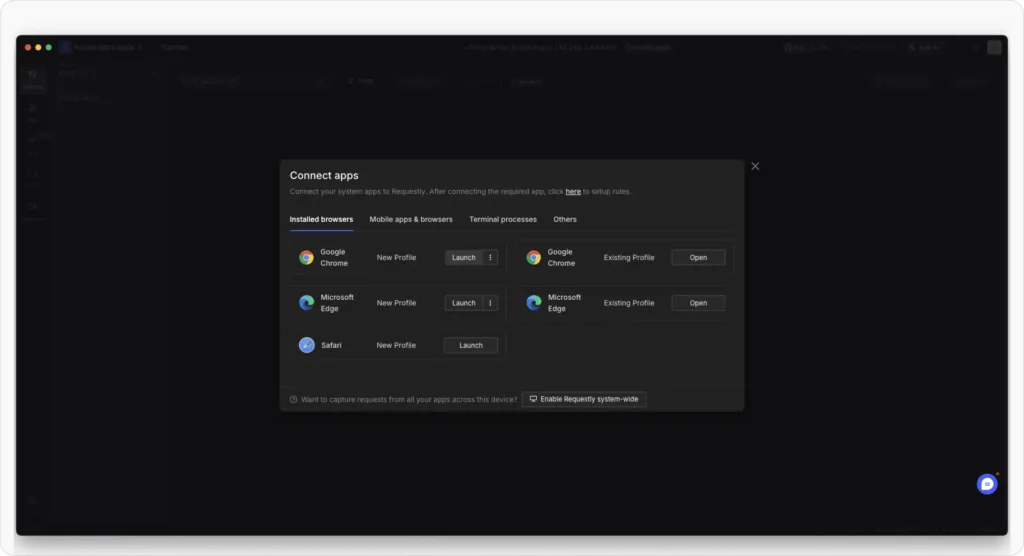
Open the Requestly Desktop app and click Connect Apps to establish the connection. Then, select your browser and open it. Once the browser is open, go to the website where you want to use the Map Local feature.
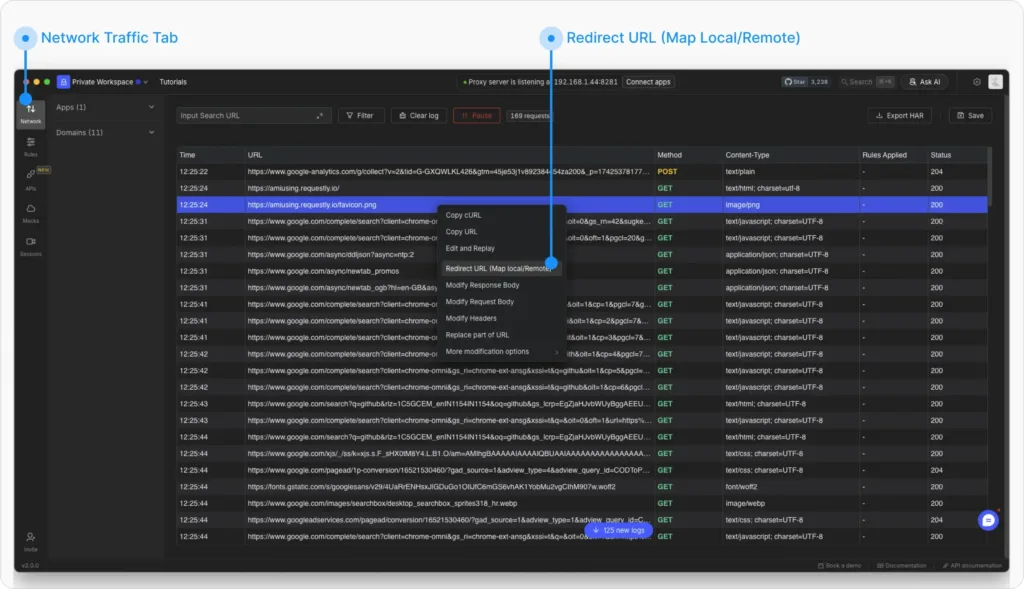
- Capture Network TrafficIn the Network Traffic table of the Requestly app, locate the request you want to modify (e.g.,
https://example.com). Right-click on it and choose Redirect URL (Map Local/Remote).
-
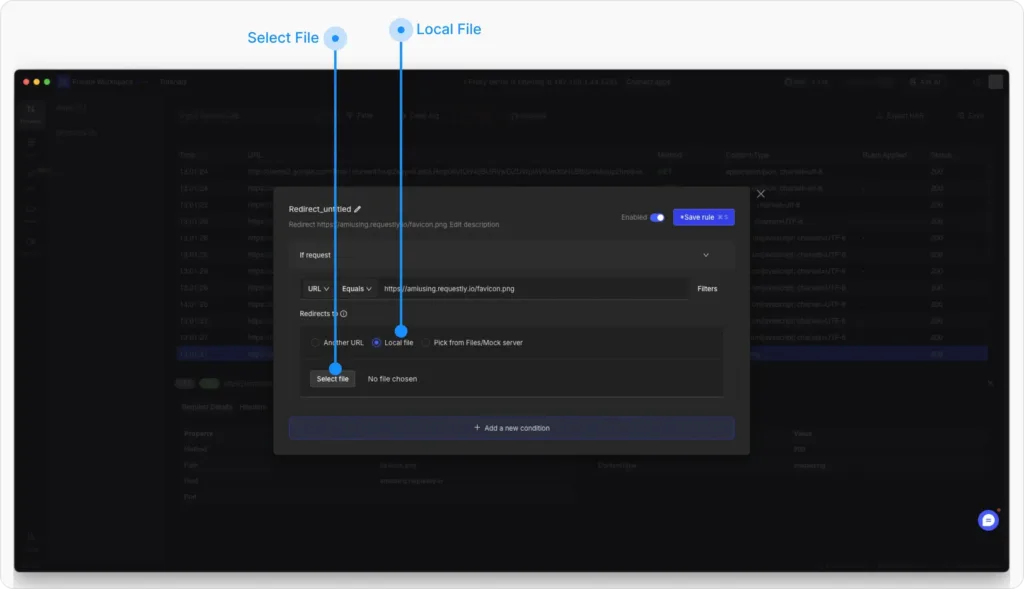
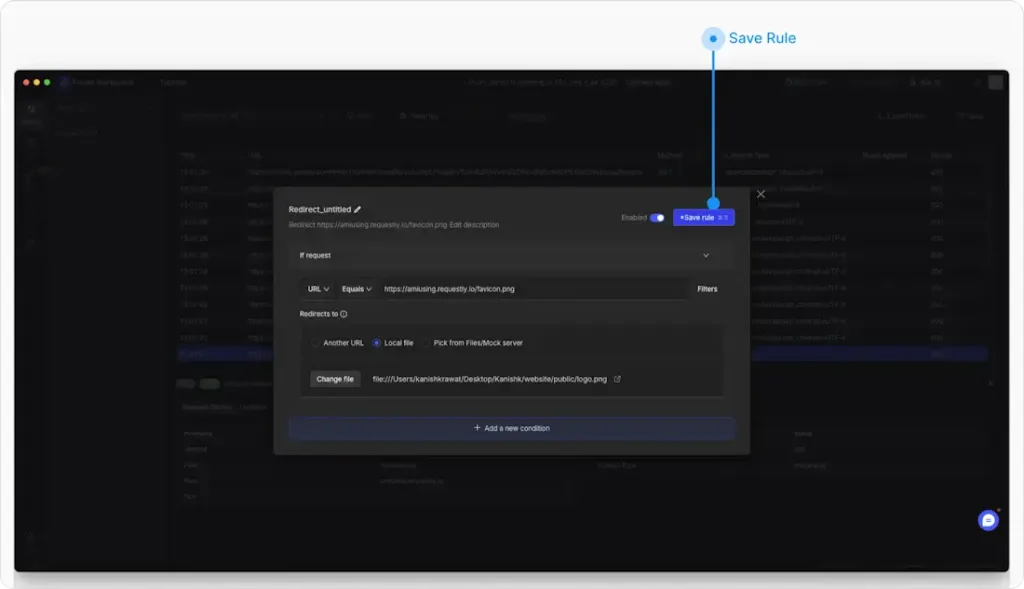
Specify the Local File
Choose the Map Local option in Redirects to and browse your system to select the local file that should replace the server’s response.This file will now be used instead of the original request’s response.
-
Save and Activate the Rule
Click Save Rule to save the configuration.Reload the website to see the local file replacing the server response in real time. Ensure the rule is enabled so it remains active and correctly applied.
Using Modify API Response Rule
Follow these steps to start serving mock APIs using local files in Requestly:
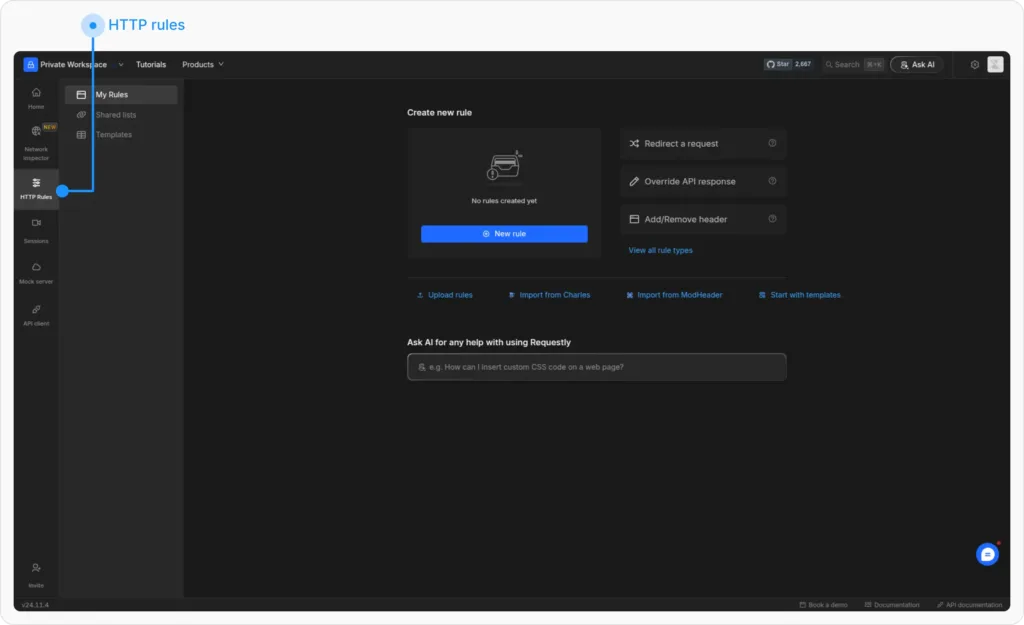
- Open Requestly Dashboard
Log in to your Requestly account and navigate to the HTTP Rules section.
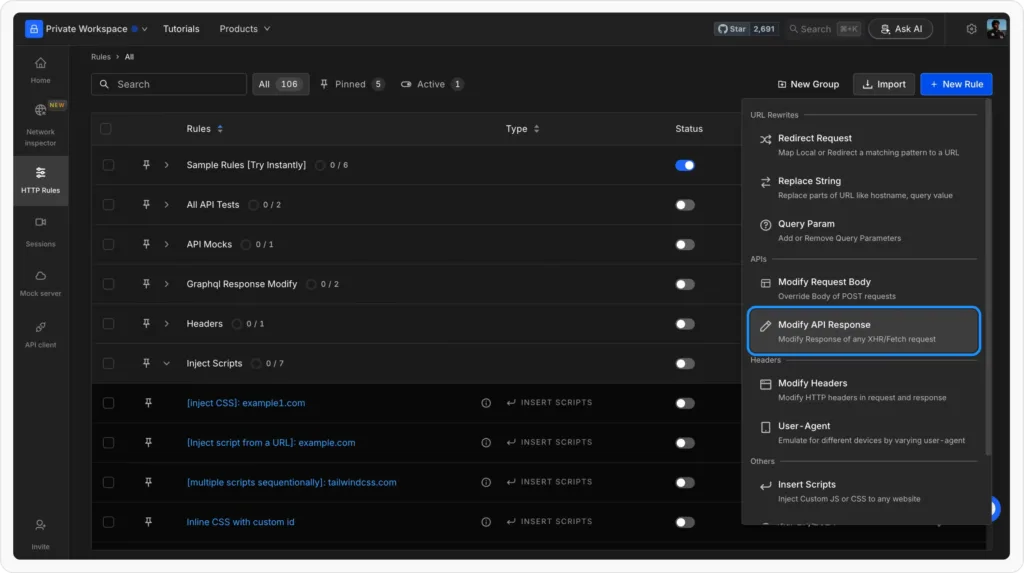
- Create a New Rule
Go to HTTP → New Rule → Modify API Response.
- Configure Mock Response Set up your Modify API Response rule with the necessary configurations. We’ll use Requestly Playground as a demo for this example

- Source Condition: Match
https://mock.redq.io/api/products(using contains). - Response Status Code: Set to
200. - Response Body: Provide a static JSON response
You can tick the “Server this response body without making call to the server” checkbox as the label suggests it will ensure you get the response locally without hitting your API server.
- Save and Test
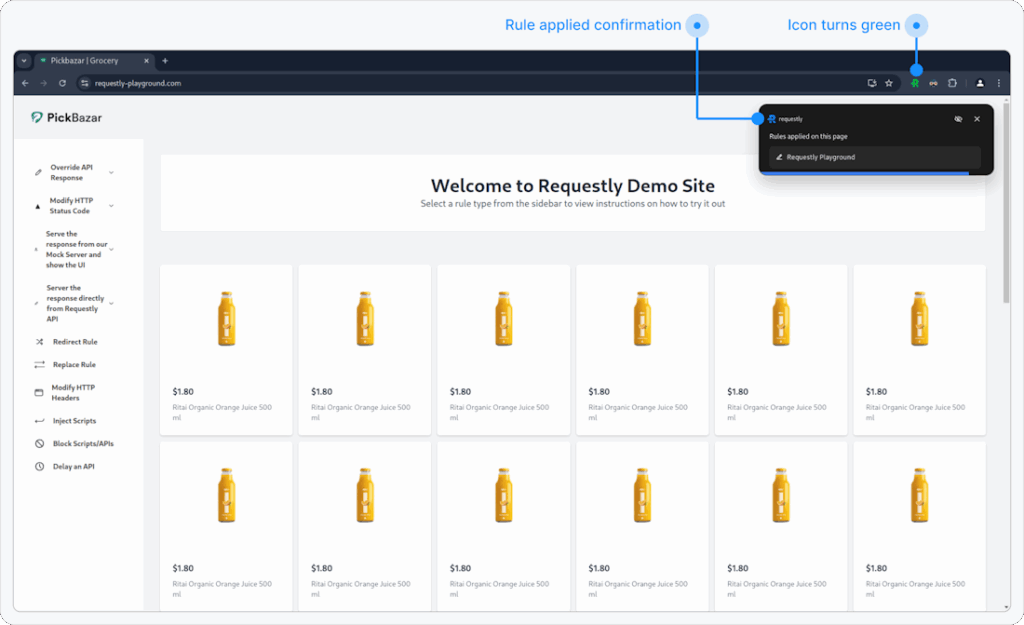
Save the rule and reload your application. Your API calls will now return the mock data instead of real server responses.
Benefits of Serving Local Mocks
- Instant updates: No server restart or redeployment needed; just modify the local file.
- Offline testing: Develop even without an internet connection or network dependency.
- Real data control: Simulate edge cases by changing JSON structure or response values.
- Seamless integration: Works across browsers and local development servers with no code changes.
Advanced Use Cases
- Frontend-First Development: Build and validate UI components before the backend is ready.
- Testing Error Handling: Simulate different status codes (like 404 or 500) using alternate mock files.
- API Prototyping: Set up multiple mocks to imitate an entire backend, helping designers or testers explore workflows faster.
- Collaboration: Combine local mocks with Requestly’s File Server to upload those files and share them as cloud mocks when ready for your team.
Conclusion
Serving mock APIs from local files with Requestly provides developers and testers with unmatched flexibility. You can simulate backend responses instantly, control every aspect of your API data, and test across environments—all without writing or deploying a backend server.
Whether you’re debugging a tricky issue, developing offline, or experimenting with new UI flows, Requestly’s Map Local rule is your fastest path to productive, reliable mock testing.
Test any API request visually: import a cURL command or build from scratch in Requestly, the API client for developers.
Download →