Requestly
HTTP InterceptorPricingRequestly vs PostmanBlogDocsDownload

Home / Products / Modify & Mock APIs

Modify & mock API responses superfast

  • Validate edge cases
  • Simulate backend responses
  • Bypass backend complexities
  • Mock Third-Party API Responses

Build frontend when the backend isn’t ready

Use the Modify Response rule to create mock APIs with custom responses and status codes. Easily disable these mocks when actual APIs become available.

Test for edge/Corner cases

Simulate diverse API edge cases (e.g., missing parameters, null values, incorrect data types) without modifying the backend. This ensures robust error handling in your code.

GraphQL support

GraphQL’s single-endpoint design can hinder targeted API modification. Requestly solves this with operation name filters, enabling precise response manipulation in GraphQL.

Async / Await Support

When faced with lengthy API calls or the need to manage multiple requests simultaneously, using an asynchronous approach with Async/Await can significantly improve efficiency.
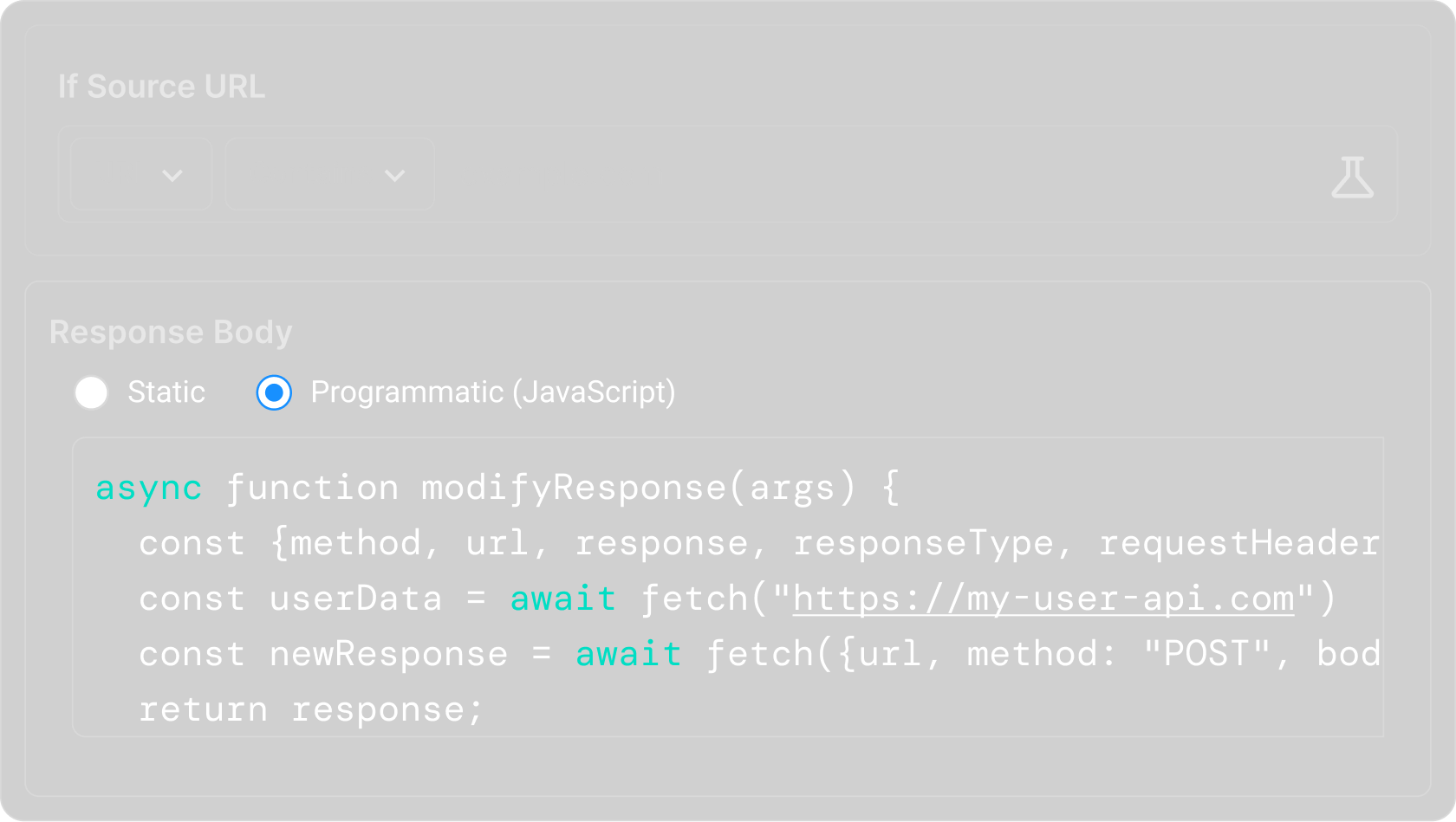

Async / Await Support

More features for your testing needs

These HTTP Rules designed for all your local development and testing needs.

Modify Responses

Intercept, Modify & Mock API Responses in Real-Time

Cancel request

Block URLs by specifying keywords or complete URL.

Replace string

Replace part of URL like hostname, query values.

Modify Headers

Modify HTTP request & response headers.

Query params

Add or Remove Query Parameters

Insert scripts

Inject Custom JS & CSS on any website(s).

Delay network

Simulate delay in response of API calls.

Modify request body

Modify body of website or application POST requests.

Effortless team collaboration

Share instantly, sync effortlessly, and collaborate effectively with your team in dedicated workspaces.

Quick One time sharing

Instantly generate and share a link to your rules and more.

Team workspaces

Collaborate easily with teammates in a shared workspace.

Export data & sync to Git

Easily version-control your configs by exporting and syncing.

Enterprise-ready security and compliance

Requestly ensures top-tier security with SOC-II compliance, SSO integration, and role-based access control. We protect your data and secure your workflows, making us the ideal choice for enterprises. Learn more

SOC 2 compliant

SOC-II Compliance

Adheres to rigorous security standards for data protection and privacy.

Single Sign-On (SSO)

Simplifies user access with secure, centralized authentication.

Role-based access control

Ensures precise control over user permissions and data access.

Data encryption

Protects your data in transit and at rest with advanced encryption protocols.

Audit logs

Protects your data in transit and at rest with advanced encryption protocols.

Regular security updates

Keeps your environment secure with timely updates and patches.

Loved by developers around the World

Developers around the world trust us to simplify debugging, speed up workflows, and make development more efficient.

★★★★★ on Chrome store

Requestly is the first API client that has genuinely replaced Postman for me. Everything runs locally, so my API data never has to go through a cloud server. There’s no mandatory login, no unnecessary bloat, and no pressure to upgrade just to keep using the same workflow. It feels faster, simpler, and much more aligned with how developers actually want to work.

Hasan Toor
Hasan Toor
AI & Tech Educator
★★★★★ on Chrome store

Postman stopped fitting the way our team works. We wanted our API collections in Git, not locked inside another tool. Requestly stores everything as plain JSON files in a local directory, which gives us full control over versioning, reviews, and collaboration.

NIJ Ruvos
NIJ Ruvos
★★★★★ on Chrome store

My absolute favorite web debugging proxy and API client. I use it nearly every day for work to modify HTTP requests, test and mock API calls, inject JS snippets into sites, etc. The Requestly team is incredible — I once submitted a bug report and it was closed out within an hour. Also just kind, passionate people. I can't recommend Requestly enough.

Charles Tysse
Charles Tysse
Seasoned analytics architect and engineer
★★★★★ on Chrome store

Absolutely love the API Client feature! It’s like Postman, but better integrated into my daily workflow. Modifying API responses directly from the same tool I use for debugging is such a time-saver. Great job, Requestly team, for constantly innovating!

Liran Blumenberg
Liran Blumenberg
Sales Representative, Clal Insurance & Finance
★★★★★ on Chrome store

We recently migrated from Postman to Requestly’s API Client, and it has been a great experience. The ability to store collections locally, keep them in Git, and work with simple JSON files made the transition seamless and much more developer-friendly.

Harry S
Harry S
Principal Engineer at Tapistro
★★★★★ on Chrome store

Requestly is an incredibly useful tool for developers working on a large team with multiple staging envs, or numerous app endpoints for various APIs in a local environment. The Sessions feature is especially useful for documenting solutions or sharing with others since it captures the relevant network traffic, and screen recording enables others to easily reproduce. Requestly combines all the power of complicated tools like Charles Proxy and Postman in one app/chrome extension. I highly recommend giving it a try if you haven't already–it will make your dev work so much easier. (Summarized)

Joél Hawkins Torres
Joél Hawkins Torres
Senior Software Engineer at Autodesk
★★★★★ on Chrome store

Requestly is user-friendly, brilliant and easy-to-use. I use it on an daily basis and it makes my work easier. After using other tools like Charles - Requestly is a nice new breath of air that I highly vouch for. Apart from the tool being amazing - the support from the Requestly team is phenomenal with them always going above and beyond for their clients.

Marius Ludick
Marius Ludick
Solutions Architect II at Amazon
★★★★★ on Chrome store

App works as expected! Ran into some small issues while creating the rules but the support team was able to help and overcome those.

José Miguel Dias Fernandes
Development Lead at Vodafone

Frequently Asked Questions

The Modify API Response Rule lets you intercept API responses and change the response body before it reaches your application. This helps you test different backend scenarios without changing server code or waiting for backend updates.

You can modify JSON, XML, text, HTML, and other text-based API responses. This makes it easy to test UI behavior with different response structures, values, or edge cases.

Yes, you can use the Modify API Response rule in Requestly’s free plan for local testing and debugging.

No, you can create and use multiple response modification rules on the free plan. Paid plans mainly unlock collaboration, syncing, and team workflows.

Yes! Requestly is free for students, enjoy access to powerful tools and features with no cost.

First, make sure the rule is enabled, the URL matching condition is correct, and the request you are testing actually matches the configured endpoint. Also verify that Requestly interception is active.

Browser cache, service workers, or application-level caching may be serving older responses. Try disabling cache in DevTools, hard refreshing the page, or clearing cached data before testing again.

Create a Modify API Response rule, add the API endpoint in the source condition, select the JSON field you want to update, enter the new value, save the rule, and refresh your application. Matching responses will now return the modified data.

Use the Modify API Response rule to change successful API responses into error responses by updating status fields, messages, or response data. This helps you test how your application handles failures.

Intercept the API response that returns user settings or feature configurations, modify the relevant fields, and refresh your application to test different user experiences instantly.

Ready to try it yourself?

Intercept, modify and mock HTTP requests in your browser or on desktop. Free to use.

Free · macOS, Windows & Linux