
Home / Blog / API Client
API ClientHow to Chain API Requests (Pass Data Between Calls)
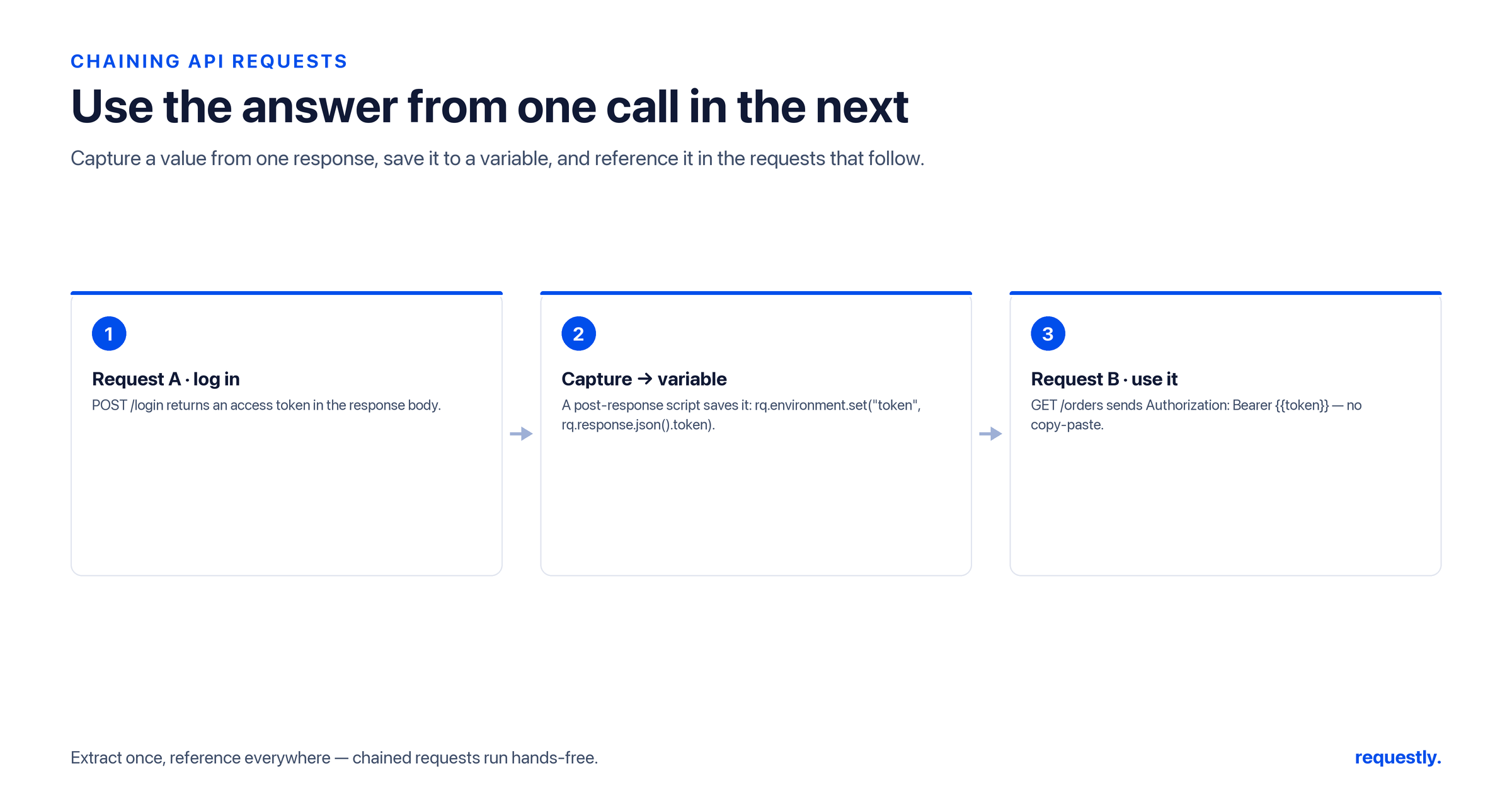
Real API workflows are sequences. You log in to get a token, then call an endpoint with it. You create an order, then fetch it by the ID the server just assigned. You start a checkout, then complete it with the session it returned. Each step depends on a value the previous step produced — and copy-pasting that value by hand between requests is exactly the tedium an API client should erase. Chaining is how you wire requests together so the output of one automatically becomes the input of the next.
This guide walks through the canonical chaining flow in the Requestly API client: a post-response script on request A captures a value with rq.response.json() and stores it with rq.environment.set; request B then references it as {{value}}; and the Collection Runner executes the sequence in order. It also explains, clearly, why there is no fetch inside a script — a detail that confuses newcomers but is actually the reason chaining works the way it does. For the variable mechanics underneath, the variables pillar guide is the companion read.
The core idea: capture, store, reference
Chaining reduces to three moves. Capture a value from request A’s response. Store it in a variable. Reference that variable from request B. Because variables persist across requests within a run, request B sees what request A produced — no manual copying, no stale values.
The capture and store happen in a post-response script on request A. The reference is just template syntax in request B. That is the entire pattern; everything else is variation on it.
Step 1 — Capture a value in request A’s post-response script
Suppose request A is POST {{baseUrl}}/orders and the server responds with the new order, including its id. Attach a post-response script to request A that reads the body and stores the ID:
// post-response script on POST /orders
rq.test("order created", function () {
  rq.expect(rq.response.code).to.equal(201);
});

const order = rq.response.json();      // parsed body (not .body)
rq.environment.set("orderId", order.id);
Two verified details matter here. The status is rq.response.code, and the parsed body comes from rq.response.json(). The guard test is optional but wise — if creation failed, you do not want to store a garbage ID and let the next request run against it.
Step 2 — Reference the value in request B
Request B is GET {{baseUrl}}/orders/{{orderId}}. The {{orderId}} placeholder resolves to whatever request A stored, so B fetches exactly the order A created:
GET {{baseUrl}}/orders/{{orderId}}
Authorization: Bearer {{token}}
You can reference the captured value anywhere request text is interpreted — the path, query parameters, headers, or body. To assert the round-trip in B’s own post-response script, read the same variable back and compare:
// post-response script on GET /orders/{{orderId}}
const fetched = rq.response.json();
rq.test("fetched the order we created", function () {
  rq.expect(fetched.id).to.equal(rq.environment.get("orderId"));
});
Step 3 — Run the sequence in the Collection Runner
For chaining to work, request A must run before request B so the variable is set by the time B resolves {{orderId}}. Put both requests in a collection in the right order and execute them with the Collection Runner, which sends each request in sequence. A’s script runs and stores orderId; B then resolves the placeholder and sends. Running the chain through the runner also rolls up the tests from every step, so you see the whole sequence pass or fail at once. Our Collection Runner guide covers ordering and orchestration in depth.
Capture once, reuse down the chain: A post-response script stores a value, the next request reads it as {{var}}, and the Collection Runner runs the sequence in order — no copy-paste between steps. Explore the API client →
The classic example: capturing an auth token
The most common chain of all is authentication. Request A is the login; request B onward needs the token it returns. A post-response script on the login request captures the token into the environment:
// post-response script on POST /auth/login
const body = rq.response.json();
rq.environment.set("token", body.accessToken);
Every subsequent request then carries Authorization: Bearer {{token}}, and the token refreshes itself each time you re-run login — no pasting, no expiry surprises. This is the exact setup described in our guide to Bearer token authentication, where token capture is treated end to end. Store secrets you do not want in plain text via the Vault, as covered in the environment variables guide.
Why there is no fetch in a script
People arriving from a code-first background often expect to chain by writing one script that calls login, grabs the token, then calls the protected endpoint — all fetch and await inside a single block. Requestly does not work that way, and deliberately so: a script cannot make its own HTTP request. There is no fetch, and you do not use async/await to hit another endpoint from inside a script.
The reason is structural. A script runs around a single request — the one it is attached to. A pre-request script prepares that request; a post-response script reacts to that request’s response. The request itself is the network action. So when you want to “call” a second endpoint, you do not fetch it from inside a script; you create a real request for that endpoint and attach a script to it. The requests are the HTTP calls; the scripts are the glue that moves data between them through variables.
This is why chaining is built from per-request scripts plus shared variables rather than one orchestration script. It keeps each network call visible, inspectable, and independently runnable in the client — you can open request B, see its response, and debug it on its own — instead of burying calls inside script logic you cannot inspect. The scripting model and this limit are covered fully in the scripts guide.
// NOT how chaining works - scripts have no fetch
// const res = await fetch("{{baseUrl}}/orders");   // unavailable

// How it actually works: request A's post-response script stores the value...
rq.environment.set("orderId", rq.response.json().id);
// ...and request B simply uses {{orderId}} in its URL.
Longer chains and structured data
Chains are not limited to two steps. Request C can use a value stored by B, D by C, and so on — each step captures what the next needs. Because environment values are strings, stash structured data by serializing it:
// store an object for a later step
const body = rq.response.json();
rq.environment.set("cart", JSON.stringify(body.cart));

// read it back in a downstream request's script
const cart = JSON.parse(rq.environment.get("cart"));
When the value flows through a header or body in the next request rather than through a script, the plain {{var}} reference is all you need. Use scripted reads only when a downstream step has to manipulate the value rather than just pass it along.
Common pitfalls
A few things trip up first chains. If {{orderId}} goes out as literal text, the variable was never set — usually because request A ran after B, or A’s script used the wrong field name. Confirm A precedes B in the collection and that you read the correct property from rq.response.json(). If a value looks like [object Object], you stored an object without JSON.stringify. And if the chain works once but fails on re-run, check that you are not reading a stale value an earlier run left behind — rq.environment.unset is useful for clearing transient values when a run finishes.
Get the order right and the field names correct, and chaining becomes the most natural thing in the client: each request quietly hands the next exactly what it needs, and a multi-step workflow runs start to finish on its own.
Frequently asked questions
How do I chain API requests in Requestly?
Attach a post-response script to the first request that captures a value with rq.response.json() and stores it using rq.environment.set("id", value). The next request references that value as {{id}} in its URL, headers, or body. Run both requests in order with the Collection Runner so the value is set before the second request resolves it.
How do I pass data between two API requests?
Through variables. The first request’s post-response script writes a value into the environment, and the second request reads it as {{value}}. Because variables persist across requests within a run, the second request automatically sees what the first produced, with no manual copy-paste between them.
Why can’t a script just fetch another endpoint?
Because a Requestly script runs around the single request it is attached to, not as a standalone program. There is no fetch and no async/await to call other endpoints. To call a second endpoint you create a real request for it and attach a script to that request, which keeps every network call visible and independently inspectable.
How do I capture an auth token and reuse it?
Put a post-response script on your login request that reads the token with rq.response.json() and stores it with rq.environment.set("token", body.accessToken). Every later request then sends Authorization: Bearer {{token}}, and the token refreshes whenever you re-run login. Keep sensitive tokens in the Vault rather than plain text.
How do I run a chain of requests in order?
Place the requests in a collection in the correct sequence and execute them with the Collection Runner, which sends each request in order. The first request’s script runs and stores its value before the next request resolves its {{placeholder}}, and the runner rolls up the tests from every step so you see the whole chain pass or fail at once.
How do I pass an object between requests?
Environment values are strings, so serialize the object with JSON.stringify before storing it with rq.environment.set, and parse it back with JSON.parse in the downstream script. If you only need to drop a captured value into the next request’s URL or body, the plain {{var}} reference is enough and no serialization is needed.
Wire your workflow together: Capture an ID or token in one request and feed it to the next as {{var}}, then run the whole sequence in Requestly’s Collection Runner. Try the API client →
Test any API request visually: import a cURL command or build from scratch in Requestly, the API client for developers.
Download →