






Requestly
FeaturesHTTP InterceptorPricingRequestly vs PostmanBlogDocsDownload

Home / API Client / Data-Driven Testing

Run one collection against many sets of data

Attach a CSV or JSON file to a collection run. Each row becomes an iteration, and your {{variables}} are filled from that row — same workflow, many cases, one run.

  • Row equals iteration. Each CSV row or JSON object drives one complete pass.
  • Columns map to variables. A column named city fills every {{city}} for that iteration.
  • Preview before you run. Confirm columns and types up front, so a mismatch fails at setup rather than mid-run.

Data files are available in the Requestly desktop app. CSV or JSON, up to 100 MB.

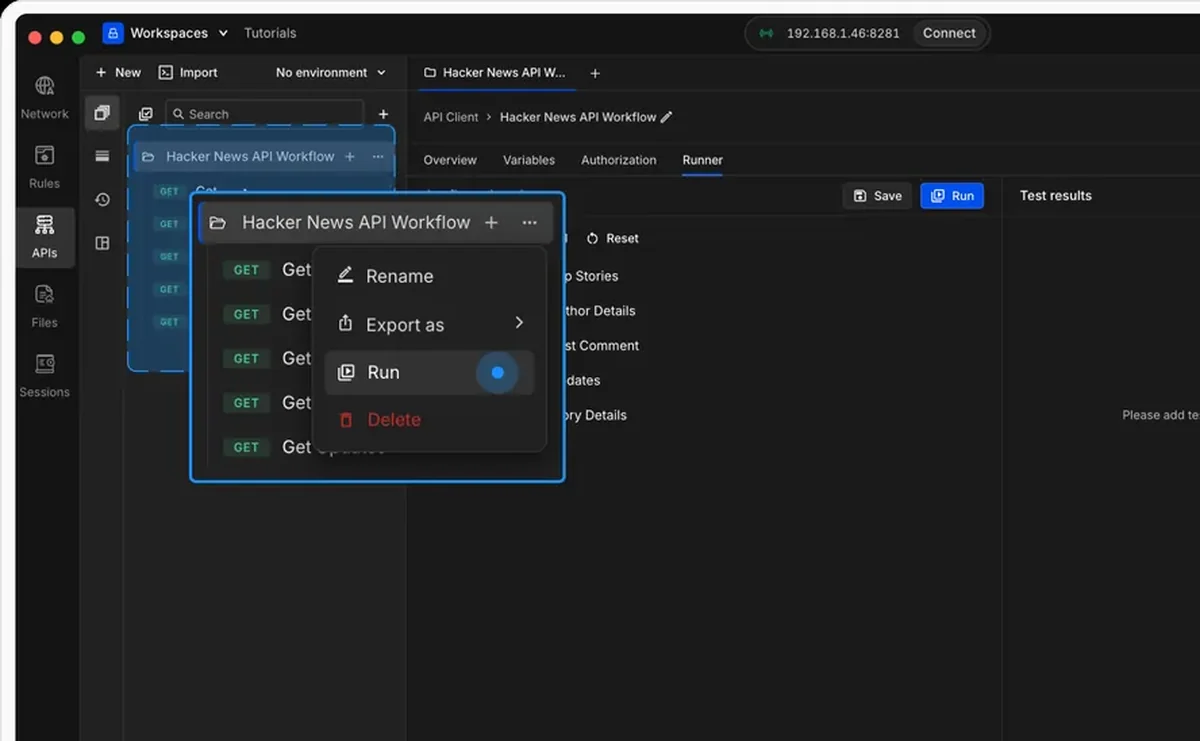
Attaching a CSV data file to a collection run in Requestly

Used by 300,000+ developers at 50,000+ companies

The same workflow, twenty times, with different inputs

Testing an endpoint against one user tells you it works for one user. Data-driven runs let you keep the collection exactly as it is and vary the inputs instead.

Attach a CSV or JSON file

Open the Runner for a collection, click Select Data File, and pick a CSV or JSON file. Requestly detects the type and shows you a preview of its structure — columns and types for CSV, keys and shape for JSON — so you can confirm it lines up with your requests before anything runs.

Match column names to your variables

The rule is simple: a column name or object key should match the variable you use in your requests. A column named storyId fills {{storyId}}.

city,temperature
Vancouver,10
Austin,24
London,12
[
  { "city": "Vancouver", "temperature": 10 },
  { "city": "Austin", "temperature": 24 },
  { "city": "London", "temperature": 12 }
]

Either of those produces three iterations, with {{city}} and {{temperature}} resolving differently each time.

Run it — nothing else changes

A data-driven run is an ordinary collection run with values swapped per iteration. Pre-request scripts, post-response assertions, environments and authorization all behave exactly as they do on a single pass — which means your existing tests immediately cover many more cases without being rewritten.


Read the documentation →

How a data file drives a run

One row in, one iteration out.

Row equals iteration

Each CSV row or JSON object is one full pass through the collection.

Column names are variables

A column called city fills every {{city}} in your requests for that iteration.

Automatic type detection

Requestly detects whether the file is CSV or JSON and previews its structure before you run.

Preview before running

Check column names and types, or object keys and structure, so a mismatch is caught before the run rather than during it.

Up to 100 MB

Large enough for realistic fixture sets, not just a handful of sample rows.

Everything else still applies

Scripts, assertions, environments and auth behave exactly as they do in a normal run.

Why developers switched

★★★★★ verified user

Requestly is the first API client that has genuinely replaced Postman for me. Everything runs locally, so my API data never goes through a cloud server. No bloat, no pressure to upgrade.

Hasan Toor
Hasan Toor
AI & Tech Educator
★★★★★ verified user

Postman stopped fitting the way our team works. We wanted our API collections in Git, not locked inside another tool. Requestly stores everything as plain JSON files, giving us full control over versioning and reviews.

NIJ Ruvos
NIJ Ruvos
Engineering Lead
★★★★★ verified user

We migrated from Postman to Requestly's API Client and it has been a great experience. Storing collections locally, keeping them in Git, and working with simple JSON files made the transition seamless.

Harry S
Harry S
Principal Engineer at Tapistro

Related features

More of what the Requestly API Client does.

AI Test Case Generator

Write tests from a plain-English prompt

API Tests & Assertions

Assert on status, body and schema

Requestly CLI

Run collections in CI

Collection Runner

Run a whole collection in order

DevTools

Console, network and resolved-variable inspection in one panel

Generate Client Code

Export requests to 20+ languages

See all features →

Frequently Asked Questions

CSV and JSON, up to 100 MB. For CSV, the first row defines the variable names and every following row is one iteration — all rows must have the same number of columns. For JSON, the file must be an array of key-value objects, each object being one iteration.

By name. Each column name or object key should match a variable you use in your requests — a column called storyId fills {{storyId}}. Requestly substitutes the values for each iteration as it cycles through the file.

Open the Collection Runner for your collection, click Select Data File in the configuration panel, choose your CSV or JSON, check the preview, then Save and Start Run.

Yes. A data-driven run is a normal collection run with values swapped per iteration, so pre-request scripts, post-response scripts and assertions all execute every time. See the Collection Runner.

No. Data files in the Collection Runner are a desktop-app feature.

Cover many cases in a single run

Point the Collection Runner at a CSV and let it iterate. Available on macOS, Windows and Linux.

macOS, Windows & Linux